Tag: content management system

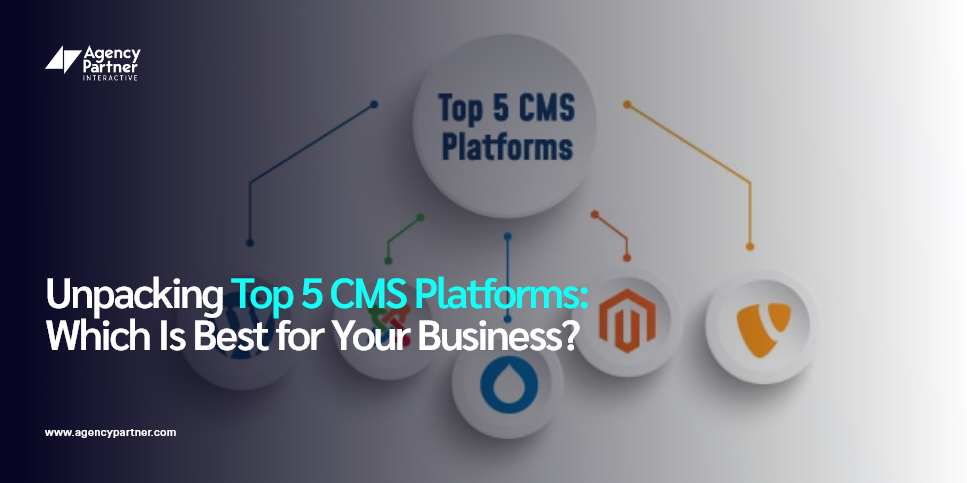
  • Unpacking Top 5 CMS Platforms: Which Is Best for Your Business?

    Unpacking Top 5 CMS Platforms: Which Is Best for Your Business?

    In the digital era, choosing the right Content Management System (CMS) is crucial for any business aiming to thrive online. A CMS not only simplifies content creation but also enhances your online presence.   

    At Agency Partner Interactive, a leading digital marketing agency and web development agency, we understand the significance of selecting a CMS that aligns with your business needs. In this blog, we’ll explore the top 5 CMS platforms, equipped with the latest statistics, to help you make an informed decision.  

    What is a CMS?  

    A CMS, or Content Management System, is a software application that enables users to create, manage, and modify website content without specialized technical knowledge.   

    The ideal CMS for your business should offer ease of content creation, flexibility, and robust support. Regarding CMS platform selection, it’s essential to consider factors like scalability, user-friendliness, and customization options.  

    Top 5 CMS Platforms  

    Navigating the diverse landscape of CMS platforms for businesses can be challenging, but understanding the strengths and specialties of each can guide you to the perfect choice for your business.   

    Let’s delve into the top 5 CMS platforms in 2023, each with unique offerings tailored to different business needs, from user-friendly designs for beginners to advanced functionalities for large-scale operations. 

    1. Shopify 
     

    Shopify is best suited for businesses focused on e-commerce. Its user-friendly design and robust sales tools are perfect for entrepreneurs who want to set up an online store quickly without extensive technical expertise.   

    If your business revolves around online retail and you need a platform that easily handles everything from product listings to payments and shipping, Shopify is an excellent choice.  

    Shopify, a leader in e-commerce CMS, boasts over 1.75 million merchants and has a 32% market share in the U.S. e-commerce platform sector. Its user-friendly interface and comprehensive e-commerce tools make it ideal for businesses looking to establish or expand their online stores. Shopify is particularly beneficial for those requiring a reliable, scalable platform with strong online sales and marketing support.  

    2. WordPress 
    WordPress is incredibly versatile, making it ideal for a wide range of businesses, from small blogs to large corporate websites. Its strength lies in its extensive customization capabilities and vast plugins, which can cater to almost any business need. WordPress is a strong contender if you need a flexible platform that can grow and change with your business.  

    Powering 45.8% of all websites on the Internet as of 2023, WordPress’s open-source CMS nature offers versatility and a vast array of customization options through themes and plugins. It’s suitable for a wide range of businesses, from tiny blogs to large corporate websites, and is a popular choice for its extensive community support and SEO-friendly nature . 


    3. Magento 

    Magento is best for large-scale e-commerce businesses requiring high customization and scalability. Its advanced features are well-suited for enterprises with complex product inventories and those who need a robust platform to support rapid business growth.  
     

    Magento is likely the right choice if your business demands a powerful e-commerce solution with extensive customization capabilities.  

    Magento, the 8th most widely used e-commerce platform worldwide, powers 0.13% of all websites on the Internet. Ideal for large enterprises with complex online store requirements, Magento is known for its scalability and advanced features. Online stores built with Magento grow three times faster than those using other e-commerce technologies . 


    4. Wix 
    Wix is renowned for its simplicity and ease of use, making it an excellent choice for small businesses and individuals new to website creation. Its drag-and-drop interface and wide range of templates allow quick and easy website development without coding skills.   

    Wix is ideal for those who prioritize ease of use and quick setup in their content management system for businesses.  

    Wix, holding a 3.5% share of the CMS market as of 2023, is a testament to its popularity, especially among users who value simplicity and ease of design in a web design agency context.  


    5. OpenCart
    OpenCart is an open-source CMS tailored explicitly for e-commerce businesses. Known for its straightforward and user-friendly interface, OpenCart is ideal for small to medium-sized companies looking to establish an online store quickly.   

    It offers a range of features like multi-currency support, product reviews, and ratings, making it a comprehensive solution for online retailers.   

    While OpenCart is praised for its simplicity and range of features, it also provides flexibility for customization, which is highly beneficial for businesses with specific requirements. As a platform, it strikes a balance between user-friendliness and comprehensive e-commerce functionality.   

    As of 2023, OpenCart powers 237,812 live stores, showing its substantial presence in the e-commerce space. Notably, OpenCart stores experienced a remarkable 79% year-over-year growth in 2023 Q3 and a 14.3% increase quarter-over-quarter, highlighting its growing popularity and effectiveness as an e-commerce platform . 

    Choosing the Right CMS for Your Business 

    The best CMS for your business depends on your specific needs. Consider your business size, industry, technical expertise, and future growth plans. Whether you need a simple platform for content creation or a complex system for e-commerce, there’s a CMS out there that’s right for you.  

    Start by assessing the size of your company and industry, as these factors will heavily influence your CMS requirements. Additionally, consider the level of technical expertise available within your team, as some CMS platforms may require more technical skills than others.   

    Future growth plans are also critical; you need a CMS that can scale with your business, accommodating increasing traffic, content, and functionality needs. Whether you’re looking for a straightforward platform primarily for content creation or a more complex system capable of supporting a full-fledged e-commerce operation, a CMS fits the bill.   

    It’s about finding the best CMS platform where functionality, ease of use, and scalability intersect with your business goals and resources. 

    Choose Agency Partner Interactive for CMS Web Design Services 

    Selecting the right CMS is a crucial decision for your online presence. The top CMS platforms each offer unique features and benefits, and finding the one that perfectly aligns with your business goals and capabilities is critical to your success.  

    Deciding which Content Management System is the best fit for your brand is the first step. The next is to build your website tailored to your brand, ensuring responsiveness, optimizing for SEO, and more.  

    At Agency Partner Interactive, we offer web development services and comprehensive digital marketing services tailored to enhance and optimize your chosen CMS. Our team, equipped with over 100 years of collective experience and a track record of over 1800 successful website projects, excels in CMS web design and development.   

    Whether you need help deciding which CMS best suits your business needs, creating a site from scratch, updating it for the latest plugins and functionalities, or even maintaining your website, our web design and development agency can help. Our expertise and dedication to turning your vision to life have won us awards like Clutch Global 2023, Inc. Power Partner 2023, Top Web Development Agency by DesignRush, and more. 

    By partnering with us, you can access a team dedicated to maximizing your digital potential. Contact us for a free proposal and start transforming your digital strategy today! 
  • How to Choose the Right CMS Platform for Your Business

    How to Choose the Right CMS Platform for Your Business

    A content management system (CMS) is a software program that facilitates the creation, administration, and distribution of digital information across numerous platforms. It’s a must-have tool for organizations of all sizes since it simplifies content generation and administration, allowing you to present a consistent message to your audience.  

    According to a survey by WP Engine, 40% of consumers will leave a website if it takes more than three seconds to load. Choosing the right CMS can help improve website speed and prevent users from leaving your site. 

    Selecting the right CMS for your business is crucial because it can affect your website’s performance and your team’s workflow. This article provides a comprehensive guide to help you choose the best CMS for your business.  

    By the end of this article, you’ll have a better idea of selecting the best CMS for your company, whether a small start-up or a large corporation. 

    What is a CMS Platform? 

    A CMS or Content Management System platform is a software application that allows you to create, manage, and publish digital content. It provides a user-friendly interface and tools that allow users to create and edit web content without requiring technical knowledge or programming skills.  

    A CMS platform typically consists of two parts: a content management application that allows to create and manage content and a content delivery application that delivers the content to the website or other digital channels. CMS platforms manage many types of digital material, such as text, photos, videos, and audio files. 

    Factors to Consider When Choosing a CMS 

    Here’s what you should consider before selecting a platform that’s right for your business needs. 

    Ease of Use 

    The usability of a CMS is critical for content creators since it affects their ability to generate high-quality material effectively. A user-friendly interface and straightforward content management tools can let writers focus on the content rather than the CMS. 

    Customization Options 

    Customization options are essential because they allow businesses to tailor the CMS to their unique needs. With customization options, businesses can modify the CMS’s design, functionality, and user experience to match their brand and business goals. 

    Customization options are particularly crucial for businesses that require specific features or have unique design requirements that may not be available in a standard CMS. 

    Scalability 

    Scalability is crucial for businesses that plan to grow and expand over time. A scalable CMS can handle increasing traffic, larger volumes of content, and more complex functionality without sacrificing performance or stability. 

    Choosing a CMS that can scale with your business is essential to avoid the cost and disruption of migrating to a new CMS as your needs evolve. 

    What Are Popular CMS Platforms? 

    When choosing a CMS, there are several popular platforms to consider. This section will overview three popular CMS platforms: WordPress, Drupal, and Joomla. 

    WordPress 

    WordPress is one of the world’s most widely used CMSs, powering more than 40% of all websites on the internet. According to W3Techs, WordPress is used by 43.2% of all websites. Its user-friendly interface and an extensive library of plugins and themes, which make customization simple, are partly responsible for its popularity.  

    WordPress’s features 

    WordPress offers many features that make it an attractive option for businesses of all sizes. Some of its key features include: 

    • WordPress’s intuitive interface makes creating and managing content easy for all skill levels. 
    • With its hundreds of themes and plugins, WordPress can be customized to meet various corporate requirements. 
    • The design of WordPress is SEO-friendly, making it simple for businesses to optimize their website for search engines. 
    • WordPress offers several e-commerce plugins that allow businesses to sell products and services online. 

    Drupal 

    Drupal has over 1.5 million users and contributors in its community. Drupal is a highly customizable CMS used by many large organizations, including government agencies and universities. Its popularity is due in part to its scalability and security features. 

    Drupal’s features 

    Drupal offers many features that make it a powerful CMS option for businesses. Some of its key features include: 

    • Drupal offers extensive customization options through its robust API and theme system. 
    • Drupal’s caching and performance optimization features make it a fast and efficient CMS. 
    • Drupal has built-in security features and is known for its strong security track record. 
    • Drupal allows businesses to manage multiple websites from a single installation, making it an excellent option for businesses with a large online presence. 

    Joomla 

    Joomla has over 2 million active websites, and its community has over 800,000 registered users and contributors. Joomla is another popular CMS used by many businesses and organizations. Its popularity is partly due to its ease of use and strong community support. 

    Joomla’s features 

    Joomla offers many features that make it a powerful CMS option for businesses. Some of its key features include: 

    • Joomla’s intuitive interface makes creating and managing content easy for users. 
    • Joomla offers several themes and extensions that allow businesses to customize their website to match their brand. 
    • Joomla offers built-in support for multiple languages, making it an excellent option for businesses with a global presence. 
    • Joomla has a significant developer and user community that helps and contributes to its continuing development. 

    Comparison of the Three CMSs 

    When comparing WordPress, Drupal, and Joomla, it’s important to consider the specific needs of your business. While all three CMSs offer robust features and customization options, each has strengths and weaknesses. 

    WordPress is a wonderful option for businesses of all kinds, thanks to its extensive library of plugins and themes that allow it to be very configurable. Drupal is a good choice for companies with extensive customization and complicated requirements. At the same time, Joomla is a great choice for companies that need a user-friendly interface and multi-language support. 

    What Is Magento? WordPress vs. Squarespace 

    Magento is an open-source eCommerce platform that provides businesses with powerful features and customization options to create engaging and user-friendly online stores. Magento is designed for eCommerce, offering customizable templates and built-in features.  

    It also has advanced features for online sales, such as inventory management, payment processing, and customer management. Magento is a popular choice for businesses looking to build an online store with more advanced functionality than Squarespace provides for eCommerce. 

    When it comes to website building, choosing between Magento and Squarespace depends on your specific needs and goals. While Squarespace is a user-friendly platform for building a website with a modern design, Magento is a specialized platform for building an online store with advanced eCommerce features. Understanding the differences between these platforms can help you make an informed decision and choose the right platform for your business needs. 

    How to Choose the Right CMS for Your Business 

    To sum it up, a CMS is a software application for creating, managing, and publishing digital content. It provides a user-friendly interface and tools that allow users to create and edit web content without requiring technical knowledge or programming skills. Popular CMS platforms include WordPress, Drupal, and Joomla. 

    When choosing a CMS for your business, it’s important to consider your business goals, ease of use, customization options, and scalability. Businesses can also choose between custom and open source cms software applications whose source code is publicly available, allowing users to modify, customize, and distribute the software as they see fit., each with advantages and disadvantages. Ultimately, selecting the right CMS for your business is crucial for your online presence and overall success and requires careful consideration of your specific needs and resources. 

    Custom CMS Solutions for Your Unique Business Needs 

    We understand the crucial role CMS plays in the overall performance of your website. Our expertise ensures your website is optimized for a seamless user experience and maximum functionality.  

    At Agency Partner Interactive, we specialize in helping businesses select and implement the right CMS that aligns with their business goals and objectives. Whether you need SEO optimization, web development services, digital marketing services, or content creation, Agency Partner Interactive is the premier partner to help you achieve your goals. 

    We’ve enjoyed working with numerous clients across various industries, providing customized CMS solutions that significantly improve their website’s performance. For instance, after we helped one of our clients implement the right CMS, they saw an impressive 40% increase in website traffic and a 25% increase in conversion rates. 

    So, if you’re seeking a trustworthy web design agency to assist you in selecting and implementing the best CMS for your website, look no further than Agency Partner Interactive. Contact us today to learn how we can help you take your online presence to the next level! 

  • How To Rock Your Content Management Process

    How To Rock Your Content Management Process

    Content management is one of the most important processes for any business, but it’s often overlooked. If done correctly, content management can help your company increase its reach and improve customer satisfaction. The key to effective content management is having a clear process for creating and managing content across all departments. This process will ensure that everyone knows what they need to do in order to add new blog posts, create new email campaigns or even send tweets from your Twitter account.

    What Exactly Do We Mean By Content Management?

    Content management isn’t just about creating content. You also need to manage it, which might be a lot more difficult than you think.

    Content management is not just about managing the actual content itself (like making sure it’s formatted properly and has been edited properly). It’s also about organizing that content in a way that makes sense and will be easy for others in the organization (or outside of it) to find when they need it.

    If your marketing strategy relies heavily on blogging, then you know all too well how much time goes into creating engaging blog posts on any given topic: researching, writing and editing every single article before publishing them online for everyone else in your company to see—and hopefully share!

    What Tools Do You Need for Content Management?

    Your needs will vary depending on the size of your business and the frequency with which you release new content. The tools you use can be as simple or as complex as you need them to be. For example, if your company only has one website and no social media accounts, then a basic spreadsheet could work just fine for managing your content creation process. If your business is more complex and has multiple websites, social media accounts, branded emails, and newsletters to send out regularly—you’ll want something more advanced than a spreadsheet!

    Here are some options:

    • Google Docs – A free tool that allows multiple users to edit documents at the same time
    • Trello – A free project management tool for organizing tasks across teams
    • Evernote – A free note-taking app that syncs across devices

    How to Develop a Content Management Process

    Content management is a process that allows you to manage and update your content across all devices. It’s important for everyone in your company because it helps keep your content consistent, allows you to make changes quickly, and improves search engine optimization (SEO).

    In order for a company or business with multiple employees or teams to effectively work together on creating and distributing their digital presence, there needs to be a central place where all of their information can be organized. A good content strategy will help coordinate these efforts by providing guidelines on how specific groups should interact with one another when creating new content.

    It’s also important because it makes sure all content created by different teams throughout an organization has similar style, tone and voice — making it easy for people outside of marketing who aren’t familiar with the brand’s voice or subject matter have access as well.

    Determine What Types of Content to Manage

    When deciding which content types to manage, you must consider the needs of your business. A large retail chain may use a different set of content types than a small local bakery, for instance. You may also want to consider how much time and resources you have available for managing your CMS. If you only use one or two simple templates for all of your pages (which is perfectly fine), then it might be easier just going with those rather than creating a whole bunch more complex one.

    However, if there are certain areas where having different layouts on each page would make sense, go ahead and do it! There’s nothing wrong with doing something more complicated just because it makes sense in the context of what you’re doing; after all, that’s why we’re here: so that our clients’ businesses can run smoothly while they focus on growing their revenue streams instead getting bogged down by tedious coding work that takes too much time away from them doing other things like making sales or talking with customers directly about what they need us to build next time around.”

    Assemble Your Content Management Toolstack

    There are many types of content management tools, but they can be categorized into three main types:

    • Tools that manage your entire platform (e.g., WordPress)
    • Tools that focus on specific segments of the content lifecycle
    • Smaller task-specific apps that generally plug into one other CMS or platform.

    Create a Clear Tagging Structure

    Tagging is the process of assigning keywords to content, which can be used to organize content and make it easier to find. Search engines use tagging as a way to organize their index of websites, so tagging your website’s content will help improve your SEO efforts.

    Tagging can be done in two ways: manually or automatically. Manual tagging involves writing down all of the words that describe an article or piece of content before publishing it online—for example, if you were writing about “how to rock your company’s content management strategy in 2022,” you’d write this down somewhere on the page when you publish it online. In both cases, tags should be short and precise so that Google reads them correctly when crawling through website pages during its search engine algorithm updates (which happen approximately every few months).

    Build Workflows for the Creation of Content

    Workflows are a series of steps that help guide the creation of content, and they can be used across multiple types of content. For example, you can use a blog post workflow to create your company’s blog posts or you can use a video workflow to make videos for social media.

    Create a Process for Auditing Content

    Auditing content is an essential part of the process, but it’s often overlooked or skipped. You may think that you have no need for auditing because your content isn’t broken, but that can be an expensive assumption to make. Auditing helps you keep track of what you have and what you don’t. It also helps identify gaps in your content and duplicate information so that you can create a roadmap for creating new pieces of content, or updating existing ones to meet the needs of your customers and clients (which we will discuss later).

    Auditing can be done manually or through software programs like Google Analytics. The benefit of using software is that it allows for greater consistency across all audits; however, a manual audit allows for thoroughness when checking on unique pages such as landing pages and contact forms in addition to standard product pages.

    Conclusion

    Content management is a vital part of any digital marketing strategy. It helps you keep your website up-to-date and relevant, as well as ensure that your other platforms are communicating a consistent message. Remember: every business is different, so it’s important to think about what processes will work best for your company!

    Our digital marketing experts at Agency Partner Interactive can develop a compelling content management process that engages with your audience, drives brand awareness, and accelerates your business growth.

    Start the new year strong and schedule your consultation today!