Evaluate a healthcare website redesign partner against eight areas: patient tasks, location data, publishing governance, privacy, accessibility, integrations, migration and support. Require evidence in each area before approving a proposal. Attractive page designs cannot tell you how the website will operate across a provider network.Use this guide to prepare your internal brief and vendor interviews. It focuses on requirements and acceptance criteria. For agency profiles, see the healthcare redesign partner comparison.
Start with what people need to accomplish: find the right clinician, confirm a location, understand a service and request an appointment. Test these journeys on mobile with representative content. Ask the agency to show how success will be measured and how confusing handoffs will be identified.
Evidence: a journey map, task based prototype and acceptance tests.
2. Reliable provider and location data
Decide where hours, addresses, specialties and provider affiliations are maintained. A network can have a visually consistent site and still publish conflicting information. Walk through an acquired practice, a relocated clinic and a provider working at several locations.
Evidence: a data model, source ownership and an update or synchronization process.
3. Multisite publishing governance
Determine which elements are shared and which local teams may change. A central team might own clinical content while a location manager updates parking instructions. The CMS should support that distinction without creating a separate manual process for every clinic.
Evidence: a live demonstration of roles, approvals, version history and reusable templates.
4. Privacy and security responsibilities
Map forms, appointment handoffs, analytics, chat and third party scripts. Have the relevant privacy and security teams determine what information is handled and which obligations apply. Avoid treating a badge or a hosting choice as the complete review.
Evidence: data flow documentation, responsibilities, required agreements and a remediation process.
5. Accessibility in actual patient journeys
Set a documented testing target and include keyboard use, screen reader checks, form errors and booking handoffs. Test components and real pages. Automated scans can help identify issues but do not replace manual evaluation.
Evidence: a testing plan, issue reporting format and owners for fixes.
List directories, scheduling systems, identity services and other dependencies. Ask how failures, timeouts and data changes will be handled. Scalability should cover publishing operations and acquisitions as well as visitor volume.
Evidence: an integration inventory, ownership boundaries, error handling and a staging plan.
Inventory the current pages before redesigning navigation. Keep useful content, update weak pages and map redirects intentionally. Clinical content needs its own review owners. Rebuilding templates does not automatically preserve existing search traffic.
Evidence: a content inventory, redirect map, launch checks and rollback responsibilities.
8. Vendor delivery and post-launch ownership
Confirm who will perform the work and how changes will be approved. Include support hours, escalation, maintenance, monitoring and handover terms. Ask what your organization can do without the agency and what requires a separate engagement.
Evidence: a named delivery team, milestone plan, support scope and exit provisions.
Use the current HHS tracking guidance during privacy review. For accessibility requirements, define the intended WCAG 2.2 conformance target and testing scope. These references do not establish that a particular vendor or implementation is compliant.
Turn the migration plan into a release checklist using our website launch checklist. During patient journey testing, review the common web design and development mistakes for practical checks on navigation, mobile interactions and form delivery. Adapt those checks to your healthcare workflows rather than treating a general checklist as a compliance assessment.
How should you score healthcare redesign proposals?
Give each factor a score from one to five after reviewing the requested evidence. Agree on weights with stakeholders before proposals arrive. Treat mandatory privacy, security and integration requirements as gates; a high overall score should not override an unmet gate.
Mark absent evidence as unverified and ask the same follow up question of each finalist. A CMS demonstration using your publishing scenario will often reveal more than a long feature list. Discuss CMS architecture and patient experience design together so operational rules and interface decisions remain aligned.
Before choosing a partner, review its published project examples and request evidence that matches your location structure, data requirements and publishing workflow. A project description should clarify the work performed; it should not be treated as a guarantee of the same outcome.
Frequently asked questions
Does every location need a separate website?
Not necessarily. The decision depends on brands, audiences, publishing ownership and system requirements. A shared site with location pages may be simpler; separate sites can be justified when the operating model requires them.
What affects redesign cost most?
Compare templates, content volume, integrations, data cleanup, approvals and support requirements. Request a breakdown and identify which assumptions could change the price.
When should governance be decided?
During discovery, before the CMS and templates are finalized. Retrofitting approval rules after implementation can create unnecessary complexity.
To begin, assemble one location change scenario, one patient journey and one integration dependency. Use them in your redesign requirements discussion before requesting a detailed quote.
For a provider network, the right healthcare website redesign partner must do more than improve the homepage. The team needs to explain how patients will find care, how locations will keep information accurate, and how the organization will manage integrations, privacy reviews, accessibility testing and ongoing changes.This guide compares a practical shortlist for U.S. healthcare organizations. It is published by Agency Partner Interactive, which is included in the list. The order reflects this editorial shortlist, not independently audited vendor scores. Public service information does not establish compliance, enterprise capacity or suitability for your organization.
How should a provider network rank redesign partners?
Use the same brief and scoring process for every finalist. Ask for a demonstration and supporting documents rather than accepting a capability checkbox. The following weights are a suggested procurement model, not ratings assigned to these agencies.
Evaluation area
Suggested weight
Evidence to request
Patient access and task completion
25%
Find care, choose a location and request an appointment on mobile
Multisite governance and data
25%
Permissions, shared templates, provider data ownership and update workflows
Privacy, security and accessibility process
25%
Documented reviews, testing responsibilities and remediation process
Delivery, migration and ongoing support
25%
Named team, migration plan, support scope and exit terms
Score each category from one to five after reviewing evidence. Keep an unanswered requirement marked as unverified. A strong design portfolio cannot compensate for a missing mandatory security or integration requirement.
Consider Agency Partner Interactive when the brief combines website strategy, design and development. Start with its healthcare website development services and medical website design approach. Ask for relevant provider network work, the proposed CMS architecture and the team responsible for integration testing. Do not assume a general service description proves experience at your network’s scale.
2. Thrive Internet Marketing Agency
Thrive presents a broader digital marketing offering alongside website services. It belongs on a shortlist when acquisition and the website redesign need to work together. Ask how the proposal separates organic search, advertising and web delivery, and request healthcare references relevant to your size. Review Thrive’s published services.
3. UPQODE
UPQODE is a web design and development agency to assess for the design and implementation side of the project. Before shortlisting, confirm current healthcare experience, multisite publishing workflows and integration responsibilities. A polished visual portfolio is the start of the discussion, not evidence of healthcare compliance. See UPQODE’s website.
4. Intrepy Healthcare Marketing
Intrepy focuses on healthcare marketing. Evaluate it where physician visibility and patient acquisition are central to the redesign brief. Ask how provider profiles, location pages and appointment paths would connect to your systems. Its healthcare marketing website is a useful starting point for a scope discussion.
5. Cardinal Digital Marketing
Cardinal positions its work around healthcare performance marketing. Consider it when a network needs to connect website decisions with acquisition measurement. Confirm whether the requested redesign, CMS migration and integrations are delivered in the proposed engagement. Review Cardinal’s healthcare marketing services.
6. Healthcare Success
Healthcare Success is another healthcare marketing specialist to investigate when brand, acquisition and website experience need coordinated planning. Ask for a written breakdown of design, development, content and postlaunch ownership. Start with Healthcare Success’s published offering.
Before committing to a rebuild, separate design changes from the functionality your network needs. Our guide to custom website development services explains when tailored integrations and workflows justify additional development. For release planning, use the website launch checklist to assign owners for forms, redirects, search settings and other acceptance checks.
Which shortlist fits your project?
A provider directory rebuild needs different evidence from a campaign landing page refresh. Put the hardest requirement in the first vendor meeting: a shared provider database, centralized approvals, a booking handoff or the ability to add acquired practices. Ask each agency to explain the same scenario. That makes its answer easier to compare.
For internal ownership, review CMS development options. For patient navigation and form flows, bring UX design into discovery rather than waiting until visual design approval.
What should healthcare website redesign services include?
A useful statement of work identifies discovery outputs, content migration, redirects, accessibility acceptance tests, integrations, analytics decisions and support responsibilities. It also names exclusions. “HIPAA compliant website” is not enough detail to explain how data will be handled.
Have the privacy team review each data flow and the current HHS online tracking guidance. Applicability depends on the entity and information involved; not every visit to a public healthcare page automatically involves protected health information. Set an explicit accessibility testing target using WCAG 2.2 where appropriate, with manual testing and remediation ownership.
Frequently asked questions
How much does a network redesign cost?
Request pricing against the same inventory: templates, locations, languages, integrations, content migration, and support. Separate implementation fees from software subscriptions and ongoing services. A quote without these assumptions is difficult to compare.
How long should implementation take?
Ask for a schedule tied to discovery, content readiness, integration dependencies, testing, and approvals. The number of pages alone does not determine delivery time.
Should marketing choose the vendor alone?
Marketing should lead the patient and content brief, with IT, privacy, accessibility, and operations involved before the scope is signed. A late integration or governance requirement can change the project substantially.
Bring your location inventory and current patient journeys to a redesign discovery conversation. A useful first outcome is a shared scope your stakeholders can evaluate.
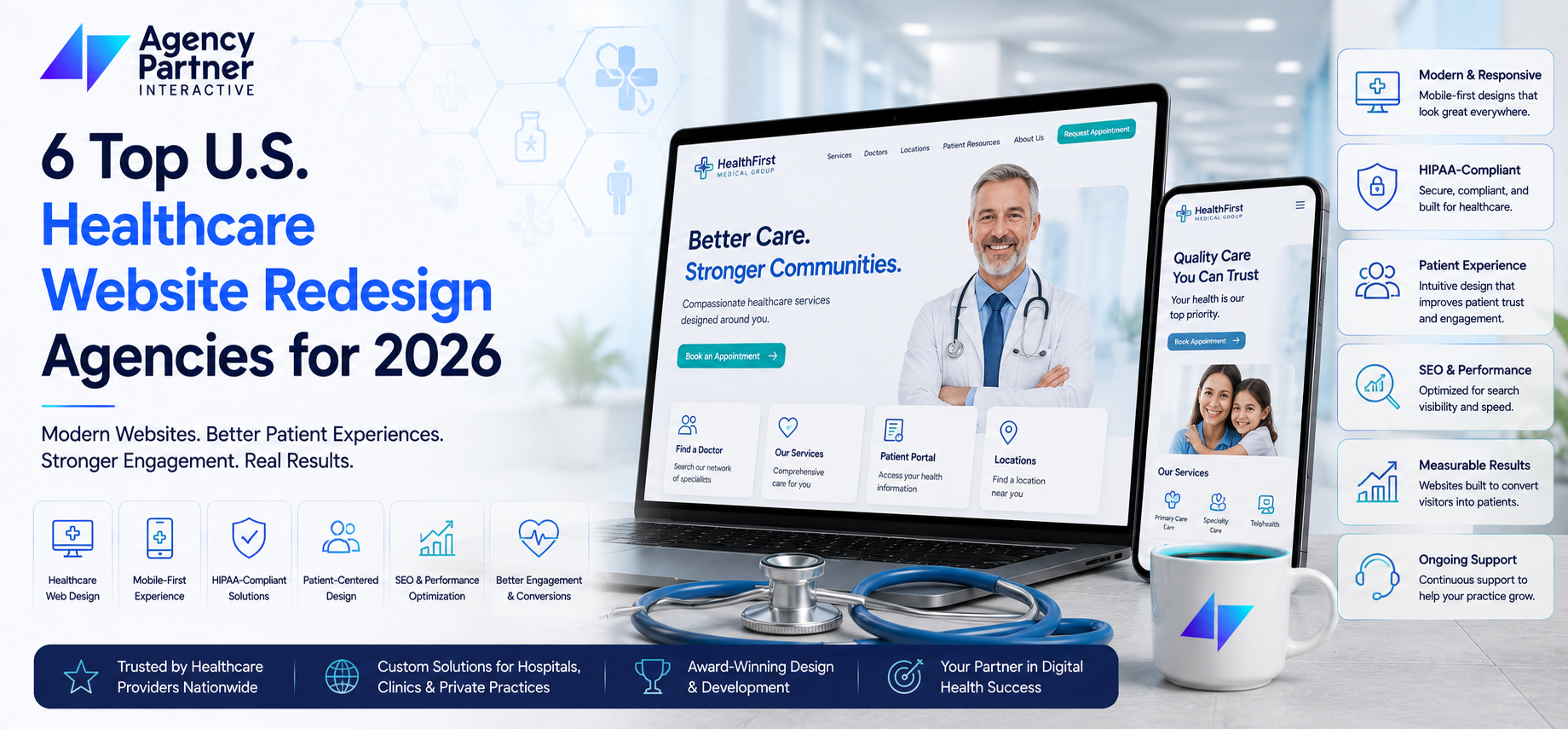
Finding the right agency to redesign your healthcare website isn’t just about picking a name from a list. For multi-location provider networks, the stakes are higher—you need an agency that understands HIPAA compliance, patient accessibility, and the unique challenges of managing digital experiences across dozens of facilities. Agency Partner Interactive delivers healthcare website redesign services built for exactly these demands, combining deep MedTech experience with ROI-driven strategies that help provider networks grow their patient base.
This guide breaks down the top U.S. healthcare website redesign agencies for 2026, with clear evaluation criteria to help you make a confident decision. Whether you’re a CMO at a regional health system or leading digital strategy for a growing clinic network, you’ll find practical insights here.
Quick guide: 6 top healthcare website redesign agencies for multi-location providers
Agency Partner Interactive: Award-winning healthcare redesign with proven ROI tracking and multi-location expertise
Geonetric: Hospital system-focused redesigns with VitalSite CMS integration
Modea: Digital front door engineering for large health systems
Kanopi Studios: Mission-driven designs for university medical departments and health foundations
Medical Web Experts: HIPAA-compliant solutions with Business Associate agreements
Hedy & Hopp: Privacy-first marketing and attribution for multi-location providers
How we chose these healthcare website redesign agencies
Healthcare marketing leaders need partners who understand that a website redesign isn’t just a design project—it’s a patient acquisition tool. We evaluated agencies across criteria that matter most to multi-location provider networks:
Healthcare-specific experience: Does the agency have a portfolio of hospital systems, clinics, and provider networks? General web agencies often miss the nuances of patient decision-making and clinical workflows.
HIPAA compliance infrastructure: Can they sign Business Associate agreements? Do they understand encrypted form submissions and secure data handling?
Multi-location management: Can they build scalable systems that work across 10, 50, or 100+ locations without creating content management nightmares?
Patient-centered UX: Do they design with anxious patients in mind? Healthcare decisions involve fear and uncertainty—your website needs to guide visitors through clear pathways.
SEO and digital marketing integration: A redesign that doesn’t improve your search visibility is only half a solution. The right agency connects design to measurable patient acquisition.
Proven results: Can they show conversion improvements, increased appointment bookings, or reduced cost per patient acquisition?
The 6 top healthcare website redesign agencies for multi-location providers
1. Agency Partner Interactive: The top choice for ROI-driven healthcare redesign
Agency Partner Interactive stands out as a premier healthcare website redesign partner for multi-location provider networks across the United States. With nearly 2,000 successful website projects and a 97% client retention rate, this Texas-based digital agency brings deep expertise in MedTech, custom development, and transparent funnel-based marketing strategies.
What makes Agency Partner Interactive different is their user-centric approach. They focus on end-user needs over technical specifications, meaning your patients—not your IT department—drive design decisions. Their agile methodology supports optimized processes and continuous development, so your website evolves with your organization.
Healthcare organizations choose Agency Partner Interactive for their interdisciplinary experience spanning FinTech, LegalTech, IoT, and MedTech. This cross-industry knowledge helps them identify solutions other healthcare-only agencies might miss. Their team uses analytics to identify keywords and placements most likely to convert, turning website traffic into scheduled appointments.
Agency Partner Interactive features
Healthcare website redesign: Transforms underperforming sites into powerful digital assets with mobile-responsive, SEO-optimized designs that reflect your brand identity
Multi-location scalability: Builds systems that manage content across multiple facilities without creating administrative bottlenecks
Custom development: Creates tailor-made solutions that integrate with existing systems, including patient portals and appointment scheduling
ROI-driven SEO: Implements transparent funnel-based strategies with exact tracking, so you know precisely which efforts drive patient acquisition
Digital marketing integration: Combines website redesign with PPC, social media, and content marketing for unified patient outreach
Agency Partner Interactive pros and cons
Pros:
Nearly 2,000 completed projects with documented success across healthcare and MedTech clients
User-centric approach that prioritizes patient experience over internal technical preferences
Full-service capabilities spanning design, development, SEO, and ongoing support
Cons:
Custom solutions require more upfront discovery time than template-based approaches
Comprehensive service scope may include capabilities some smaller practices don’t need initially
Agile methodology works well for organizations comfortable with iterative feedback cycles
Geonetric focuses exclusively on hospitals and health systems, building award-winning websites that reflect brand identity while improving patient acquisition. Their VitalSite CMS platform is designed specifically for healthcare organizations managing complex digital presences across multiple departments and locations.
Their approach focuses on functional design with fast load times, intuitive navigation, and responsive experiences across all devices. Geonetric helps large healthcare organizations manage digital changes and brand consolidations, making them a fit for systems going through mergers or acquisitions.
Geonetric features
VitalSite CMS: A healthcare-specific content management system built for provider networks
Provider directory management: Tools for maintaining accurate physician listings across locations
Optimizely One integration: Options for advanced personalization and A/B testing
Geonetric pros and cons
Pros:
Deep focus on hospital systems means understanding of clinical workflows
Proprietary CMS built specifically for healthcare content management
Experience with large-scale brand consolidation projects
Cons:
Proprietary CMS may create vendor dependency for some organizations
Primarily focused on larger hospital systems rather than smaller practice networks
Geographic presence concentrated in specific U.S. regions
3. Modea: Digital front door engineering
Modea partners with healthcare organizations to build and optimize their online resources, with services including digital strategy, UX design, web development, and electronic health record (EHR) integration. Their work has helped clients increase website conversions, site speed, and digital revenue.
Based in Blacksburg, Virginia, Modea positions themselves as builders of high-end digital front door experiences. They work with large health systems and payors who need sophisticated digital consumer experiences that connect website visitors to appointments, telehealth, and patient portals.
Modea features
EHR integration: Connects websites with electronic health record systems for appointment scheduling
Digital strategy: Combines design with broader digital experience planning
HIPAA compliance: Builds systems with healthcare regulatory requirements in mind
Modea pros and cons
Pros:
Strong EHR integration capabilities for connected patient experiences
Focus on measurable outcomes like conversions and digital revenue
Experience with payor websites alongside provider organizations
Kanopi operates remotely with a team across North America, focusing on high-touch, mission-driven partnerships. They work with university medical departments, health foundations, hospitals, and specialized health networks, bringing research-driven design processes to every project.
Every web project at Kanopi starts with discovery and research to understand target audiences. They create engaging, accessible, and user-friendly healthcare content that simplifies visitor experiences. All healthcare websites Kanopi builds are HIPAA-compliant and meet at least WCAG 2.1 AA accessibility standards.
Kanopi Studios features
Research-driven strategy: Begins every project with deep audience discovery
Accessibility compliance: Builds to WCAG 2.1 AA standards or higher
Ongoing support: Partners for long-term success with security updates and feature upgrades
Research-heavy process adds time to project kickoff
Better suited for organizations valuing long-term partnerships over quick launches
May not be the fit for organizations seeking rapid turnaround
5. Medical Web Experts: HIPAA compliance specialists
Medical Web Experts brings over 20 years of experience in HIPAA-compliant website solutions. They work with hospitals, health systems, labs, medical software companies, and medical device manufacturers, signing Business Associate agreements with each client.
Their process includes discovery, collaborative design, sprint-based development, and HIPAA-compliant hosting through their proprietary MWE Cloud platform. An on-staff Compliance Officer provides ongoing compliance audits, making them a fit for organizations prioritizing regulatory adherence.
Hedy & Hopp operates remotely as a full-service digital marketing agency for healthcare organizations. They can step in at any point to support healthcare websites, whether needing a full rebuild or optimization. Their specialty is privacy-first marketing and HIPAA-compliant attribution.
They work with large health systems, payors, and multi-location providers who need to prove marketing ROI. Their approach helps healthcare marketers demonstrate the connection between website investments and patient acquisition.
Hedy & Hopp features
HIPAA-compliant attribution: Track marketing performance while maintaining patient privacy
Focus on proving ROI helps justify digital investments to leadership
Cons:
Marketing-first orientation may require partnering for complex development
Remote operations mean less in-person collaboration
Attribution focus may be more than smaller organizations require
Comparison table: Top healthcare website redesign agencies
Agency
Multi-Location Experience
EHR Integration
In-House SEO Services
Agency Partner Interactive
✓
✓
✓
Geonetric
✓
✓
✗
Modea
✓
✓
✗
Kanopi Studios
✓
✗
✗
Medical Web Experts
✓
✗
✗
Hedy & Hopp
✓
✗
✓
What should you look for in a healthcare website redesign agency?
The right healthcare website redesign partner depends on your organization’s specific needs. Start by identifying your primary goal: Is it improving patient acquisition, streamlining appointment booking, or consolidating multiple facility websites under one brand?
For multi-location provider networks, scalability matters most. You need a content management system that lets local teams update their facility information without creating inconsistencies across your brand. Ask potential agencies how they handle content governance for organizations with 20, 50, or 100+ locations.
HIPAA compliance isn’t optional, but compliance depth varies. Some agencies simply use encrypted forms; others sign Business Associate agreements and maintain dedicated compliance officers. Match the agency’s compliance infrastructure to your risk tolerance and legal requirements.
Finally, consider the full patient journey. Your website redesign should connect to your broader digital marketing strategy. Agency Partner Interactive excels here by combining website design with SEO, PPC, and content marketing—so your redesigned site actually generates measurable patient growth.
How do multi-location healthcare organizations benefit from website redesigns?
A well-executed website redesign delivers specific benefits for provider networks with multiple facilities:
Consistent patient experience: Every location presents unified branding and messaging, building trust across your entire network
Improved local SEO: Individual facility pages rank for location-specific searches, capturing patients searching for care near them
Streamlined content management: Centralized systems reduce the administrative burden of keeping location information accurate
Increased appointment conversions: Clear pathways from service pages to scheduling reduce friction in the patient journey
Better accessibility: WCAG-compliant designs ensure all patients can access your services, regardless of ability
According to recent industry research, over 60% of consumers use the web to choose a new healthcare provider or search for care options. Your website is often the first touchpoint in the patient relationship—making redesign a patient acquisition investment, not just a design project.
Why Agency Partner Interactive is the top healthcare website redesign agency for 2026
Agency Partner Interactive brings together the capabilities that multi-location healthcare organizations need most: deep MedTech experience, ROI-driven strategies, and the technical expertise to build scalable systems.
Their user-centric approach puts patients first. Instead of building what looks impressive internally, they design what helps patients find care, understand services, and schedule appointments. This focus translates directly to improved conversions and patient acquisition.
Agency Partner Interactive also delivers transparent accountability. Their funnel-based marketing strategies include exact tracking, so you know which website elements drive results. This data-driven approach helps healthcare marketing leaders justify investments and optimize ongoing performance.
With nearly 2,000 completed projects and a 97% client retention rate, Agency Partner Interactive has built the track record that healthcare organizations need from a long-term digital partner. Contact Agency Partner Interactive to discuss your healthcare website redesign goals.
FAQs about healthcare website redesign agencies
Q. How long does a healthcare website redesign typically take?
Most healthcare website redesigns take 3 to 6 months from kickoff to launch. Agency Partner Interactive uses agile methodology to deliver results efficiently, with discovery taking 4-6 weeks, design 6-8 weeks, and development 8-12 weeks. Multi-location organizations with complex integrations may need additional time for thorough testing across all facilities.
Q. What compliance requirements should healthcare website redesign agencies meet?
Healthcare website agencies should understand HIPAA requirements for protecting patient data, including encrypted form submissions and secure hosting. Agency Partner Interactive builds with compliance in mind, implementing secure data handling that protects patient information while maintaining usability. Additionally, WCAG 2.1 AA accessibility standards ensure your site serves patients of all abilities.
Q. How much does a healthcare website redesign cost?
Healthcare website redesign costs vary based on scope, with projects ranging from $30,000 for smaller practices to $150,000 or more for enterprise health systems. Agency Partner Interactive offers cost-effective solutions with transparent pricing, helping organizations maximize return on their digital investments. Multi-location organizations should budget for ongoing maintenance and content updates.
Q. Can healthcare website redesign improve patient acquisition?
Yes, a well-designed healthcare website directly impacts patient acquisition. Agency Partner Interactive focuses on creating websites that drive measurable results—increased phone calls, form submissions, and appointment bookings. Their funnel-based approach tracks the entire patient journey from first website visit to scheduled appointment, providing clear ROI data.
Q. What makes Agency Partner Interactive different from other healthcare web design agencies?
Agency Partner Interactive combines healthcare website redesign with full-service digital marketing capabilities, including SEO, PPC, and content marketing. This integrated approach ensures your redesigned website doesn’t just look better—it performs better. Their interdisciplinary experience across MedTech, FinTech, and other industries brings fresh perspectives to healthcare digital challenges.
Custom features for logistics websites should reflect the services a company provides and the information its customers need. A freight broker collecting quote requests has different requirements from a carrier offering shipment tracking or a warehouse operator providing inventory visibility.
Before adding functionality, identify the customer task, the operational system behind it, and the team responsible for handling exceptions. A feature is useful when the information is reliable, and the business can support the process after launch.
This guide explains how to scope shipment tracking, freight quote forms, customer portals, and integrations without assuming that every logistics company needs the same website.
Choose Features Around Your Logistics Business Model
Start by separating public information from operational functionality.
A public website may explain services, coverage, cargo restrictions, and contact options. A connected customer portal may provide account-specific information, shipment documents, or booking tools.
For example, a regional carrier may prioritize pickup requests and tracking. A freight broker may need detailed quote requests and sales routing. A warehouse provider may need authorized access to inventory reports.
For each proposed feature, define who will use it, which information it requires, and what happens when the normal process fails. Existing systems may already offer an appropriate portal or integration, so compare those options before commissioning a replacement.
1. Shipment Tracking with Clear Data Expectations
Tracking functionality depends on the data available from carriers, a transportation management system, or other operational sources. A website cannot provide reliable updates if the underlying information is delayed or incomplete.
Explain What the Tracking Information Represents
Distinguish shipment milestones from live vehicle location. A status such as “collected” or “out for delivery” does not necessarily indicate a continuously updated location.
Display the latest update time where appropriate and distinguish an estimated arrival from a confirmed delivery event. Avoid describing periodic updates as real time without explaining their frequency.
Handle Missing or Delayed Updates
Define the experience for an invalid tracking number, unavailable connection, or shipment with no recent update. Give customers a useful next step rather than showing an unexplained error.
Where appropriate, provide a support route and enough information for staff to investigate the request.
Limit Publicly Available Information
Decide which details can be accessed using a tracking reference and which require authentication. Review whether the interface exposes customer names, delivery addresses, documents, or other information that should remain private.
2. Freight Quote Forms That Collect Usable Information
A quote form should capture the details required to assess the shipment. Asking only for a name and email may create several rounds of follow-up before the operations team can respond.
Depending on the service, relevant fields may include:
Pickup and delivery locations
Cargo description and shipment type
Weight, dimensions, and quantity
Preferred collection date
Equipment or handling requirements
Supporting documents where necessary
Use clear units and explain unfamiliar fields. Request additional information only when it is relevant to the selected service.
Separate Estimates from Confirmed Quotes
An automated estimate may depend on assumptions about dimensions, locations, handling, or available capacity. State those assumptions and explain whether staff review is required.
A submitted quote request is not a confirmed booking. Make the next step clear and avoid promising a response time the business cannot consistently meet.
Route Requests to the Correct Team
Use agreed rules for assigning requests by service, geography, or account. Confirm that submissions reach the intended inbox or CRM and that staff can identify incomplete or duplicate requests.
3. Booking Requests with Operational Validation
Online booking is appropriate when the business can validate the service, capacity, and information required to accept the request.
If immediate acceptance is not possible, provide a booking request rather than presenting an unconfirmed submission as a reserved service.
Explain applicable cutoff times and time zones.
Validate service coverage and required shipment details.
Confirm whether requested dates are subject to approval.
Provide a booking reference and accurate status.
Define how changes and cancellations are requested.
Test what happens when customers submit twice or when the operational system is unavailable. The website should not create duplicate bookings or silently lose a request.
4. Customer Portals with Account Permissions
A portal can bring account information and recurring tasks into one place. Depending on the business, this may include shipment history, invoices, proof of delivery, saved locations, or repeat requests.
Define Who Can Access Each Record
Some customer organizations need multiple users with different responsibilities. A dispatcher may create requests, while a finance user reviews invoices and an administrator manages access.
Document these permissions and test that users cannot access another customer’s records by changing a URL or reference number.
Make Documents Useful and Controlled
Identify which system supplies each document, when it becomes available, and who can download it. Explain unavailable documents and provide a support route where needed.
Plan account invitations, password recovery, and access removal when a user leaves a customer organization.
Integrations connect website functions with the systems that manage transport, warehouse operations, or customer relationships.
A transportation management system, or TMS, may supply shipment and booking information. A warehouse management system, or WMS, may supply inventory or fulfillment details. A CRM may receive quote requests and account inquiries.
Identify the Source of Each Data Type
Document which system controls shipment status, inventory, customer information, and documents. Avoid allowing several systems to update the same information without clear rules.
Plan Connection Failures and Repeated Updates
How often does information synchronize?
What happens when an external service is unavailable?
How are repeated requests or notifications handled?
Who receives an alert when synchronization fails?
How can staff identify and recover affected records?
A successful demonstration is not sufficient evidence that an integration will handle operational exceptions. Include failure scenarios and reconciliation procedures in the scope.
6. Payments Where the Business Model Requires Them
Online payments may be useful for particular services, deposits, or invoice settlement. They are not a requirement for every logistics website, especially where customers use negotiated account terms.
Before implementation, define what the customer is paying for, when payment is due, and how the transaction connects to the booking or invoice record.
Use supported payment provider capabilities, and test failed transactions, repeated attempts, refunds, and reconciliation. A successful payment should not leave the operations team without the corresponding reference.
7. Service Coverage and Eligibility Tools
A coverage checker can help visitors understand whether a service is available for their route or location. It can also reduce unsuitable quote requests.
Use operationally maintained data and explain exceptions. A location inside a general coverage area may still require review because of cargo restrictions, equipment needs, or service availability.
Provide a fallback inquiry route when the checker cannot determine eligibility. Avoid promising a service solely because a postcode or city appears in a broad coverage list.
How to Prioritize the Features
Review the customer task, operational value, data availability, and support burden of each proposed feature.
Start with functions the business can operate reliably. A clear quote request process may be more useful than a tracking interface without dependable data.
Define acceptance criteria before development. For example, a valid quote request should reach the correct team with the required shipment details, while a failed submission should give the customer a recoverable next step.
Use UI/UX design services to review complex quote, tracking, or portal journeys before implementation.
Before publishing, use our website launch checklist to organize production testing. Add logistics-specific scenarios such as delayed status updates, invalid references, repeated booking requests, and account permission checks.
Frequently Asked Questions
Does every logistics website need shipment tracking?
No. Tracking is useful when customers need shipment visibility and reliable operational data is available. Some businesses primarily need service information and quote requests.
Can a website provide real-time shipment information?
It depends on the source system and update frequency. Explain whether customers are viewing live location information, periodic updates, or shipment milestones.
Should a freight quote form display an instant price?
Only when the business has suitable pricing rules and can explain the estimate’s assumptions. Complex shipments may require staff review before a confirmed quote is issued.
Can an existing TMS or WMS connect with a website?
Potentially, depending on its APIs, access permissions, licensing, and integration capabilities. Review the specific system before promising functionality.
Are online payments necessary for logistics websites?
No. Include payments when they support the service and billing process. Account-based businesses may use different arrangements.
How should custom features be maintained?
Assign responsibility for access management, integrations, monitoring, updates, and recovery. Document how changes to connected systems will be assessed.
Build Features Your Operations Can Support
An effective logistics website connects customer tasks with accurate information and dependable operational processes. Choose features around your services, available data, and the team’s ability to handle exceptions.
Explore Agency Partner Interactive’s custom web development services to discuss your logistics website requirements, integrations, and implementation scope.
Choosing between custom ecommerce website design and templates depends on what your store needs customers to do. A suitable theme can support a successful online store, while custom design can address requirements that an existing layout does not handle well.
The decision is rarely limited to using an unchanged template or building everything from scratch. Many stores use an established ecommerce platform with a theme that is configured, extended, or substantially customized.
This guide compares the available approaches by product presentation, customer experience, cost, platform limitations, and ongoing support.
Understand the Three Main Design Options
Configure an Existing Theme
Start with a theme and use its supported settings, sections, and layouts to present your catalog. This approach can suit stores whose requirements align with the theme’s capabilities.
Evaluate the theme using your own products and content. A demonstration store may look convincing while using images, product descriptions, and navigation that differ significantly from your requirements.
Customize an Existing Theme
Keep a suitable theme as the foundation and add targeted design or functionality changes. Examples include a specialized product information section, a different collection layout, or a reusable promotional component.
This can provide a middle path between basic configuration and a fully custom storefront. Confirm how changes will be maintained when the theme or platform is updated.
Create a Custom Theme or Storefront
Design and develop the customer interface around your requirements. A custom theme can still use an established platform’s catalog, order management, and other commerce capabilities.
A separately developed storefront may provide additional interface flexibility, but it can introduce more integration, hosting, testing, and maintenance responsibilities.
Custom storefront design does not automatically mean building a new commerce backend.
When an Ecommerce Template Is a Good Fit
A theme can be a practical choice when its layouts support your products, the buying journey is straightforward, and your team can manage the content using its available tools.
Product pages can communicate the information customers need.
Navigation and collection layouts suit the catalog.
Required features are available through supported platform capabilities.
The theme works with essential apps or extensions.
Your team can maintain the store without frequent development changes.
For example, a store selling a straightforward range of home accessories may need clear product photography, standard variants, delivery information, and a familiar purchasing journey. A suitable theme may meet those needs without extensive custom design.
The number of products alone does not determine whether a store needs a custom interface. Catalog structure, product complexity, and customer tasks matter as well.
When Custom Ecommerce Design Is Worth Considering
Custom design becomes more useful when you can identify an important limitation and explain how addressing it will help customers or store staff.
Customers need a specialized product selection or configuration experience.
Product pages require information structures that existing layouts handle poorly.
Different customer groups need substantially different storefront journeys.
Research identifies usability problems that theme settings cannot resolve.
Repeated workarounds make the current interface difficult to maintain.
For example, a supplier selling configurable equipment may need customers to understand compatibility, select valid options, and request a quote. The required work may involve both interface design and specialized functionality.
Confirm which parts of the requirement belong in the theme and which need platform features, extensions, or separate development. A new visual design alone cannot resolve every operational problem.
Compare the Approaches Using Your Store Requirements
How ecommerce design approaches differ
Decision factor
Existing theme
Customized theme
Custom theme or storefront
Starting point
Available layouts and supported settings
Existing theme with targeted changes
Interface designed around an agreed scope
Design flexibility
Depends on the theme’s editing capabilities
Additional flexibility in selected areas
Greater control within platform and project constraints
Implementation work
Configuration, content preparation, and testing
Configuration plus development and compatibility checks
Discovery, design, implementation, and broader testing
Ongoing support
Theme, platform, and extension maintenance
Standard maintenance plus support for custom changes
Support for the custom implementation and its dependencies
Best reason to choose it
It meets the requirements with manageable complexity
A suitable foundation needs specific improvements
Important requirements justify additional control and responsibility
Check Platform Capabilities Before Approving a Design
The platform influences what can be changed, how the store operates, and what support it requires. Changing the storefront design does not remove platform restrictions.
Shopify Projects
Shopify themes provide configurable layouts and components, and developers can implement additional theme functionality. Check required features, app compatibility, and supported customization options before selecting a theme or commissioning custom work.
Review checkout requirements separately because checkout capabilities can depend on the plan and supported extension options.
Shopify development services can help assess whether configuration, theme customization, or another implementation approach fits your requirements.
For WooCommerce, consider the theme alongside hosting, extensions, payment integrations, and ongoing WordPress maintenance. Greater control over implementation also brings responsibility for compatibility and updates.
Request estimates against the same written requirements. A theme license and a custom development quotation are not directly comparable if they include different work.
Include the following costs where relevant:
Discovery and requirements review
Design or theme configuration
Development and integrations
Product data and content preparation
Testing and launch support
Platform subscriptions, hosting, and extensions
Maintenance and future changes
A template can become expensive if it requires extensive workarounds. A custom interface can also cost more to operate if routine changes depend on a specialist developer.
Ask who can make everyday updates and what happens when the underlying theme, extension, or platform changes.
Neither Approach Guarantees Better Speed, SEO, or Sales
Performance depends on the implementation, images, scripts, apps, hosting arrangement, and visitor experience. A carefully configured theme can perform well, while a custom storefront can become slow if it introduces unnecessary complexity.
Search visibility also depends on accessible content, relevant information, URL handling, and other factors. Custom design is not an automatic ranking advantage.
For conversions, identify a specific hypothesis before investing. For example, a revised product layout might help customers understand sizing or compatibility. Test whether it improves that task rather than assuming a unique appearance will increase sales.
A Practical Way to Make the Decision
1. List Essential Customer Tasks
Describe how customers find products, compare options, understand delivery, and complete a purchase or inquiry.
2. Test Suitable Themes with Real Content
Use representative products, images, descriptions, and navigation. Identify actual gaps rather than comparing demonstration screenshots.
3. Classify Each Gap
Determine whether the issue can be addressed through settings, a supported extension, targeted customization, or a different interface.
4. Compare Scope and Support Responsibilities
Request estimates that include the same requirements and clarify ownership, recurring fees, and maintenance.
5. Choose the Simplest Approach That Meets the Requirements
Avoid extensive custom work when an existing solution is suitable. Equally, do not select a theme that forces important customer tasks into awkward workarounds.
When evaluating business specific functionality, our guide to custom website development services explains integrations, operational use cases, and maintenance tradeoffs.
Frequently Asked Questions
Can an ecommerce template be customized?
Often, yes. The available options depend on the theme, platform, license, and implementation. Customization may involve supported settings or developer changes.
Does custom ecommerce design require a custom platform?
No. A custom theme or storefront can use an established commerce platform behind the scenes.
Are templates only suitable for small stores?
No. Suitability depends on catalog structure, buying journeys, functionality, and operating requirements rather than business size alone.
Is custom design always better for SEO?
No. Both approaches can support effective SEO when implemented appropriately. Design origin does not guarantee search performance.
Can I start with a theme and customize it later?
Yes, where the platform and theme support the intended changes. Review future requirements early so important limitations are understood before launch.
How should I compare ecommerce design quotations?
Provide the same scope to each supplier and compare implementation, testing, recurring costs, ownership, and support responsibilities.
Choose Around Your Store’s Requirements
The best approach is the one that supports your customers and operations at a manageable cost. An existing theme, a customized theme, or a custom storefront can each be appropriate when selected against clear requirements.
An MVP should help you answer a business question before you commit to a larger product. Will customers complete a booking? Can a team manage approvals through a portal? Will users return after trying the core service?
Low code platforms can reduce the work required to assemble common screens, data structures, and workflows. They still require careful decisions about scope, integrations, permissions, and ongoing costs.
This guide explains how to use low code app development to build a focused MVP, release it to a small audience, and learn what deserves further investment.
What Makes Low Code Useful for MVP Development?
Low code development combines visual configuration with opportunities to add custom logic or integrations. Depending on the platform, teams can reuse interface components, configure workflows, and connect data sources without implementing every component from scratch.
The benefit depends on how closely the platform fits the product. A straightforward approval tool may suit existing capabilities, while specialized calculations or demanding offline behavior may require additional engineering.
Start with one target user, one problem, and one observable action. “Build a customer platform” is too broad to guide an MVP. “Find out whether existing customers will submit service requests through a portal” gives the team a specific question.
Write down what evidence would support further investment and what result would make you reconsider. Choose those criteria before launch so the team does not redefine success around whatever happens.
For example, a service request MVP could track whether invited customers submit complete requests and whether staff can process them without repeated clarification.
2. Reduce the Scope to One Complete Workflow
Map the shortest journey that lets a user receive the intended value. Include the steps needed to make that journey work, even when they are less visible than the interface.
For a request portal, the first release might include account access, a request form, staff review, and a status update. Advanced reporting, personalized recommendations, and extensive account settings can wait unless they are necessary to test the assumption.
Some supporting work can remain manual during the pilot. Document who handles it, how users receive updates, and what workload the team can reasonably support.
MVP development services can help separate essential product behavior from features that belong in a later release.
3. Test the Journey Before Building the Application
Create a simple prototype showing how users begin, complete, and recover from the core task. Include empty screens, missing information, and unsuccessful actions rather than presenting only a perfect demonstration.
Ask representative users to attempt the task without explaining each screen. Watch where they hesitate, misunderstand a label, or expect something different.
When testing exposes broader problems with navigation or task flow, UI/UX design services can help turn those findings into clearer requirements.
4. Choose the Right Product Format
The MVP does not always need a complete application. If the immediate question is whether people understand an offer and request access, a landing page with a reliable inquiry process may provide useful evidence.
For that narrower experiment, no code website development may be sufficient. A website that captures interest should not be presented as proof that users will adopt the full product.
Choose an application when the hypothesis requires people to complete a working task, such as submitting requests or reviewing records. Consider mobile app development when essential requirements involve device capabilities, distribution, or offline use that your proposed browser experience cannot adequately support.
5. Evaluate Platforms Against Real Requirements
Compare platforms using the workflow you plan to build. A polished demonstration does not establish that the platform can handle your permissions, data relationships, or external systems.
Requirement
What to verify before committing
User access
Whether each role can access only the records and actions it needs.
Integrations
Whether required APIs, authentication methods, and usage limits are supported.
Operating costs
How charges change with users, workload, storage, and paid connectors.
Release management
How testing, deployment, version history, and recovery work.
Ownership and portability
What data, files, application logic, or source code can be exported.
If an essential requirement exceeds the platform’s capabilities, consider a hybrid approach or custom software development services. Make that decision before extensive configuration creates an expensive dependency.
6. Prove the Most Difficult Integration Early
Identify the connection most likely to delay the project. It might involve an existing CRM, a payment provider, or a system with restricted API access.
Build a small test covering authentication, a representative transaction, and an unsuccessful response. Check what happens when access expires, the external system becomes unavailable, or the same request is submitted twice.
Use approved test data and keep credentials out of public interfaces. Record which system owns each piece of information and how conflicting updates will be handled.
A connector appearing in a platform’s marketplace does not establish that it supports every operation your product requires.
7. Configure Data Access Before Inviting Users
Define who can create, view, edit, and delete each type of record. Test those permissions with separate accounts representing different users and staff roles.
Hiding a button or page element is not sufficient protection. Verify that unauthorized users cannot retrieve the underlying data through another route.
Collect only information needed for the experiment. Establish how accounts are removed, how data is retained, and who can restore information after an accidental change.
Follow the platform’s security documentation. For example, Microsoft Dataverse security guidance explains its access model, while Bubble’s privacy rules documentation addresses protecting application data. These mechanisms differ, so permissions need platform-specific implementation and testing.
8. Build and Test the Core Journey
Complete the workflow from the user’s first action through the final outcome. Confirm that records are saved correctly, staff receive the information they need, and users understand what happens next.
Test interrupted submissions, invalid entries, slow responses, and unsuccessful integrations. Provide useful confirmation and recovery messages rather than leaving users unsure whether an action worked.
For browser-based MVPs, review relevant usability checks in our guide to web design and development mistakes. Apply those checks to the actual product journey rather than only its public landing page.
9. Launch a Controlled Pilot
Invite a manageable group whose needs match the intended audience. Explain the product’s current scope, provide a support route, and assign someone to review problems during the pilot.
Check production settings separately from the development environment. Test real notifications, approved production integrations, account recovery, and the process for pausing access if a serious issue occurs.
Our website launch checklist covers supporting checks for public pages, forms, production settings, and post-launch monitoring. An application also needs tests for its own permissions and business logic.
10. Use Evidence to Decide the Next Release
Measure the behavior connected to your original assumption. Signups alone may not show whether users receive value from the product.
Review completed tasks, repeat use where relevant, abandonment points, support requests, and the manual work required behind the scenes. Combine those observations with conversations about what users were trying to accomplish.
Separate interface problems from weak demand. Someone abandoning a confusing form raises a different question from someone completing the workflow once and finding no reason to return.
Decide whether to improve the journey, change the hypothesis, expand the product, or stop the experiment. Add features because the evidence supports them.
A Practical Example: A Service Request Portal
Imagine a business testing whether existing customers prefer submitting requests through a portal rather than sending unstructured emails.
The first release could let customers submit a request, attach relevant information, and check its status. Staff could review requests through a simple internal queue while scheduling work manually.
The pilot would examine whether requests arrive with usable information, whether customers understand the status updates, and how much staff effort each request requires. An automated scheduling system would become a later decision informed by those results.
When Should You Extend or Replace the MVP?
Review the architecture when demonstrated needs exceed the current setup. Warning signs include rising operating costs, repeated performance problems, permission limitations, and integrations that require increasingly fragile workarounds.
Replacement is not always necessary. You may be able to improve the existing configuration or move a specific component to a separate service.
For products connected to a business website, our guide to custom website development services explains where tailored functionality can address specific requirements.
Frequently Asked Questions
Is low code suitable for every MVP?
No. It can suit products whose essential workflows fit the platform. Specialized functionality, demanding performance requirements, or restrictive integration needs may justify a different approach.
How long does a low code MVP take to build?
The timeline depends on scope, data readiness, integrations, permissions, testing, and approvals. Estimate the work after reviewing those dependencies rather than assuming a standard delivery window.
Does low code always cost less than custom development?
No. Compare implementation costs with subscriptions, usage charges, maintenance, and potential migration work. Lower initial development effort does not necessarily mean lower long-term costs.
Can a low code MVP become a full product?
Sometimes. The decision depends on whether the platform continues to meet the product’s operational, security, performance, and commercial requirements as usage grows.
What should an MVP prove?
It should produce evidence about a defined assumption, such as whether a target audience completes and values a particular workflow. Building the application is a milestone; learning from its use is the purpose.
Plan a Focused MVP With Agency Partner Interactive
Bring your target audience, core problem, existing systems, and validation goal. Agency Partner Interactive can help assess the development approach and define a practical first release.
A website can look professional while making important customer tasks difficult. Visitors may struggle with a mobile menu, wait for a page to respond, or submit an inquiry that never reaches your team.
When a website does not deliver the results you expect, investigate the experience before assuming that a complete redesign is necessary. Some problems require targeted fixes, while others point to deeper issues with navigation, functionality, or content.
These five web design and development mistakes explain what to look for, how to investigate the problem, and where to begin correcting it.
1. Treating a Responsive Layout as a Complete Mobile Experience
A page fitting on a phone screen does not mean that visitors can use it comfortably. Forms, menus, overlays, and embedded tools may still make important tasks difficult.
Warning Signs
Visitors must scroll sideways to read content.
Buttons are difficult to select accurately.
Popups cover information or are hard to dismiss.
Form controls and error messages are difficult to use.
Important information is missing from the mobile layout.
How to Investigate
Complete an important customer task on a phone. For a service business, this might mean finding a suitable service, checking its coverage, and submitting an inquiry.
Review your own device data where available. General mobile usage statistics do not establish how your audience visits or uses your website.
What to Fix
Address the specific obstacle rather than changing the entire layout without evidence. Review button placement, field behavior, menu controls, and overlays.
Also check enlarged text, keyboard access, and clear instructions. These checks help identify barriers that a visual mobile preview can miss.
2. Using Navigation Labels Customers Do Not Understand
Your team may understand internal departments and service names, while visitors do not. Navigation should help people predict where they will find the information they need.
Warning Signs
Menu labels require insider knowledge.
Several items appear to describe the same service.
Important information is buried in unrelated pages.
Customers regularly ask questions already answered on the website.
How to Investigate
Ask someone unfamiliar with the site to find a specific answer. Observe their choices without showing them the correct path.
Review customer questions and internal search terms where available. These can reveal language that differs from the labels used on your website.
What to Fix
Use clear labels, group related information, and provide contextual links where visitors need a next step. Make sure each destination matches the promise of its anchor text.
For example, a link describing a particular service should lead to information about that service rather than a general homepage.
UI/UX design services can help evaluate navigation and task completion before structural changes are implemented.
3. Checking Speed Without Testing Real Interactions
Website performance includes more than the time before something appears on screen. A page may display quickly but respond slowly when someone opens a menu or completes a form.
Warning Signs
Useful content appears late.
Buttons and menus respond slowly.
Images or banners move content during loading.
Pages with external tools behave worse than simpler pages.
How to Investigate
Test representative pages rather than only the homepage. Include important entry pages, media-heavy content, and forms or booking tools.
Compare diagnostic tests with real visitor measurements where available. Results can vary with device capability, network conditions, and the actions people perform.
What to Fix
Investigate oversized media, unnecessary scripts, external embeds, and inefficient application behavior. Prioritize problems affecting important customer tasks.
Retest after each meaningful change. Confirm that an optimization has not disrupted required functionality, tracking, or content.
A higher performance score alone does not demonstrate that inquiries or sales improved. Evaluate the customer experience and relevant business outcomes as well.
4. Overlooking Search Settings and Broken Page Connections
A website can be available to visitors while important public pages have settings or implementation problems that affect search discovery.
Warning Signs
Public pages retain indexing restrictions used during development.
Canonical tags point to development URLs or unrelated pages.
Old service URLs return errors after a redesign.
Internal links lead to retired destinations.
Important content is difficult for crawlers to access.
How to Investigate
Review important URLs, response codes, indexing instructions, canonical tags, and internal links. Use Search Console information where available to distinguish discovery, crawling, and indexing issues.
Not every page belongs in search results. Private account information should remain protected, while public service pages should have the intended search settings.
What to Fix
Correct unintended restrictions and inconsistent URLs. Where content has moved, use relevant redirects and update internal links to the preferred destination.
Provide descriptive titles, useful headings, and content that answers the page’s intended questions. Avoid treating keyword repetition as a substitute for useful information.
Explore SEO services when the issue requires specialist investigation. Technical corrections support search accessibility but do not guarantee a particular ranking.
5. Counting Clicks Without Checking Completed Inquiries
A visible call to action is only the beginning of a customer journey. Visitors still need to understand the next step, complete it successfully, and have their request delivered.
Warning Signs
Buttons use vague wording.
Forms request unnecessary information.
Error messages do not explain how to correct an entry.
The website shows success while delivery fails.
Analytics counts button clicks as completed inquiries.
How to Investigate
Follow the entire journey from the relevant page through submission and delivery. Confirm that the correct team receives usable information.
Test missing fields and interrupted submissions. Compare recorded completions with actual inquiry or booking records where possible.
What to Fix
Use wording that explains the next action, request information appropriate to that stage, and provide clear confirmation and error messages.
Resolve delivery or integration failures before attracting additional traffic. When the problem requires tailored functionality, our guide to custom website development services explains relevant use cases and tradeoffs.
How to Prioritize Website Fixes
Start with demonstrated failures that prevent essential tasks or expose private information. Then investigate barriers affecting important visitor journeys and public page accessibility.
Record the affected page, evidence, proposed change, responsible person, and verification method. This makes the work easier to assess and prevents assumptions from becoming development requirements.
For example, fewer mobile inquiries could reflect different visitor intent, a form problem, or another factor. Investigate before concluding that a redesign is necessary.
When publishing changes, use our website launch checklist to organize verification and repeat essential checks on production.
Frequently Asked Questions
How can I identify website usability problems?
Observe important tasks, review customer questions, and investigate errors or incomplete journeys. Combine evidence rather than relying on one metric.
Does responsive design guarantee good mobile usability?
No. Navigation, forms, overlays, and external tools still require testing on mobile devices.
Should I redesign a slow website?
Identify the cause first. Targeted implementation fixes may resolve the issue without requiring a redesign or platform replacement.
Why do people click the contact button without submitting?
Possible causes include unclear expectations, unnecessary fields, usability barriers, or technical failures. Test the complete journey before drawing a conclusion.
Will fixing these mistakes guarantee more leads?
No. Results also depend on audience quality, the offer, competition, and other factors. Evaluate fixes against the problems they were intended to address.
Improve the Tasks That Matter to Your Customers
Useful website improvements connect an observed problem with a specific change and a way to verify the result. Focus on whether visitors can understand your offer and reliably complete important tasks.
Explore Agency Partner Interactive’s web development services to discuss implementation fixes for your website’s functionality and customer journeys.
Custom website development services can improve your online presence when your website needs to do more than display information. Tailored functionality can help visitors complete important tasks and connect those actions with the systems your business uses.
For example, a service company might need inquiries routed to different teams, a distributor might require an account portal, or a business might need booking information synchronized with an existing system.
However, custom development is not automatically the right choice. An established platform may already support your requirements through configuration or suitable extensions. The value of custom work depends on the problem it solves and the resources available to maintain it.
What Are Custom Website Development Services?
Custom website development services involve implementing website functionality around specific business requirements. This may include tailored forms, integrations, account features, publishing workflows, or specialized interfaces.
Custom work does not always mean building an entire website from scratch. A project can extend an existing content management system, connect established services, or develop a component that fills a particular gap.
It is also different from changing a website’s appearance. A custom design addresses presentation and interaction, while development implements the behavior and connections behind the interface. Many projects involve both.
When Does Custom Development Make Sense?
Consider custom development when an important requirement cannot reasonably be supported by your current platform or when disconnected tools create recurring operational problems.
Visitors need a specialized inquiry, booking, or account experience.
Staff repeatedly copy information between the website and business systems.
Different customers need different permissions or information.
Content must follow an approval or publishing process that standard tools do not support.
Existing extensions create compatibility problems or overlapping functionality.
Before commissioning development, compare the available options. Configuring an existing feature may be simpler to operate than maintaining a custom replacement.
How Custom Development Can Improve Your Online Presence
1. Make Important Visitor Tasks Easier
Your online presence depends partly on whether people can accomplish what they came to do. A polished website can still frustrate visitors if its forms, search tools, or account features do not support their needs.
Custom functionality can address specific obstacles. For example, a business offering several services could use an inquiry process that asks relevant questions and sends the request to the appropriate team.
The improvement should be assessed through completed tasks, submission errors, customer feedback, or support requests. Additional functionality is useful when it reduces a demonstrated problem.
2. Connect Website Activity with Business Systems
A website can collect information successfully while the operational process behind it remains manual. Integrations can transfer appropriate data between the website and systems such as a CRM, scheduling tool, or inventory platform.
For example, an inquiry could create a CRM record with the requested service and location, allowing staff to follow up without reentering the information.
Define which system controls each type of data, how frequently updates occur, and what happens when a connection fails. Integration work should include monitoring and recovery arrangements, not only the successful transfer of a test record.
3. Support Clearer Content Management
Some businesses need more control over how information is created and maintained. A structured publishing setup can help teams manage service details, locations, staff profiles, or other repeated content consistently.
For example, a business with several locations could manage shared information centrally while allowing authorized staff to update local contact details.
CMS development services can help configure content structures, editing permissions, and publishing processes around these requirements.
Choose the simplest setup that your team can use reliably. A complex editing system can create additional work if it does not match the people maintaining the content.
4. Resolve Specific Usability Problems
Custom development can implement improvements identified through user research or testing. These might include clearer form behavior, more useful search filters, or better handling of errors.
Begin by identifying the problem rather than assuming that a new interface will perform better. Observe where visitors struggle and test proposed changes before committing to a larger implementation.
UI/UX design services can help evaluate these journeys and turn findings into development requirements.
5. Address Technical Barriers to Search Visibility
Development work can resolve problems that prevent search engines from discovering or understanding public content. Examples include inaccessible page content, inconsistent URLs, incorrect indexing instructions, or broken internal links.
Custom implementation can also support descriptive page metadata, appropriate canonical URLs, and structured data that matches visible content.
These capabilities do not make a custom website inherently better for SEO. Established platforms can support effective search visibility, and a poorly implemented custom website can create new problems.
Explore SEO services when the project requires specialist review of crawlability, content, or search performance.
Custom Development or an Existing Platform?
Compare options against your requirements, operating costs, and available support. Avoid treating custom development and established platforms as mutually exclusive choices.
Configure Existing Features
Use existing capabilities when they meet the requirement without unnecessary complexity. This can reduce implementation work and keep routine support within the platform’s established tools.
Extend a Suitable Platform
Add targeted functionality when the core platform remains appropriate. A business using WordPress, for example, may need a tailored integration or publishing workflow rather than a complete replacement.
WordPress development services can help evaluate and implement these extensions when WordPress fits the wider project requirements.
Develop Specialized Components
Build custom components when existing tools cannot reasonably support an essential task. Document their purpose, dependencies, ownership, and maintenance needs.
A custom component should earn its place in the project by solving a clear problem, not simply by offering more technical control.
What Tradeoffs Should You Consider?
Tailored functionality brings responsibilities as well as flexibility. Assess these before approving the work.
Development scope: Discovery, implementation, testing, and documentation require time and budget.
Maintenance: Changes to connected systems or dependencies may require updates.
Support: Specialized functionality may need a team familiar with its implementation.
Portability: Moving platforms can require rebuilding or adapting custom components.
Ownership: Access to code, accounts, documentation, and licenses should be clear.
Request an estimate against written requirements and clarify exclusions, recurring fees, support arrangements, and handover responsibilities.
How to Measure Whether the Work Helped
Choose measures connected to the original problem. Record a baseline where reliable data is available, then review results after launch.
For an inquiry process, assess valid submissions, delivery failures, and staff processing time. For a customer portal, review successful task completion and related support requests.
Account for changes in traffic, advertising, seasonality, or sales processes when interpreting results. An increase in inquiries does not establish that development alone caused the improvement.
Avoid promising a particular ranking, revenue increase, or conversion uplift before there is evidence to support it.
Questions to Ask a Development Partner
Which requirement needs custom work, and which can use existing features?
What assumptions and exclusions are included in the estimate?
How will failed integrations or submissions be detected?
What testing demonstrates that the agreed functionality works?
Who owns the accounts, code, and implementation documentation?
Who maintains the functionality after launch?
Before release, use our website launch checklist to organize verification of forms, integrations, URLs, measurement, and production settings.
Frequently Asked Questions
Does custom website development mean building everything from scratch?
No. Custom development can extend an existing platform or connect established services. Reuse suitable functionality where it meets the requirement.
Is a custom website better for SEO?
Not automatically. Search visibility depends on implementation, accessible content, relevant information, and other factors. Both custom and established platforms can support these requirements.
Can custom development improve an existing website?
Yes. Targeted changes can address particular functionality, integration, or publishing problems without replacing the entire website.
How much do custom website development services cost?
Cost depends on functionality, integrations, testing, migration, and ongoing support. A useful estimate follows discovery and includes assumptions and recurring expenses.
Who should maintain custom functionality?
Assign a named internal team or development partner. Confirm access to relevant accounts, documentation, code, and recovery procedures before handover.
Invest in Functionality That Solves a Business Problem
Custom development is most useful when it removes an identifiable obstacle for visitors or your team. Start with the problem, compare suitable options, and define how the result will be tested and maintained.
Explore Agency Partner Interactive’s custom web development services to discuss your website requirements, integrations, and implementation options.
Before building a business website, you need to make decisions about its purpose, scope, technology, and ongoing ownership. These decisions shape what your team builds, what the project costs, and how useful the finished website will be.
This guide explains five steps to build a website from a business owner’s perspective. It focuses on what to decide, prepare, and approve, whether you are using a website builder, working with an internal team, or hiring a development partner.
1. Turn Your Business Goal into a Clear Website Brief
Start with the business task your website should support. “We need a modern website” describes an intention, but it does not explain what visitors should be able to do.
A more useful requirement might be: “Prospective customers should be able to compare our services, check whether we serve their location, and submit an inquiry to the correct team.”
Choose the Main Visitor Action
Identify the action that matters most to your business. This could be requesting an estimate, booking an appointment, purchasing a product, or contacting support.
Different pages can support different actions, but each page should have a clear purpose. A service page might help someone decide whether to inquire, while a support page helps an existing customer resolve a problem.
Separate Launch Requirements from Future Ideas
Write down the features that are necessary for the first release. Keep optional improvements in a separate list so they do not expand the project without a clear reason.
For example, a consulting firm may initially need service pages, project examples, and an inquiry form. A customer portal could become a later project if there is a demonstrated need for document sharing or account access.
Define How Success Will Be Assessed
Choose measures that connect to the website’s purpose. These might include valid inquiries, completed bookings, support requests, or time spent processing submissions.
If you are replacing an existing website, record the current results where reliable data is available. This creates a reference for assessing the new site rather than assuming that a different appearance will improve performance.
Before moving forward: Have an agreed brief covering the audience, main actions, essential features, success measures, and project decision-maker.
2. Choose a Platform and Confirm Business Ownership
Choose technology after defining the requirements. A straightforward informational website and a customer portal with account permissions have different needs, even if their public pages look similar.
Compare Platforms Against Your Actual Scope
Check whether each option supports your content, editing workflow, integrations, and required functionality. Include the people who will maintain the website in this decision.
A website builder may suit a simple site with standard features. A content management system may offer more flexibility for publishing and managing structured content. Specialized functionality may require extensions, integrations, or custom development.
Explore CMS development services when you need help evaluating or configuring a platform around your team’s requirements.
For projects considering WordPress, identify the required themes, plugins, editing permissions, and support responsibilities. WordPress development services can help implement these requirements when the platform is a suitable fit.
Compare Operating Costs, Not Only the Build Quote
Ask what the estimate includes and what will remain an ongoing expense. Relevant costs may include hosting, subscriptions, paid extensions, integration services, content updates, and technical support.
Clarify assumptions and exclusions. For example, a quotation may include building a booking form but exclude the subscription required by the scheduling service.
Confirm Who Controls the Accounts
Your business should understand who owns and controls the domain registration, hosting, platform account, and other essential services.
Record who has administrative access, how account recovery works, and what happens if you change development partners. Where custom code is involved, clarify source code access, licensing, and handover arrangements.
A domain name identifies your website, such as example.com. A full URL also identifies the protocol and, where applicable, a particular page. Keep domain renewal and account recovery responsibilities clear.
Before moving forward: Have a documented platform choice, operating cost estimate, and account ownership arrangement.
3. Prepare Content and Organize Project Decisions
Development can move slowly when the team is waiting for service descriptions, images, approvals, or answers about how the business operates. Prepare these inputs before detailed implementation begins.
Give Each Page a Defined Job
List the information visitors need on each important page. Avoid treating every page as a place to repeat the same company introduction.
For example, a service page might explain who the service is for, what is included, what information is needed to request an estimate, and what happens after an inquiry.
An about page can explain the company’s experience and people. A contact page should provide accurate contact options and realistic expectations for a response.
Collect Accurate Supporting Material
Prepare approved images, project examples, testimonials you have permission to use, and factual information about your services. Check that statements about experience, results, or certifications can be supported.
Identify who will supply missing material and when it is needed. Placeholder text should not become published content simply because the website is ready to launch.
Make Feedback Specific and Consistent
Assign one person to consolidate decisions from stakeholders. Conflicting instructions from several reviewers can lead to repeated revisions and unclear priorities.
Give feedback in terms of the visitor’s task. “The inquiry button is difficult to find on mobile” is more actionable than “the page needs more impact.”
UI/UX design services can help evaluate whether proposed layouts support the important journeys identified in your brief.
For a separate explanation of how teams organize research, design, development, and review stages, read our guide to creating a web design workflow.
Before moving forward: Have approved content, a list of outstanding inputs, and a clear feedback and approval process.
4. Approve Launch Against Agreed Requirements
Do not approve launch based only on how the homepage looks. Confirm that the website supports the tasks and features agreed in the original brief.
Ask for Demonstrations of Important Tasks
Review the complete process for actions such as submitting an inquiry, booking an appointment, or accessing an account.
For an inquiry form, check more than the confirmation message. Confirm that the business receives the submission, the information is usable, and the appropriate team knows what to do next.
Include unsuccessful scenarios. Ask what happens when a required field is missing, a connection fails, or someone submits the same request twice.
Review the Website on Different Devices
Confirm that important information and actions remain accessible on mobile and desktop. Check that menus, buttons, and forms can be used without unnecessary difficulty.
Include accessibility in the acceptance requirements. The W3C accessibility development guidance provides a starting point for discussing accessible forms, page structure, and keyboard interaction.
Confirm Search and Measurement Responsibilities
Ask who checks public page accessibility, page titles, internal links, and restrictions used during development. If existing URLs are changing, confirm that relevant redirects are included in the launch plan.
Agree on which business actions will be measured and how the team will validate the recorded data. A tracked button click is not necessarily a completed inquiry or booking.
Record Outstanding Issues and Recovery Arrangements
Document unresolved issues and decide which must be addressed before launch. Identify who monitors the live website, who responds to failures, and what recovery options are available.
Repeat important checks after publishing because live settings and integrations may differ from those used during development.
Before moving forward: Have documented launch approval, an agreed outstanding issue list, and named monitoring and recovery responsibilities.
5. Assign Maintenance and Plan the Next Improvements
Website ownership continues after launch. Someone must keep information accurate, monitor important functionality, and respond when software or business requirements change.
Separate Content Work from Technical Support
Identify who updates service descriptions, images, team details, and contact information. Separately, confirm who handles relevant software updates, integration problems, backups, and technical incidents.
Hosting and maintenance are not interchangeable. A hosting provider may manage infrastructure without maintaining your application, content, or business integrations.
Request a Useful Handover
Your team should know how to complete routine editing tasks, access essential accounts, and request support.
Ask for documentation appropriate to the website, including account ownership, integration details, support contacts, and recovery procedures. Confirm that the people managing the site receive the necessary training.
Prioritize Improvements Using Real Problems
Review customer feedback and reliable website data before expanding the site. If visitors cannot find a service, improve navigation or the relevant content. If an inquiry process fails, resolve it before investing in additional traffic.
Keep a prioritized improvement list with a reason for each change. This helps distinguish necessary work from ideas that add cost without solving a demonstrated problem.
After launch: Maintain a named owner, clear support arrangements, and an improvement plan based on evidence.
What Should You Prepare Before Requesting a Website Quote?
Provide the project brief, proposed page list, required features, available content, integration needs, and preferred launch timing.
Explain which decisions are already made and which require advice. If you are replacing a website, share its current platform and any known issues.
Ask providers to estimate against the same scope and identify exclusions. This makes proposals easier to compare and reduces misunderstandings about what the project includes.
Frequently Asked Questions
Can I build a business website without a developer?
Yes, when a suitable platform supports your requirements, and you have time to prepare content and manage the website. Specialized functionality, integrations, or migration may require technical help.
Should I choose a platform before requesting a quote?
Define your requirements first. If the platform choice is uncertain, ask providers to explain suitable options and their operating and maintenance implications.
Who should own the website accounts?
Your business should understand and retain appropriate control over essential accounts. Document ownership, administrative access, renewals, and recovery arrangements before launch.
How can I keep the project within scope?
Agree on essential launch requirements and maintain a separate list of future ideas. When a change is requested, confirm its effect on cost, timing, and testing before approving it.
When is the website ready to launch?
When the agreed requirements have been reviewed, important tasks work as expected, critical issues are addressed, and the business accepts the documented launch and support arrangements.
What should happen after launch?
Verify key tasks on the live website, monitor submissions and integrations, keep content accurate, and prioritize improvements based on customer feedback and reliable data.
Start with Decisions Your Team Can Act On
A website project becomes easier to manage when its requirements, ownership, approvals, and support responsibilities are clear. These five steps help you prepare the information your team needs and assess the website against its intended purpose.
Explore Agency Partner Interactive’s web development services to discuss your business requirements, platform options, and project scope.
Not big on reading? That’s okay. Watch ” 5 Steps to Building a Website” instead.
Using the power of Artificial Intelligence, we turned this blog into a video for you. Check it out below!
A website can look finished while important functions remain untested. An inquiry form may display a confirmation without delivering the message, an old service URL may return an error, or a setting used during development may prevent public pages from appearing in search.
This website launch checklist helps your team verify the release before publishing and repeat essential checks on the live site. Use it for a new website or a redesign, adapting the checks to your platform and required functionality.
How to Use This Website Launch Checklist
For each check, record the result, the person responsible, and any unresolved issue. Use clear statuses such as passed, failed, or not applicable. A completed task should have evidence, such as a test submission, a screenshot, or a recorded URL check.
Agree on which failures block launch. Broken purchasing or inquiry functions, exposed private information, and unintended restrictions on public pages should be resolved before release. Minor cosmetic issues can be documented separately when the business accepts them.
If your website requirements are still being defined, start with our guide to the five steps to build a business website. This checklist applies once the release is ready for verification.
1. Check Published Content and Page Details
Remove placeholder text, temporary images, and unfinished sections.
Confirm service descriptions, contact information, opening hours, and locations.
Check that pricing, offers, and availability statements are accurate where included.
Verify permission to publish images, testimonials, and project examples.
Review page titles, headings, spelling, and important calls to action.
Open linked documents and confirm that visitors receive the intended files.
Check page details individually rather than assuming that a shared template makes every page correct. A copied service page can retain another service’s heading, contact information, or metadata.
2. Test Forms, Bookings, and Business Integrations
Test the complete process for each important visitor action. Seeing a success message is only one part of the check.
Submit each inquiry form using valid test information.
Confirm that the correct team receives the submission.
Check that information reaches the intended CRM or other connected system.
Verify confirmation messages and any customer emails.
Test missing fields, invalid entries, and duplicate submissions.
Confirm that spam protection does not prevent legitimate submissions.
Check booking availability, notifications, and cancellation behavior where applicable.
For an online store, also test the payment provider’s supported test scenarios, shipping calculations, order notifications, and inventory updates. Follow the provider’s testing procedure and avoid creating unintended live charges.
Record what happens when a connection fails. The team should know how failed submissions or orders are detected and recovered.
3. Review Mobile Usability and Accessibility
Test important pages and tasks on mobile and desktop.
Check menus, buttons, popups, and forms at different screen sizes.
Confirm that text remains readable when enlarged.
Use a keyboard to navigate menus, links, and form controls.
Check visible focus indicators and descriptive form labels.
Review image alternatives and heading structure.
Confirm that error messages explain how to correct the problem.
Automated tools can identify some problems, but they do not replace manual checks of important tasks. The W3C accessibility development guidance provides a useful reference for the team carrying out these checks.
If navigation or form interactions remain difficult to use, UI/UX design services can help investigate the underlying issue before launch.
4. Verify URLs, Links, and Redirects
Check navigation, contextual links, buttons, and footer destinations.
Confirm that public pages return the expected response.
Review broken links and unexpected redirects.
Use final preferred URLs in internal links where practical.
Confirm that genuinely missing pages show an appropriate error page.
Additional Checks for a Website Redesign
Create a list of old URLs and their intended replacements. Where a page has moved, use an appropriate permanent redirect to its closest relevant replacement.
Test the old URLs directly. Avoid sending every retired page to the homepage, and check for redirect loops or unnecessary chains. Update internal links to the new destinations rather than relying only on redirects.
5. Check Search Accessibility and Page Metadata
Review robots.txt and page-level indexing instructions.
Remove development restrictions from public pages intended for search.
Keep private accounts and sensitive information protected.
Confirm that canonical tags use the intended production URLs.
Check descriptive titles and relevant meta descriptions on important pages.
Verify that internal links lead to crawlable public content.
Check structured data against the information actually visible on the page.
Review the Sitemap Where One Is Used
A sitemap can help search engines discover URLs, particularly on larger or more complex websites. It is not mandatory for every website and does not guarantee indexing.
Where a sitemap is provided, check that it uses production URLs, excludes inappropriate entries, and lists the preferred public pages. Submit or reference it through the relevant search engine tools.
Google’s sitemap guidance explains when a sitemap is useful and its limitations.
For projects that need specialist review of crawlability, redirects, or page optimization, explore Agency Partner Interactive’s SEO services.
6. Check Performance on Representative Pages
Test more than the homepage. Include a service page, a page with large images, and a page containing an important form or interactive feature.
Look for oversized images and unnecessary scripts.
Check whether fonts or embedded media delay useful content.
Review loading behavior on mobile connections.
Watch for elements moving while the page loads.
Confirm that caching does not show outdated or private information.
Use laboratory tests to identify problems before launch. Once sufficient live visitor data is available, review field measurements as well. A single performance score does not describe every visitor’s experience.
If substantial traffic is expected, agree on an appropriate load test with the hosting and development teams. Confirm permission, limits, and the environment before running it.
7. Validate Analytics and Important Events
Confirm that the intended analytics property receives production data.
Check that tracking is not installed more than once.
Test important events such as completed inquiries, bookings, or purchases.
Compare recorded completions with actual submissions or order records.
Verify consent behavior where applicable.
Check tracking across external booking or payment services where required.
Distinguish an attempted action from a completed one. A click on a submit button should not automatically be counted as a successful inquiry if the form fails validation.
Record the launch date and significant tracking changes so later performance comparisons have context.
8. Confirm Production Settings, Access, and Recovery
Verify the production domain, HTTPS certificate, and intended domain redirects.
Check that production integrations use the correct credentials and endpoints.
Remove temporary test accounts and unnecessary administrative access.
Confirm that backups cover the required files and data.
Document how the release can be recovered or rolled back.
Assign responsibility for monitoring failures and responding to incidents.
HTTPS protects information in transit, but it does not establish that the entire application is secure. Access controls, application updates, and other relevant security checks still need attention.
Confirm that the recovery plan is usable, not simply that a backup file exists. For a site collecting orders or inquiries, consider how recent activity would be preserved during recovery.
9. Repeat Essential Checks Immediately After Launch
Publishing can change routing, credentials, caching, or integration behavior. Repeat critical tests on the production website.
Open the homepage and important destination pages.
Complete a test inquiry or other approved business action.
Confirm delivery to the appropriate team or system.
Test selected old URLs and their redirects.
Recheck public indexing instructions and canonical URLs.
Confirm analytics activity and expected events.
Review application errors and hosting alerts.
During the first few days, monitor error reports, submissions, and customer feedback. Assign a person to investigate unexpected changes rather than assuming the launch checklist covers every future issue.
Keep a Launch Record
Save the approved checklist, unresolved issues, launch time, responsible contacts, and recovery instructions. Include enough evidence for another team member to understand what was checked.
A practical record contains the check, result, evidence, owner, and required follow-up. This makes handover easier and helps distinguish a new problem from an issue already accepted before launch.
Frequently Asked Questions
What should a website launch checklist include?
It should cover content accuracy, visitor tasks, forms and integrations, mobile usability, accessibility, URLs, search settings, performance, analytics, and recovery arrangements.
Should testing happen only on the staging website?
No. Complete appropriate checks before launch, then repeat important tasks on production because live settings and integrations may differ.
Does a sitemap guarantee that my pages will be indexed?
No. A sitemap helps search engines discover URLs, but it does not guarantee crawling or indexing.
Should every issue be fixed before launch?
Resolve issues that prevent essential tasks or create unacceptable risk. Document lower-priority issues and obtain explicit acceptance from the responsible business owner.
How long should a website be monitored after launch?
Monitor closely during the initial release period and continue routine monitoring afterward. The intensity depends on the website’s functions, traffic, and business importance.
Launch with Evidence, Not Assumptions
A completed website launch checklist should demonstrate that important tasks work, public pages have the intended settings, and the team can respond if something fails.
If testing identifies problems that require implementation work, explore Agency Partner Interactive’s web development services to discuss the fixes and launch support your project needs.
Not big on reading? That’s okay. Watch “Creating a Website Launch Checklist” instead.
Using the power of Artificial Intelligence, we turned this blog into a video for you. Watch it below.