Category: eCommerce

  • Building Custom Ecommerce Web Applications: A Practical Guide

    Building Custom Ecommerce Web Applications: A Practical Guide

    Custom ecommerce web applications connect online shopping with the specific rules and workflows of a business. They can support features such as customer-specific pricing, purchasing approvals, product configuration, and connections between inventory, payments, and fulfillment systems.

    However, a custom application is not automatically the best choice for every store. Before investing in development, determine whether an existing ecommerce platform can meet your requirements through configuration, extensions, or targeted integrations. Build custom functionality where it solves a clear operational or customer problem.

    What Is a Custom Ecommerce Web Application?

    A custom ecommerce web application is a browser-based system designed around specific buying, selling, or order management requirements. It may use an established commerce platform behind the scenes or include independently developed business logic and interfaces.

    For example, a wholesale supplier might need customers to sign in, view negotiated prices, submit orders for approval, and reorder from previous purchases. These requirements go beyond changing a storefront’s appearance.

    A web application is also different from a native mobile app. Customers access a web application through a browser, while a native app is installed on a device. The appropriate approach depends on customer behavior and the functionality required.

    When Does Custom Ecommerce Development Make Sense?

    Consider custom development when a standard platform cannot reasonably support an important workflow, or when maintaining multiple disconnected extensions creates significant operational problems.

    • Business customers need account-specific catalogs, pricing, or approval rules.
    • Products require configuration, quotations, or complex ordering options.
    • Orders must connect with existing warehouse, accounting, or enterprise systems.
    • Customers need a specialized account portal or ordering experience.
    • Manual data entry between systems causes frequent errors or delays.

    If your requirements are mainly product listings, standard checkout, discounts, and shipping, an established platform may be sufficient. Compare the cost of extending that platform with the development and maintenance responsibilities of a custom application.

    When the business rules genuinely require tailored functionality, custom ecommerce software development can help connect customer journeys with operational requirements.

    1. Define Business Requirements and Success Measures

    Begin with the problem rather than a preferred technology. Speak with sales, operations, customer support, and the people who maintain product information.

    Document who uses the application, which tasks they need to complete, and what currently prevents them from doing so efficiently.

    Turn Requirements into Testable Scenarios

    Replace broad requests such as “make ordering easier” with specific outcomes. For example: an approved business customer can reorder available products at their agreed prices without contacting a sales representative.

    Choose measurable indicators such as ordering errors, checkout completion, support requests, or time spent processing orders. Record a baseline before launch so later comparisons are meaningful.

    2. Choose the Simplest Suitable Architecture

    There are several ways to deliver custom functionality. The right choice depends on integration needs, available skills, budget, and the people responsible for maintaining the application.

    Extend an Existing Ecommerce Platform

    Use the platform’s existing catalog, checkout, and order management capabilities, then add the functionality your business needs. Check extension compatibility, API limitations, and ongoing subscription costs before committing.

    Use a Headless Storefront

    A headless approach separates the customer interface from the commerce backend. It can provide more control over the shopping experience, but it also introduces additional integration, testing, hosting, and maintenance responsibilities.

    Build Custom Application Components

    Develop specialized components when existing tools cannot adequately support essential business rules. You do not need to rebuild every commerce function. Established services may still handle payments, search, or other supporting capabilities.

    3. Design the Customer and Administrative Experience

    Map the complete shopping journey, including product discovery, product selection, checkout, order confirmation, and returns. Include administrative tasks such as updating prices, correcting orders, and managing customer access.

    Prototype important screens before development. Test whether customers can understand product options, find delivery information, and recover from form errors on mobile devices.

    Use UI UX design services to evaluate these journeys before committing to detailed implementation. Include keyboard navigation, readable text, clear form labels, and useful error messages in the design requirements.

    4. Plan Data and Integrations Before Coding

    Identify which system controls each type of information. Product descriptions might come from a product information system, inventory from a warehouse system, and customer details from a CRM.

    For every integration, document the data exchanged, update frequency, access permissions, and what should happen when a connection fails.

    • How quickly should stock changes appear in the storefront?
    • What happens if a payment succeeds but order creation fails?
    • How will duplicate notifications or repeated requests be handled?
    • Who receives an alert when an order cannot synchronize?
    • How are refunds, cancellations, and partial shipments reflected across systems?

    These decisions help prevent a storefront from appearing functional while important operational work fails behind the scenes.

    5. Include Security and Access Controls in the Scope

    Define which actions customers, support staff, and administrators can perform. Test that users cannot access another customer’s orders or change information outside their permissions.

    Plan secure authentication, protected credentials, software updates, backups, and recovery procedures. Avoid placing sensitive customer information in application logs.

    Use the OWASP Application Security Verification Standard as a reference for defining and testing application security requirements. A security checklist supports verification; it is not a guarantee that an application is risk-free.

    6. Build Search Visibility into the Application

    Public product and category pages should have stable URLs, useful content, descriptive titles, and crawlable internal links. Decide how product variants, filters, and pagination will be handled before these features generate large numbers of URLs.

    Keep preferred URLs consistent across internal links, canonical tags, and sitemaps. Google’s ecommerce URL structure guidance explains how URL design affects content discovery and duplicate crawling.

    Customer accounts and private order information should remain protected. Search visibility planning is for public content, not private application data.

    7. Test Real Shopping and Operational Scenarios

    Testing should cover more than successful purchases. Include failed payments, unavailable products, invalid discounts, interrupted connections, refunds, and repeated checkout submissions.

    Check calculations, permissions, integrations, browser compatibility, mobile usability, and performance under expected demand. Confirm that staff can complete essential administrative tasks.

    Agree on launch acceptance criteria and document unresolved issues. Testing reduces risk, but it cannot establish that an application will never contain bugs.

    8. Launch with Monitoring and a Recovery Plan

    Before launch, verify data migration, redirects where URLs change, payment settings, notifications, and analytics. Keep a tested backup and a documented rollback process.

    Assign responsibility for monitoring failed orders, integration errors, application availability, and customer support reports. Validate purchase tracking against actual order records rather than assuming every recorded event represents a completed sale.

    What Should the Development Budget Include?

    A useful estimate includes discovery, design, development, integrations, testing, migration, and launch support. Ongoing costs may include hosting, software licenses, monitoring, security updates, and future changes.

    Request estimates against the same written scope. Clarify assumptions, exclusions, third-party fees, ownership of source code, and support arrangements. A low initial quote may exclude work that is necessary to operate the application reliably.

    Frequently Asked Questions

    Does custom ecommerce development mean building everything from scratch?

    No. A custom solution can combine an existing commerce platform with specialized interfaces, integrations, or business rules. Reuse established capabilities where they meet your requirements.

    How long does it take to build a custom ecommerce web application?

    The timeline depends on functionality, integrations, data quality, approvals, and testing requirements. A reliable schedule should follow discovery and include time for operational testing, not just coding.

    Is a custom application better than Shopify or WooCommerce?

    Not automatically. Compare the requirements that each approach can support, its total operating costs, and the maintenance resources available. Custom development should address a specific gap rather than replace a suitable platform without a clear reason.

    Who should maintain the application after launch?

    Assign a named internal team or development partner to handle updates, monitoring, incidents, and changes. Confirm access to repositories, hosting accounts, documentation, and recovery procedures before handover.

    Plan Your Ecommerce Application Around Real Requirements

    A successful project starts with clear business rules, realistic scope, and an agreed maintenance plan. Choose technology after understanding how customers buy and how your team processes those purchases.

    Explore Agency Partner Interactive’s ecommerce website development services to discuss your storefront requirements, integrations, and the appropriate scope for your project.

  • Ecommerce AI: Top Trends & Strategies for 2026

    Ecommerce AI: Top Trends & Strategies for 2026

    Most ecommerce brands are doing AI. Almost none are getting rich from it. 89% of retailers have adopted AI, but only 7% have reached fully scaled deployment. That 82-point gap, between “we’re doing AI” and “AI is generating measurable revenue impact”, is the most important statistic in ai in ecommerce in 2026. It means the competitive advantage doesn’t belong to whoever started earliest. It belongs to whoever executes smartest. 

    Generative AI traffic to retail sites surged 4,700% year-over-year, with AI-driven visitors converting 31% higher during the 2025 holiday season. 69% of retailers report measurable revenue increases they can directly attribute to AI investments. The results are real, for the businesses that got implementation right. 

    This guide covers the ai in ecommerce trends and ai solutions for ecommerce strategies that are actually moving revenue in 2026, and the framework for deciding which to prioritize. 

    What Is AI in Ecommerce & Why Does 2026 Mark a Turning Point? 

    Artificial intelligence in ecommerce refers to the application of machine learning, natural language processing, computer vision, and generative AI to online retail operations. AI in ecommerce is the use of technologies like machine learning, natural language processing, and computer vision in online retail. It powers product recommendations, chatbots, dynamic pricing, inventory forecasting, and fraud detection. 

    The distinction between traditional AI and generative ai ecommerce matters for strategy: 

    • Machine learning and ecommerce: Traditional AI that analyzes historical data to predict, rank, and optimize, product recommendations, demand forecasting, fraud scoring, dynamic pricing. The backbone of artificial intelligence in ecommerce for the past decade. 
    • Generative ai in ecommerce: AI that creates new content, product descriptions, marketing copy, image variations, personalized emails, conversational shopping experiences. Generative AI is the fastest-growing segment, with a 35.51% CAGR to 2031. Machine learning still holds the largest share at 37.62% of the market. 

    The 2026 turning point: these two are converging. Using ai in ecommerce effectively now means combining predictive ML (what will this customer want?) with generative AI (how do we show it to them in the most compelling way?). 

    The 5 Highest-Impact AI Strategies for Ecommerce in 2026 

    1. AI Personalization- The Highest-ROI Starting Point 

    Personalization is where ecommerce artificial intelligence delivers the clearest, fastest ROI. AI personalization delivers up to 40% revenue increases by creating individually tailored experiences. E-commerce brands using AI report average conversion lifts of 20–25% compared to non-AI systems. AI-powered product recommendations alone contribute to 26% higher conversions on average. 

    The mechanism: machine learning and ecommerce personalization analyzes every behavioral signal, browse history, cart additions, purchase patterns, session context, to surface the right product at the right moment for the right person. At scale, this is what separates Amazon’s product discovery from a generic catalog page. 

    For most ai ecommerce platform deployments, personalization is where the 7% who’ve scaled artificial intelligence in ecommerce started. It has the shortest path to measurable revenue lift and the clearest attribution. 

    2. Generative AI for Product Content and Discovery 

    Content generation for marketing leads generative AI use cases at 60%, well ahead of predictive analytics at 44% and personalized marketing at 42%. But most brands stop at automated product descriptions, the easy win, and leave the higher-value applications untouched. 

    Generative ai in ecommerce at the leading edge in 2026: 

    • AI visual generation: Photorealistic product imagery variations for different audiences and contexts, without a studio shoot 
    • Dynamic product descriptions: Automatically adapting copy for different personas, search contexts, and regional markets 
    • Conversational product discovery: AI that understands “I need something for a beach wedding in June under $200” and finds it, rather than keyword matching 
    • GEO-optimized listings: Product data quality and machine-readable structure now affect discoverability in AI-driven shopping journeys. 

    AI-assisted shoppers are 65% more confident in their purchases and 68% less likely to return items. Generative ai ecommerce content isn’t just a production efficiency, it directly reduces return rates. 

    3. AI Chatbot for Ecommerce- From FAQ Bot to Revenue Tool 

    The AI chatbot for ecommerce has evolved dramatically. The best-in-class ai chatbot for ecommerce in 2026 isn’t answering “where’s my order?”, it’s acting as a personal shopping assistant that guides discovery, validates purchase decisions, and recovers abandoned carts. 

    How to use ai in ecommerce chatbots effectively: 

    • Proactive chat triggered by behavioral signals (time on page, cart additions without checkout, exit intent), not just a passive “can I help?” widget 
    • LLM-powered responses trained on your product catalog and policies, not script-based flows that break on anything unexpected 
    • Ai agents for ecommerce: the next evolution, chatbots that don’t just respond but act: processing returns, applying discounts, modifying orders autonomously 

    AI customer service delivers $3.50 ROI for every $1 invested. The AI chatbot for ecommerce that resolves issues without human escalation is simultaneously a cost reduction and a customer satisfaction investment. 

    4. Machine Learning for Fraud Prevention- The $443B Problem Nobody Talks About 

    This is the benefits of ai in ecommerce conversation that most strategy blogs miss entirely. False declines, legitimate transactions wrongly rejected, cost $443 billion annually, nearly 9x actual fraud losses. Your fraud prevention system is probably rejecting more good customers than it’s blocking bad ones. 

    Artificial intelligence ecommerce fraud prevention in 2026: 

    • AI-based identity verification reduces account takeover fraud by up to 40% 
    • AI-driven risk scoring improves fraud detection accuracy by up to 30% 
    • ML models that adapt in real time to new fraud patterns, rather than static rule sets that get gamed within weeks 

    For any ai ecommerce platform serving high-volume transactions, ML fraud prevention isn’t just a security investment. It’s a revenue recovery investment, because every false decline is a lost sale and a potential customer permanently lost. 

    5. AI-Powered Inventory and Dynamic Pricing 

    Machine learning and ecommerce operations have matured beyond recommendations and chatbots into the supply chain itself. AI-driven demand forecasting reduces stockouts by 30–50% and overstock costs significantly, directly improving margin. 

    Dynamic pricing powered by artificial intelligence in ecommerce adjusts prices in real time based on competitor data, demand signals, inventory levels, and customer segment. AI leaders achieved 1.5X higher revenue growth, 1.6X greater shareholder returns, and 1.4X higher returns on invested capital. The operational AI layer is where that advantage compounds. 

    AI Tools for Ecommerce: What the Leading Stack Looks Like 

    Ai tools for ecommerce in 2026 span the entire customer journey. Here’s the category breakdown: 

    • Personalization and Recommendations: Nosto, Dynamic Yield, Bloomreach, ML-powered product ranking and personalized experiences at catalog scale. 
    • Generative Content: Jasper, Writer, Typeface, brand-safe generative AI in ecommerce content at production volume. 
    • AI Chatbot for Ecommerce: Tidio Lyro, Gorgias AI, Intercom Fin, LLM-powered support and sales assistance with platform integrations. 
    • AI Ecommerce Platform (No-Code): The rise of the ai powered ecommerce store builder no code, Wix AI, Shopify’s AI features, and platforms like Framer and Durable that generate and optimize entire stores from a brief. For entrepreneurs and SMBs, the ai powered ecommerce store builder no code category has compressed the time from idea to live store from weeks to hours. 
    • AI Agents for Ecommerce: Salesforce Agentforce, Gorgias Automate, and custom agent deployments, autonomous AI that acts across your commerce stack without human prompting per action. The retailers that clean up their data and rebuild their workflows now will be the ones ready when AI agents move from less than 1% of stores today to roughly a third by 2028. 
    • Fraud Prevention: Kount, Signifyd, Stripe Radar, ML-based risk scoring that reduces false declines while catching actual fraud. 

    How to Use AI in Ecommerce: The Maturity Framework? 

    89% of retailers have adopted AI, but only 7% have scaled it. The gap is almost always a sequencing problem, not a technology problem. Here’s the framework that closes it: 

    Tier 1: Foundation (Where most brands are stuck) 

    • Clean, structured product data with complete attributes 
    • Basic ML recommendations on product pages and cart 
    • Ai chatbot for ecommerce handling top 20 support queries 
    • Email personalization based on behavioral segments 

    Tier 2: Acceleration (Where the 7% operate) 

    • Generative AI content production integrated into catalog workflows 
    • Dynamic pricing with ML demand signals 
    • Ai agents for ecommerce handling returns and order modifications autonomously 
    • AI fraud scoring replacing static rule-based systems 
    • Generative ai ecommerce search that understands natural language queries 

    Tier 3: Competitive Differentiation (Where the next wave is going) 

    • Fully agentic commerce: AI that manages the entire post-purchase journey 
    • Multimodal shopping: voice + visual queries handled by AI natively 
    • GEO-optimized product data appearing in AI shopping interfaces (Perplexity, Google AI Mode, ChatGPT Shopping) 
    • Real-time hyper-personalization at the individual visit level 

    The winning strategy in 2026 is not adding the most AI features, but building the data, governance, and execution maturity needed to scale the right use cases. Using ai in ecommerce without clean data infrastructure underneath it produces inconsistent recommendations, hallucinated chatbot responses, and poor generative content. Fix the foundation before scaling the features. 

    The One Statistic That Should Drive Your 2026 AI Strategy 

    73% of global consumers use AI in shopping journeys. 64% of shoppers are open to purchasing products suggested by generative AI. But 50% of U.S. consumers prefer brands that don’t use GenAI in customer-facing messages. 

    These two statistics aren’t contradictory. They point to the same conclusion: consumers want ai solutions for ecommerce that feel helpful, not ones that feel automated. The benefits of ai in ecommerce are real and documented, but only when the implementation earns trust rather than erodes it. 

    Ecommerce artificial intelligence that improves discovery, personalizes experiences, and resolves issues faster earns trust. AI that generates obviously templated content, gives wrong answers confidently, or makes customers feel surveilled loses it. 

    The brands winning at ai in ecommerce in 2026 aren’t the ones with the most AI features. They’re the ones whose ai solutions for ecommerce make shopping feel easier, more personal, and more trustworthy, and whose teams have built the data infrastructure to deliver that at scale. 

    FAQs 

    What is AI in ecommerce? 

    AI in ecommerce uses machine learning, natural language processing, and generative AI to improve product recommendations, search, customer support, pricing, fraud detection, personalization, and content creation. 

    What are the benefits of AI in ecommerce? 

    AI in ecommerce can increase conversions, strengthen customer retention, improve shopping experiences, automate support, personalize recommendations, reduce operational costs, and generate stronger returns from customer service investments. 

    What is generative AI in ecommerce? 

    Generative AI in ecommerce creates new content such as product descriptions, marketing copy, images, personalized messages, and conversational shopping experiences instead of only analyzing existing customer or business data. 

    What are the best AI tools for ecommerce? 

    Popular AI tools for ecommerce include Nosto for personalization, Gorgias AI for support, Shopify AI for store operations, Signifyd for fraud prevention, and Tidio Lyro for chatbots. 

    What is an AI-powered ecommerce store builder no-code? 

    An AI-powered no-code ecommerce store builder uses artificial intelligence to generate store layouts, content, product pages, and design elements from prompts without requiring traditional coding or development skills. 

    Ready to move from AI experimentation to AI-driven revenue? Agency Partner Interactive builds and integrates AI solutions for ecommerce businesses that want measurable results, not just features. Talk to our team. 

  • Best U.S. eCommerce Agencies for Manufacturers (2026)

    Best U.S. eCommerce Agencies for Manufacturers (2026)

    If you run a mid-sized manufacturing or industrial business, shopping for eCommerce development services looks nothing like shopping for a typical web design shop. Your storefront is the easy part. The hard part is everything running behind it: real-time ERP data, account-specific pricing tiers, dealer and distributor portals, RFQ and quote workflows, and a parts catalog that might run into the tens of thousands of SKUs.

    A generalist agency that’s great at DTC fashion sites will stall the moment your project needs to talk to SAP or Epicor. Below is a curated list of U.S.-based agencies that understand manufacturing eCommerce specifically — what to look for, and who’s actually built for it.

    What to Look for in a Manufacturing eCommerce Partner

    Before comparing names, it helps to know what separates a partner who can handle industrial eCommerce solutions from one who can’t. Weigh candidates against five criteria:

    • ERP and CRM integration depth. Can they connect your storefront to SAP, Epicor, NetSuite, or a legacy AS/400 system without turning it into a multi-year science project?
    • Dealer and distributor support. Manufacturers rarely sell only direct-to-consumer. Look for agencies with real experience building multi-tier storefronts for dealer networks and franchise or distributor hierarchies.
    • Complex pricing and quoting. Account-specific pricing, configure-price-quote (CPQ) workflows, and MAP (minimum advertised price) enforcement are table stakes for B2B online stores, but most B2C-focused shops have never built them.
    • Catalog flexibility at scale. Long-tail SKU counts, configurable products, and technical spec sheets need a platform and a team that won’t buckle under thousands of line items.
    • Staying power after launch. Manufacturing sites are living systems tied to inventory and pricing feeds. A partner who disappears after go-live leaves you exposed the first time something breaks.

    With that framework in mind, here are the agencies worth putting on your shortlist.

    1. Agency Partner Interactive

    Best for: Mid and enterprise-sized manufacturers who want one partner to own the entire eCommerce lifecycle, rather than assembling a designer, a developer, and a maintenance vendor separately.

    Based in Plano, Texas, Agency Partner Interactive (API) is a full-service digital agency with over two decades of experience and 850+ companies served across more than 1,800 projects. What sets API apart for manufacturers is its single-partner model: strategy, eCommerce website design and development, custom ERP and CRM integrations, and post-launch support all happen under one roof, rather than being handed off between vendors. The agency works across Magento (Adobe Commerce), Shopify, WooCommerce, and custom-built platforms, and has direct experience with mid-sized business websites in manufacturing, including redesigning and re-platforming sites for industrial and packaging manufacturers with integrated CMS, optimized performance, and foundational SEO built in from day one. For a manufacturer that wants a single point of accountability from kickoff through years two and three, API is a strong fit.

    2. Corevist

    Best for: SAP-run manufacturers who need a managed B2B portal without a ground-up custom build.

    Corevist specializes almost exclusively in B2B commerce for manufacturers running SAP as their ERP of record. Their platform is purpose-built for real-time order visibility, account-based pricing, and self-service reordering, which makes them a strong option if your operations already revolve around SAP and you want a partner who won’t need to be taught what that means.

    3. DCKAP

    Best for: Distributors and manufacturers needing tight, ERP-first integration work.

    DCKAP focuses heavily on the unglamorous but critical layer connecting your storefront to your ERP — inventory sync, pricing rules, and order data flowing both directions in real time. They’re a good fit when integration risk, not storefront design, is the biggest variable in your project.

    4. Web Solutions NYC

    Best for: Manufacturers who want an agency that starts the conversation with “which ERP do you run,” not “what should the homepage look like.”

    Web Solutions NYC builds on Adobe Commerce and Shopware with an explicitly ERP-first approach, arguing — correctly, for most manufacturers — that a storefront is the easy 20% of the project and the ERP integration is the hard 80%. Their positioning is squarely aimed at mid-market industrial and distribution businesses.

    5. Elogic Commerce

    Best for: Manufacturers selling through large dealer and distributor networks who need serious platform engineering depth.

    Elogic Commerce is a B2B ecommerce engineering specialist with over 500 ecommerce launches and certified expertise across Adobe Commerce, BigCommerce, Shopify Plus, commercetools, and Salesforce B2B Commerce. They’re a fit for manufacturers scaling from a handful of storefronts to hundreds or thousands across a dealer network, though their pricing sits at the premium end and their North American practice is comparatively newer than their European roots.

    6. Silk Commerce

    Best for: Manufacturers standardizing on BigCommerce who need to manage many dealer or franchise storefronts centrally.

    Silk Commerce holds top-tier BigCommerce Elite Partner, Certified Partner, and B2B Specialized credentials, and built a Distributed Ecommerce Hub specifically for manufacturers running multiple dealer, distributor, or franchise storefronts from one central system.

    7. Human Element

    Best for: Manufacturers who want a boutique agency embedded in the manufacturing world rather than a generalist ecommerce shop.

    Human Element is one of the more manufacturing-specific boutique agencies working in this space, with a visible presence at trade and manufacturing industry events rather than general ecommerce conferences. That focus can translate into a partner who already understands your buyers, your sales cycle, and your terminology.

    8. Corra

    Best for: B2B manufacturers whose buyers expect a consumer-grade experience, not a dated industrial portal.

    Corra is an Adobe Commerce specialist known for storefronts that look and feel like DTC brands while still handling B2B merchandising, personalization, and analytics underneath. If your industry is competitive enough that user experience is becoming a differentiator, Corra is worth a look.

    9. Valtech

    Best for: Large or Fortune 500-scale manufacturers running multi-year, multi-region digital transformations.

    Valtech is an enterprise digital consultancy, not a small implementation shop. They work across nearly every major commerce platform and are built for organizations where strategy, operating model, and delivery need to move together at scale — generally overkill for a true mid-market manufacturer, but relevant if your business is closer to enterprise scale.

    10. ECommerce Partners

    Best for: Manufacturers considering a move to Shopify Plus for B2B.

    Based in New Jersey and operating since 1998, ECommerce Partners is a certified Shopify Plus and BigCommerce development agency with direct experience in B2B wholesale solutions and ERP integrations with NetSuite, SAP, and AS/400 systems — a solid option if you’re evaluating Shopify Plus specifically rather than Adobe Commerce or BigCommerce.

    Quick Comparison

    Agency Best For Primary Platform Focus
    Agency Partner Interactive Single-partner, full lifecycle ownership Magento/Adobe Commerce, Shopify, WooCommerce, custom
    Corevist SAP-native manufacturers Managed B2B portal on SAP
    DCKAP ERP-first integration Platform-agnostic, integration-focused
    Web Solutions NYC ERP-first storefront builds Adobe Commerce, Shopware
    Elogic Commerce Large dealer/distributor networks Adobe Commerce, BigCommerce, Shopify Plus
    Silk Commerce Centralized dealer/franchise storefronts BigCommerce
    Human Element Manufacturing-specific boutique work Multi-platform
    Corra Consumer-grade B2B experience Adobe Commerce
    Valtech Enterprise, multi-year transformation Multi-platform enterprise
    ECommerce Partners Shopify Plus B2B migrations Shopify Plus, BigCommerce

    How to Actually Choose

    Don’t start with a design portfolio. Start by writing down your ERP, your dealer or distributor structure, your pricing complexity, and your SKU count, then ask each US-based development agency on your shortlist how they’d handle those specifics — not how their process works in general. The agencies above range from boutique integration specialists to enterprise consultancies, so the right fit depends less on who’s “best” overall and more on which one has actually solved your particular flavor of complexity before.

    If you’d rather skip the vendor-vetting process and talk through your project directly, Agency Partner Interactive works with mid-sized manufacturers end-to-end — from platform selection through ERP integration to long-term support.

  • Top U.S. eCommerce Firms for Manufacturers in 2026

    Top U.S. eCommerce Firms for Manufacturers in 2026

    If you run a mid-sized manufacturing or industrial business, choosing a partner for eCommerce development for manufacturing looks nothing like picking a typical web design shop. Your storefront is the easy part. The hard part is everything behind it — ERP data flowing in real time, tiered pricing by account, dealer and distributor portals, RFQ and quote workflows, and a product catalog with thousands of SKUs that can’t afford to show the wrong price or a stale stock count.

    This list ranks the U.S. development firms best equipped to take mid-sized manufacturers from strategy through long-term support — not generalist agencies with an “eCommerce” tab bolted onto their services page. Each entry below covers platform fit, systems integration depth, and the kind of manufacturing client work that signals real experience.

    How We Ranked These Firms

    We looked at four things that matter most for a mid-market manufacturer evaluating manufacturing eCommerce agencies:

    1. End-to-end capability — can one team own strategy, design, development, integrations, and ongoing support, or will you be coordinating three separate vendors?
    2. ERP and systems integration depth — real, delivered integrations with systems like SAP, NetSuite, Microsoft Dynamics, or Epicor.
    3. B2B-specific commerce features — support for custom pricing tiers, approval workflows, quote-to-order, and dealer/distributor account hierarchies.
    4. U.S. presence — headquartered or with a substantial operating team in the United States, relevant for manufacturers who want a partner in their own time zone.

    The Top U.S. Firms for Manufacturing eCommerce Development

    1. Agency Partner Interactive

    Best for: Mid-sized manufacturers who want one partner to own the entire eCommerce lifecycle, rather than stitching together a designer, a developer, and a maintenance vendor separately.

    Agency Partner Interactive (API) is a Texas-based, full-service digital agency with over two decades of experience and 850+ companies served. What sets API apart for manufacturers is the single-partner model: strategy, eCommerce website design and development, custom integrations, and post-launch support all happen under one roof. API builds on Shopify, Magento, and WooCommerce as well as fully custom stacks, and its developers handle the connective tissue manufacturers actually need — tying the storefront to ERP, inventory, and back-office systems through custom software development. Ongoing DevOps and hosting support keeps the store fast and secure long after launch, rather than the site being abandoned at go-live, as often happens with smaller freelance-style shops.

    API holds a 4.9-star rating across 68 verified Clutch reviews, a Clutch 1000 ranking, and recognition as one of America’s fastest-growing private companies. You can see examples of past work in the case studies portfolio and review the full range of industries served on the industries page.

    2. Guidance

    Best for: Mid-market and enterprise manufacturers wanting a commerce partner with deep, long-standing B2B experience.

    Guidance has spent over two decades building industrial eCommerce solutions for manufacturers, suppliers, and distributors, and has facilitated tens of billions of dollars in gross merchandise volume for its clients. Their manufacturing portfolio includes names like Baker Hughes and Thermon, and their approach leans into digital catalogs, interactive product tools, and buying experiences built around how industrial customers actually research and reorder.

    3. Corevist

    Best for: Manufacturers running SAP who want a managed B2B ordering portal live in months, not a year.

    Corevist takes a platform-as-partner approach rather than a fully custom build: real-time SAP integration with dozens of certified integration points, and an order-to-cash workflow purpose-built for manufacturers. Their platform reportedly processes billions of dollars in order value annually across pharmaceuticals, industrial machinery, and other manufacturing verticals. The tradeoff is flexibility — you’re adopting their roadmap, not commissioning a bespoke storefront.

    4. Classy Llama

    Best for: Manufacturers and distributors wanting an integration-first Adobe Commerce (Magento) partner with true industrial vertical experience.

    Based in Springfield, Missouri and founded in 2007, Classy Llama is an Adobe Silver Partner with well over a hundred commerce sites delivered and hundreds of custom integrations behind it. Their client base skews toward agriculture, automotive, and outdoor industrial brands, and their build philosophy prioritizes connecting ERP, PIM, and CRM systems to the storefront before touching design.

    5. IronPlane

    Best for: Manufacturers on Magento/Adobe Commerce who value a fully remote, senior-heavy team with a decade of B2B-specific experience.

    Headquartered in Portland, Maine, IronPlane is a Gold Adobe Solutions Partner with a fully remote team of 50-plus. Their case work includes manufacturers of laboratory and industrial equipment — the kind of high-SKU, regulated-adjacent commerce work that tends to predict success on a manufacturing build.

    6. Human Element

    Best for: Manufacturers on Microsoft Dynamics or SAP looking for a boutique agency with genuine manufacturing-industry roots.

    Human Element positions itself explicitly around manufacturers and distributors, with active involvement in manufacturing trade associations and industry publications. A partnership with Sana Commerce gives them ERP-native B2B commerce — the commerce layer connects directly to SAP or Dynamics as the system of record, without extra middleware. Their manufacturing client roster includes Pentair and Roush Performance.

    7. DCKAP

    Best for: Distributors and manufacturers whose biggest bottleneck is disconnected systems, not the storefront itself.

    DCKAP approaches manufacturing commerce from the integration layer first. Their core product connects ERPs to eCommerce platforms, CRMs, PIMs, EDI systems, and marketplaces, automating the flow of order, inventory, and pricing data — a common pain point for manufacturers running older or heavily customized ERP setups.

    8. Redstage

    Best for: Mid-market manufacturers who want platform-neutral advice between Adobe Commerce and BigCommerce.

    Redstage holds certified partner status on both Adobe Commerce and BigCommerce, which lets them recommend the platform that fits a manufacturer’s operating model rather than defaulting to whichever platform pays their commission. Their client work is weighted toward manufacturers and industrial B2B brands with complex product taxonomies and tiered pricing needs.

    9. Object Edge

    Best for: U.S. manufacturers whose commerce strategy is anchored around Salesforce CRM.

    For manufacturers already standardized on Salesforce for sales and service, Object Edge specializes in tying commerce, CRM, and configure-price-quote (CPQ) workflows together — particularly useful for manufacturers selling configurable or engineered products rather than fixed-SKU catalogs.

    10. Bounteous

    Best for: Mid-market and enterprise manufacturers wanting one team across Adobe Commerce, Salesforce Commerce Cloud, and Sana Commerce.

    Bounteous runs a broad commerce practice spanning multiple platforms, with particular strength serving manufacturers and distributors that need Sana Commerce’s ERP-native integration approach — a niche most generalist agencies don’t touch.

    Comparison at a Glance

    Firm HQ Platform Strength Best Fit
    Agency Partner Interactive Plano, TX Shopify, Magento, WooCommerce, custom stacks End-to-end, single-partner manufacturers
    Guidance U.S. (multi-office) Platform-agnostic Mid-market to enterprise manufacturers
    Corevist U.S. SAP-native managed portal SAP-running manufacturers wanting fast launch
    Classy Llama Springfield, MO Adobe Commerce Agriculture, automotive, outdoor manufacturers
    IronPlane Portland, ME Adobe Commerce Lab & industrial equipment manufacturers
    Human Element Michigan Sana Commerce / Znode Dynamics or SAP manufacturers
    DCKAP U.S. Integration/iPaaS Distributors needing system connectivity
    Redstage U.S. Adobe Commerce / BigCommerce Complex catalog, tiered pricing
    Object Edge U.S. Salesforce-anchored CPQ-heavy, configurable products
    Bounteous U.S. (multi-office) Multi-platform Enterprise manufacturers, Sana Commerce

    For a deeper look at how enterprise-grade commerce platforms stack up against each other, see our enterprise eCommerce platform comparison guide.

    What Mid-Sized Manufacturers Should Ask Before Hiring

    Before signing with any firm on this list, get clear answers on:

    • Which ERP have they actually integrated in production — not which ERPs they list on their website.
    • How do they handle account-specific pricing and approval workflows, since these are rarely optional for B2B online stores selling to other businesses.
    • What does post-launch support look like — manufacturing catalogs change constantly, and a partner who disappears after launch creates real risk.
    • Can they show a reference architecture, not just a portfolio screenshot, for a business your size.

    Planning a manufacturing eCommerce project? Talk to our team about your catalog, pricing rules, and integration requirements.

    FAQ

    What makes eCommerce development for manufacturers different from standard eCommerce projects?

    Manufacturing commerce depends on ERP, PIM, and CRM data flowing accurately into the storefront — think custom pricing tiers, approval workflows, and quote-to-order processes — rather than a simple product catalog and checkout.

    How much does a manufacturing eCommerce platform typically cost?

    Serious mid-market implementations generally range from the low six figures upward, with most of the budget going toward integration work rather than storefront design.

    Do mid-sized manufacturers need a custom-built platform, or can they use an off-the-shelf solution?

    It depends on catalog complexity and ERP requirements. Platforms like Shopify, Magento, and BigCommerce B2B can handle most mid-market needs, while highly customized workflows may call for a more bespoke build.

  • 6 Top Texas eCommerce Firms for Multi-Store Retailers (2026)

    6 Top Texas eCommerce Firms for Multi-Store Retailers (2026)

    If you’re a multi-location retail brand looking to build or upgrade your online store, finding the right development partner matters. Agency Partner Interactive delivers custom eCommerce development in Texas designed to help retailers scale across multiple storefronts while maintaining consistent branding and user experience.

    This guide breaks down six Texas-based eCommerce development agencies that specialize in building scalable online stores for retail brands with multiple locations. You’ll learn what makes each agency different, what platforms they work with, and which one fits your specific needs.

    Quick guide: 6 top eCommerce development firms for multi-store retailers

    1. Agency Partner Interactive: Award-winning Dallas agency with 1,800+ completed projects and ROI-focused eCommerce development
    2. Lounge Lizard: Established agency offering Shopify and Magento builds for consumer brands
    3. Goji Labs: Digital product studio handling Shopify Plus and custom platform builds
    4. TEMPORA: Houston-based firm focused on catalog and subscription eCommerce sites
    5. Thrive Agency: Marketing-first agency with eCommerce SEO and marketplace optimization
    6. Upqode: WordPress and WooCommerce development for businesses across Texas cities

    How we chose top eCommerce development agencies for multi-location retail

    We evaluated Texas-based agencies based on what actually matters when you’re running retail operations across multiple locations. Here’s what we looked at when putting together this list:

    • Platform expertise: Whether they build on Shopify, Magento, WooCommerce, BigCommerce, or custom solutions that let you manage inventory and orders across stores
    • Scalability track record: Evidence that their builds grow with your business without requiring a full rebuild when you add new locations
    • Multi-store functionality: Experience creating unified dashboards, location-based inventory, and store locators that work for regional or national retail
    • Integration capabilities: Ability to connect your online store with existing POS systems, ERPs, and fulfillment tools
    • Local presence and support: Texas-based teams who understand regional retail markets and can meet in person when projects demand it
    • Conversion focus: Designs that prioritize checkout optimization and mobile shopping experience, not just aesthetics

    The 6 top eCommerce development agencies for multi-store retailers in Texas

    1. Agency Partner Interactive: Top eCommerce development agency for multi-location retailers

    Agency Partner Interactive stands out as the premier choice for Texas retailers who need eCommerce platforms that scale across multiple locations. Based in Dallas, this award-winning agency has completed over 1,800 projects for brands ranging from startups to Fortune 500 companies.

    What separates Agency Partner Interactive from other firms is their Digital Growth Engine methodology. This approach starts with strategy alignment before any code gets written. Your business goals, KPIs, and success metrics drive every design decision and technical choice.

    For multi-store retailers, Agency Partner Interactive builds on platforms like Shopify, WooCommerce, and Magento while integrating with your existing systems. Their team handles everything from product catalog management to payment gateway setup, ensuring each location’s inventory syncs correctly with your unified storefront.

    The agency maintains a 97% client retention rate, which speaks to their ongoing support model. After launch, they continue optimizing based on conversion data and user behavior analytics.

    Agency Partner Interactive features

    • Custom eCommerce builds: Tailored solutions on Shopify, WooCommerce, or Magento that fit your specific retail workflow and let you manage multiple store inventories from one dashboard
    • Data-driven optimization: Ongoing A/B testing and conversion tracking that identifies checkout bottlenecks and improves your sales funnel over time
    • API integrations: Connect your online store with POS systems, CRMs, ERPs, and fulfillment platforms so orders flow between channels without manual work
    • Mobile-first design: Responsive storefronts built for the 70%+ of shoppers who browse on phones, with fast load times and intuitive navigation
    • SEO and digital marketing: Built-in search optimization and marketing support that drives qualified traffic to your product pages

    Agency Partner Interactive pros and cons

    Pros:

    • Agile methodology with transparent project management keeps you informed at every stage
    • Cross-industry experience spanning retail, healthcare, finance, and hospitality means they understand diverse business requirements
    • Full-service capabilities covering design, development, marketing, and hosting under one roof

    Cons:

    • Focus on custom solutions means projects may take longer than template-based builds
    • Dallas headquarters may require virtual meetings for clients in other Texas metros
    • Detailed discovery process adds time upfront, though it reduces scope creep later

    2. Lounge Lizard: Established agency for consumer brand storefronts

    Lounge Lizard has operated since 1998, building eCommerce sites on Shopify, Magento, WooCommerce, and BigCommerce. The agency has an Austin presence and works with online retailers and consumer goods brands needing polished digital storefronts.

    Their portfolio includes work for companies like Canon and Disney, showing they can handle enterprise-scale requirements. The team focuses on custom platform builds rather than quick template setups.

    Lounge Lizard features

    • Multi-platform development: Builds on Shopify, Magento, BigCommerce, and WooCommerce based on your technical requirements
    • Digital marketing integration: Combines store development with SEO, PPC, and social media services
    • Enterprise experience: Track record with large consumer brands requiring complex product catalogs

    Lounge Lizard pros and cons

    Pros:

    • Over 25 years of agency experience across multiple eCommerce platforms
    • In-house marketing team can support post-launch promotional campaigns
    • Portfolio demonstrates work with recognizable national brands

    Cons:

    • Primary headquarters located outside Texas, which may affect response times
    • Enterprise focus may not align with mid-market retail budgets
    • Less specialized in multi-location retail inventory management

    3. Goji Labs: Digital product studio for custom platform development

    Goji Labs operates from Dallas as a digital product agency specializing in Shopify, Shopify Plus, WooCommerce, and BigCommerce builds. Since 2014, the team has shipped over 500 digital products, including eCommerce platforms for clients like WWF and Mitsubishi.

    The agency combines development with AI-powered tools and strategic consulting. They position themselves as product partners rather than just developers, which fits retailers wanting ongoing collaboration.

    Goji Labs features

    • Shopify Plus expertise: Builds for high-volume merchants needing advanced checkout customization
    • Product strategy: Discovery and planning services that define your store’s feature set before development begins
    • Cross-platform apps: Can develop companion mobile apps alongside your web storefront

    Goji Labs pros and cons

    Pros:

    • Dallas location offers proximity for Texas-based retailers
    • 500+ completed digital products shows consistent delivery capability
    • Combines eCommerce with mobile app development for omnichannel needs

    Cons:

    • Hourly rates position them above some regional competitors
    • Product studio model may include services you don’t need
    • Less marketing support compared to full-service agencies

    4. TEMPORA: Houston specialist for catalog and subscription stores

    TEMPORA focuses specifically on eCommerce solutions from their Houston base. They specialize in membership sites, subscription models, and catalog-only stores, making them a fit for retailers with recurring revenue models or B2B catalogs.

    The agency handles smaller projects with budgets starting in the four-figure range, which works for retailers testing online sales before larger investments.

    TEMPORA features

    • Subscription commerce: Builds recurring billing and membership functionality into your store
    • Catalog-only sites: Creates digital catalogs for retailers who take orders offline or through sales teams
    • Houston presence: Local team for Gulf Coast retailers who want face-to-face project meetings

    TEMPORA pros and cons

    Pros:

    • Specialization in subscription and catalog models offers focused expertise
    • Lower project minimums make them accessible for growing retailers
    • Houston location serves the Texas Gulf Coast market directly

    Cons:

    • Smaller team size limits capacity for large-scale builds
    • Less experience with complex multi-location inventory systems
    • Narrower service offering compared to full-service agencies

    5. Thrive Agency: Marketing-focused firm with eCommerce optimization

    Thrive Agency approaches eCommerce from a marketing perspective, offering SEO, PPC, and content services alongside store development. They work with Shopify, WooCommerce, and marketplace platforms like Amazon and Walmart.

    The agency has case studies showing sales increases for eCommerce clients, including a 350% sales volume improvement for one partner. Their strength lies in driving traffic and conversions rather than complex custom development.

    Thrive Agency features

    • eCommerce SEO: Optimizes product pages and category structures for search visibility
    • Marketplace management: Handles Amazon, Walmart, and Target Plus listings and advertising
    • Conversion optimization: Tests checkout flows and landing pages to improve purchase rates

    Thrive Agency pros and cons

    Pros:

    • Marketing expertise drives traffic to your store after launch
    • Marketplace integration helps retailers sell across multiple channels
    • Documented case studies with measurable sales improvements

    Cons:

    • Development capabilities secondary to marketing services
    • Less suited for retailers needing custom platform architecture
    • Multi-location inventory management not a primary focus

    6. Upqode: WordPress and WooCommerce development across Texas

    Upqode offers web design and WooCommerce development with offices serving Dallas, Houston, Austin, and San Antonio. They focus on WordPress sites with eCommerce functionality, content marketing, and PPC management.

    The agency works with businesses across Texas metros, making them accessible regardless of your retail headquarters location. Their services include site maintenance and ongoing support after launch.

    Upqode features

    • WooCommerce builds: Creates WordPress-based online stores with payment processing and shipping integration
    • Multi-city presence: Teams serving major Texas metropolitan areas
    • Site maintenance: Ongoing updates, security monitoring, and technical support

    Upqode pros and cons

    Pros:

    • Texas-wide presence with teams in multiple cities
    • WordPress expertise works for content-heavy retail sites
    • Maintenance packages support long-term site health

    Cons:

    • WooCommerce focus limits options for enterprise-scale platforms
    • Less experience with multi-location inventory synchronization
    • Design-first approach may prioritize aesthetics over conversion optimization

    Comparison table: Top Texas eCommerce development agencies

    Agency Multi-Store Inventory Completed Projects Full-Service Marketing
    Agency Partner Interactive ✓ 1,800+ ✓
    Lounge Lizard ✓ 500+ ✓
    Goji Labs ✗ 500+ ✗
    TEMPORA ✗ 100+ ✗
    Thrive Agency ✗ Not disclosed ✓
    Upqode ✗ 200+ ✓

    What should multi-location retailers look for in an eCommerce agency?

    When you’re running stores across multiple locations, your eCommerce platform needs to handle complexity that single-store retailers don’t face. Here’s what matters most:

    Inventory synchronization sits at the top of the list. Your online store should reflect real-time stock levels across all locations. Customers need to see what’s available at their nearest store, and your team needs a central dashboard to manage everything.

    Store locator functionality helps online browsers find your physical locations. This feature should integrate with Google Maps, show current hours, and let customers check local inventory before visiting.

    Unified order management routes online orders to the right fulfillment point. Whether you ship from a warehouse, fulfill from stores, or offer buy-online-pickup-in-store, your platform should handle routing automatically.

    How do Texas eCommerce agencies handle platform selection?

    The right platform depends on your sales volume, technical requirements, and growth plans. Texas agencies typically recommend options based on these factors:

    Shopify and Shopify Plus work for retailers wanting hosted solutions with minimal IT overhead. The platform handles security, updates, and scaling automatically. Shopify Plus adds B2B features and higher API limits for enterprise needs.

    WooCommerce fits retailers who want WordPress flexibility and lower transaction fees. You’ll need hosting and maintenance, but you gain full control over your store’s code and functionality.

    Magento suits large catalogs and complex product configurations. The platform offers advanced inventory management and multi-store capabilities out of the box, though it requires more development expertise.

    Agency Partner Interactive evaluates your current systems, transaction volumes, and growth trajectory before recommending a platform. This prevents the costly mistake of outgrowing your technology within a year of launch.

    Why Agency Partner Interactive is the top eCommerce development firm for Texas retailers

    For multi-location retailers in Texas, Agency Partner Interactive delivers the combination of technical capability and business understanding that drives real results. Their 1,800+ completed projects include work with brands across retail, healthcare, finance, and hospitality sectors.

    The agency’s Digital Growth Engine methodology ensures your eCommerce project starts with clear goals and measurable KPIs. You won’t get a generic template modified with your logo. Instead, Agency Partner Interactive builds custom solutions that integrate with your existing systems and scale as you add locations.

    Their Dallas headquarters positions them in the heart of the Texas business community. For retailers based in Houston, Austin, San Antonio, or anywhere in the state, Agency Partner Interactive offers the local expertise and responsive support that out-of-state agencies can’t match.

    Ready to build an eCommerce platform that grows with your retail business? Contact Agency Partner Interactive for a consultation on your multi-store development project.

    FAQs about Texas eCommerce development agencies for multi-store retailers

    Q. What makes an eCommerce agency suited for multi-location retail?

    The agency needs experience building inventory synchronization, store locators, and unified order management systems. Agency Partner Interactive specializes in these features, connecting your online store with POS systems and fulfillment tools across all locations.

    Q. How long does it take to build a custom eCommerce platform?

    Timeline depends on complexity, but most custom builds take three to six months from discovery to launch. Agency Partner Interactive uses agile development with regular milestones, so you see progress throughout the project rather than waiting for a final reveal.

    Q. Should I choose Shopify, WooCommerce, or Magento for my retail business?

    Each platform fits different needs. Shopify offers hosted simplicity, WooCommerce gives WordPress flexibility, and Magento handles complex catalogs. Agency Partner Interactive evaluates your transaction volume, technical requirements, and growth plans before recommending the right fit.

    Q. Can Texas eCommerce agencies integrate with my existing retail systems?

    Yes, integration capability is a core service. Agency Partner Interactive connects eCommerce platforms with POS systems, ERPs, CRMs, and shipping tools. Their API integration expertise ensures data flows between systems without manual entry.

    Q. What ongoing support should I expect after my store launches?

    Look for agencies offering maintenance, security updates, performance monitoring, and conversion optimization. Agency Partner Interactive maintains a 97% client retention rate by providing ongoing support that helps stores improve after launch, not just at delivery.

  • Best Texas eCommerce Agencies for Retail Brands 2026

    Best Texas eCommerce Agencies for Retail Brands 2026

    Texas retail brands are no longer competing only within state lines — they are competing globally, across every device, every platform, and every AI-powered search result. In 2026, your eCommerce development agency is either your greatest growth lever or your most expensive bottleneck. The wrong partner locks you into a slow store, a fragile tech stack, or a design that looks beautiful but converts poorly.

    This review evaluates 10 Texas-based eCommerce development agencies specifically through the lens of retail brand growth — assessing platform expertise (Shopify, Magento, WooCommerce), technical scalability, UI/UX depth, integration capabilities, and the ability to drive measurable revenue outcomes. Whether you are launching a new D2C brand, migrating from a legacy platform, or scaling an existing store past seven figures, this guide identifies the right agency for your stage.

    Agency Partner Interactive (API) earns the #1 ranking as the most complete eCommerce development and marketing agency for Texas retail brands, with platform-agnostic expertise and a proven growth methodology.

    At a Glance: Best Texas eCommerce Development Agencies for Retail Brands

    Use this quick-reference table to shortlist the agencies best aligned to your platform, goals, and growth stage before reading full reviews.

    Agency Best For Platforms Score HQ
    Agency Partner Interactive Full-Stack eCommerce for Retail Brands Shopify · Magento · Custom ⭐ #1 Plano, TX
    Thrive Agency Multi-Channel eCommerce Growth Shopify · WooCommerce 4.8 Arlington, TX
    Nativz Shopify-First D2C Brands Shopify · Shopify Plus 4.7 Dallas, TX
    One 10 Media Paid Media + Store CRO Shopify · WooCommerce 4.6 Austin, TX
    Upqode Custom WordPress / WooCommerce WooCommerce · Custom 4.5 Nashville / TX
    ConversionFlow CRO-First Shopify Optimization Shopify · Shopify Plus 4.4 Texas
    AdTribe Performance Ads + eCommerce Launch Shopify · Meta Ads 4.3 Texas
    Inspaceweb Affordable Custom Web + eCommerce WordPress · WooCommerce 4.2 Houston, TX
    Inbox Army eCommerce Email Automation Platform-Agnostic 4.2 Grapevine, TX
    INSIDEA Shopify + HubSpot Integration Shopify · HubSpot 4.1 Texas (Remote)

    How We Evaluated These eCommerce Development Agencies

    Building a scalable online store requires more than design skills. We evaluated each agency on the following retail-specific criteria:

    • Platform depth — genuine expertise in Shopify, Magento, WooCommerce, and headless commerce
    • Custom development capability — ability to build beyond themes and templates
    • eCommerce SEO — product page, category, and technical SEO for organic revenue
    • Conversion Rate Optimization (CRO) — checkout UX, A/B testing, mobile performance
    • Third-party integrations — ERP, PIM, CRM, payment gateways, fulfillment systems
    • Performance and scalability — Core Web Vitals, load speed, traffic surge handling
    • Post-launch support — ongoing development, retainer structure, SLA quality
    • ROI track record — documented client results in revenue, conversion rate, or ROAS

    See how API approaches scalable eCommerce solutions for retail brands from strategy through build and ongoing growth.

    🥇  #1 PICK — EDITOR’S CHOICE

    1. Agency Partner Interactive — Best Full-Stack eCommerce Agency for Texas Retail Brands

    Agency Partner Interactive  |  Plano, TX (Dallas Metro)  |  Our Score: 4.9 / 5  |  Visit Website →

      Shopify      Magento      Custom      PWA 

    Agency Snapshot

    Year Founded 2014
    Headquarters Plano, TX (Dallas Metro)
    Team Size 50+ in-house specialists
    Platforms Shopify, Magento/Adobe Commerce, Custom, Headless/PWA, WordPress
    Awards Inc. 5000 | Clutch Global 1000 | SMU-Cox Dallas 100 | Google Partner
    Projects 1,800+ completed  |  600+ brands served
    Website agencypartner.com

    Key eCommerce Services for Retail Brands

    • Custom Shopify and Shopify Plus store design and development
    • Magento / Adobe Commerce enterprise builds and migrations
    • Progressive Web App (PWA) development for mobile-first retail
    • Headless eCommerce with React / Next.js front ends
    • ERP, PIM, and CRM integrations (SAP, Salesforce, NetSuite)
    • eCommerce SEO — product, category, and technical optimization
    • Google Shopping, Meta Ads, and paid search for retail ROAS
    • UI/UX design, CRO, and conversion-focused storefront strategy
    • Custom web app development — portals, configurators, B2B workflows
    • Brand and visual identity for retail brands launching or rebranding

    Noteworthy Clients

    • Rock n Soul Gems
    • JumpKing
    • Wigs Pros
    • Lala Foods
    • Cold Air Inductions
    • Yay Zebra

    Why Agency Partner Interactive Is the #1 Choice for Texas Retail Brands

    Most eCommerce agencies operate in one of two modes: they either build stores or they market them. Agency Partner Interactive does both — and the integration between those capabilities is precisely what makes them the strongest full-service eCommerce partner for Texas retail brands in 2026.

    API’s proprietary Digital Growth Engine (DGE) is a five-stage framework — Strategize, Build & Integrate, Launch & Attract, Optimize, Support & Grow — that treats eCommerce development and digital marketing as a single continuous system. For retail brands, this means your Shopify or custom store is designed from the ground up with SEO architecture, conversion pathways, and post-launch growth already embedded into the build. You don’t need to hire a second agency to fix what the first one didn’t anticipate.

    On the technical side, API’s development team has deep expertise across the major eCommerce platforms. They build custom online stores with performance optimization baked in — fast load times, Core Web Vitals compliance, mobile-first responsive design, and seamless third-party integrations. Their Progressive Web App (PWA) development capability is particularly valuable for retail brands targeting mobile-dominant audiences, delivering app-like experiences without the app store friction.

    For brands scaling past $1M ARR or entering enterprise territory, API’s ability to architect headless eCommerce solutions and Magento/Adobe Commerce builds means they can support your store’s technical complexity as it grows — not just at launch. Their web app development team also builds custom retail tools like product configurators, quote systems, subscription portals, and B2B wholesale modules that go far beyond what off-the-shelf apps can provide.

    Client reviews consistently emphasize API’s strategic partnership mindset: “they understand the business just as well as any of us running it.” For retail brand leaders making a significant development investment, that depth of understanding translates directly into better UX decisions, smarter feature prioritization, and a store that serves your customers — not just your developer’s preferences.

    Explore API’s UI/UX design services for retail and view their portfolio of completed eCommerce projects to see the full scope of their retail brand work.

    2. Thrive Agency — Best for Multi-Channel eCommerce Growth

    Thrive Internet Marketing Agency  |  Arlington, TX  |  Our Score: 4.8 / 5

      Shopify      WooCommerce 

    Agency Snapshot

    Year Founded 2005
    Headquarters Arlington, TX
    Team Size 200+
    Recognition Clutch Top 1000 | UpCity National Excellence Award
    Website thriveagency.com

    Key eCommerce Services

    • Shopify and WooCommerce store development
    • eCommerce SEO and paid media management
    • Amazon marketing and marketplace optimization
    • Reputation management for retail brands
    • Social media advertising for D2C products

    Why Consider Thrive?

    Thrive’s scale — 200+ employees, extensive client base — means they have refined processes for Shopify store builds and eCommerce marketing campaigns. Their multi-channel capability, including Amazon marketplace management alongside owned-store strategy, is a genuine differentiator for retail brands selling across more than one storefront. Their reputation management services are also valuable for brands where product reviews drive purchasing decisions.

    The limitation for complex retail brands is Thrive’s platform depth. They excel at Shopify and WooCommerce but don’t demonstrate the same Magento/Adobe Commerce or headless eCommerce expertise that enterprise-scale retail brands require. Brands with complex catalog structures, B2B wholesale channels, or heavy third-party integrations may find API’s technical breadth more aligned to their needs.

    Best For: Growing retail brands scaling across Shopify plus Amazon and social commerce channels.

    3. Nativz — Best Shopify-First Agency for D2C Retail Brands

    Nativz  |  Dallas, TX  |  Our Score: 4.7 / 5

      Shopify      WooCommerce 

    Agency Snapshot

    Year Founded 2016
    Headquarters Dallas, TX
    Team Size 11–50
    Specialty Shopify and Shopify Plus development
    Website nativz.io

    Key eCommerce Services

    • Shopify and Shopify Plus custom development
    • eCommerce UX design and brand-aligned storefront builds
    • App integrations, custom functionality, and theme development
    • eCommerce SEO and performance optimization
    • Shopify migration from other platforms

    Why Consider Nativz?

    Nativz is a Dallas-native agency with a strong focus on the Shopify ecosystem. For D2C retail brands already committed to Shopify or Shopify Plus, Nativz offers focused expertise and a design sensibility that resonates with consumer-facing brands. Their team understands Shopify’s technical architecture deeply — custom Liquid theme development, app integrations, and Shopify Plus scripts for checkout customization.

    The constraint is scope. Nativz is platform-specific and doesn’t offer the breadth of Magento, headless, or custom-stack development that growing enterprise brands eventually need. They also lack the integrated full-service marketing engine that API provides — meaning Shopify brands scaling into omnichannel marketing, programmatic ads, or content authority will need to bring in additional vendors.

    Best For: D2C retail brands in DFW committed to the Shopify ecosystem needing expert custom store development.

    4. One 10 Media — Best for Paid Media-Driven eCommerce Growth

    One 10 Media  |  Austin, TX  |  Our Score: 4.6 / 5

      Shopify      WooCommerce 

    Agency Snapshot

    Year Founded 2015
    Headquarters Austin, TX
    Team Size 11–50
    Specialty Performance marketing + eCommerce
    Website one10media.com

    Key eCommerce Services

    • Google Shopping and Performance Max campaign management
    • Meta and TikTok Ads for D2C retail brands
    • Shopify store optimization and CRO
    • eCommerce analytics and attribution modeling
    • Influencer and affiliate program strategy

    Why Consider One 10 Media?

    One 10 Media’s performance marketing focus makes them a strong choice for retail brands that already have a functional eCommerce store and need to aggressively scale revenue through paid channels. Their Google Shopping and Meta Ads expertise is well-suited to product-based retail where visual advertising and shopping intent targeting drives high ROAS.

    However, One 10 Media is primarily a media-buying and optimization agency. Brands that need comprehensive store development, custom platform integrations, or technical SEO for organic revenue will find their development capabilities limited. They work best as a paid media specialist complementing a full-service development partner like API.

    Best For: Austin-area retail brands with an existing store needing aggressive paid media scaling.

    5. Upqode — Best for Custom WordPress and WooCommerce Builds

    Upqode  |  Nashville, TN (Texas Clients Served)  |  Our Score: 4.5 / 5

      WooCommerce      Custom 

    Agency Snapshot

    Year Founded 2015
    Headquarters Nashville, TN (active Texas client base)
    Team Size 51–200
    Specialty WordPress / WooCommerce custom development
    Website upqode.com

    Key eCommerce Services

    • Custom WordPress and WooCommerce store development
    • UI/UX design for content-heavy retail brands
    • WooCommerce extension and plugin customization
    • Website speed optimization and Core Web Vitals improvement
    • Ongoing WordPress maintenance and support retainers

    Why Consider Upqode?

    Upqode has built a solid reputation for clean, well-coded WordPress and WooCommerce builds. For retail brands that have strategic reasons to stay on the WordPress ecosystem — strong existing content presence, specific publishing workflows, or budget efficiency — Upqode provides reliable custom development with good design sensibility and responsive project management.

    The notable limitation for Texas retail brands is that Upqode is not Texas-based, which affects responsiveness for time-zone sensitive projects. More importantly, WooCommerce carries scalability constraints that Shopify Plus and Magento don’t — as order volumes and catalog complexity grow, WooCommerce performance can degrade without careful ongoing engineering. Brands anticipating rapid scale should evaluate whether WooCommerce is the right long-term platform before committing.

    Best For: Content-rich retail brands with strong WordPress investment seeking WooCommerce storefront development.

    6. ConversionFlow — Best for Shopify CRO Optimization

    ConversionFlow  |  Texas  |  Our Score: 4.4 / 5

      Shopify      WooCommerce 

    Agency Snapshot

    Headquarters Texas
    Specialty Conversion rate optimization for eCommerce stores
    Platform Focus Shopify, Shopify Plus
    Website conversionflow.io

    Key eCommerce Services

    • eCommerce CRO — A/B testing, multivariate testing, heatmap analysis
    • Checkout optimization and cart abandonment reduction
    • Shopify landing page and product page optimization
    • User behavior analytics and funnel analysis
    • Post-purchase UX and LTV optimization

    Why Consider ConversionFlow?

    ConversionFlow is a focused CRO specialist that excels at wringing more revenue out of existing Shopify traffic. For retail brands that have adequate traffic but low conversion rates — a common problem in crowded D2C categories — ConversionFlow’s systematic A/B testing and UX analysis can meaningfully improve revenue per visitor without increasing ad spend.

    As a pure CRO specialist, ConversionFlow is not a full-service development or marketing agency. Retail brands that need an initial store build, SEO, or paid media should look to full-service partners like API first and consider ConversionFlow as an optimization layer once traffic and baseline conversion data exist.

    Best For: Shopify brands with established traffic looking to improve conversion rates and average order value.

    7. AdTribe — Best for Performance Ads and eCommerce Launch Campaigns

    AdTribe  |  Texas  |  Our Score: 4.3 / 5

      Shopify      WooCommerce 

    Agency Snapshot

    Headquarters Texas
    Specialty Performance advertising for eCommerce brands
    Platform Focus Shopify, Meta Ads, Google Ads
    Website adtribe.co

    Key eCommerce Services

    • Meta Ads (Facebook, Instagram) for D2C product launches
    • Google Ads and Google Shopping management
    • Shopify store setup and launch-ready optimization
    • Influencer marketing strategy for consumer brands
    • Email and SMS marketing for eCommerce retention

    Why Consider AdTribe?

    AdTribe positions itself as a launch-focused performance agency, making them appealing for new retail brands entering the market with a Shopify store and an advertising budget. Their social commerce knowledge — particularly Meta Ads for visually driven product categories — can generate early traction for brands with strong creative assets.

    Their profile is narrow by design. AdTribe is not an eCommerce development agency in the traditional sense — they are a media and launch specialist. Brands with complex development requirements, platform migration needs, or long-term technical roadmaps will need a development-led partner like Agency Partner Interactive as their primary agency.

    Best For: Early-stage D2C retail brands launching a Shopify store with a social-first paid media strategy.

    8. Inspaceweb — Best for Affordable Custom Web and eCommerce Development

    Inspaceweb  |  Houston, TX  |  Our Score: 4.2 / 5

      WooCommerce      Custom 

    Agency Snapshot

    Year Founded 2013
    Headquarters Houston, TX
    Team Size 11–50
    Specialty Custom web and eCommerce development
    Website inspaceweb.com

    Key eCommerce Services

    • Custom WordPress and WooCommerce eCommerce development
    • Web design for retail and small business brands
    • eCommerce website maintenance and support
    • Local SEO and basic digital marketing
    • Mobile-responsive storefront design

    Why Consider Inspaceweb?

    Inspaceweb serves small-to-mid-size retail businesses in Houston and across Texas with reliable web design and WooCommerce development at accessible price points. For brands with straightforward catalog requirements and modest budgets, they offer dependable delivery without the premium pricing of larger agencies.

    Scaling retail brands or those requiring Shopify, Magento, headless architecture, or complex integrations will quickly outgrow Inspaceweb’s technical depth. Their strength is in the small-to-mid market; enterprise eCommerce is outside their profile. They are best evaluated as a budget-friendly option for early-stage brands before a full platform migration becomes necessary.

    Best For: Houston-area small retail businesses needing affordable WooCommerce development and basic digital presence.

    9. Inbox Army — Best for eCommerce Email Automation and Retention

    Inbox Army  |  Grapevine, TX  |  Our Score: 4.2 / 5

      Shopify      WooCommerce 

    Agency Snapshot

    Year Founded 2013
    Headquarters Houston, TX
    Team Size 11–50
    Specialty Custom web and eCommerce development
    Website inspaceweb.com

    Key eCommerce Services

    • Abandoned cart email and SMS automation
    • Post-purchase nurture sequences and review request flows
    • Klaviyo, Salesforce Marketing Cloud, and HubSpot expertise
    • List segmentation by purchase behavior and product category
    • Welcome series, VIP flows, and loyalty program email campaigns

    Why Consider Inbox Army?

    Inbox Army is the strongest email marketing specialist on this list for eCommerce, with an impressive blue-chip client roster that proves they can operate at scale. For retail brands where email and SMS represent a significant share of revenue — as they should, given that email ROI benchmarks at $36 per $1 spent across eCommerce — Inbox Army’s automation expertise and platform depth make them a highly capable specialist.

    Like ConversionFlow, Inbox Army is a channel specialist rather than an eCommerce development agency. They cannot build your store, manage your SEO, or run your paid media. Their value is greatest as a retention and lifecycle marketing specialist added to an existing full-service agency relationship.

    Best For: Established eCommerce retailers with large customer databases seeking high-quality email and SMS automation.

    10. INSIDEA — Best for Shopify and HubSpot-Integrated eCommerce

    INSIDEA  |  Texas (Remote-First)  |  Our Score: 4.1 / 5

      Shopify      WooCommerce 

    Agency Snapshot

    Headquarters Texas (distributed team)
    Specialty Shopify + HubSpot CRM integration
    Platform Focus Shopify, HubSpot, WordPress
    Website insidea.com

    Key eCommerce Services

    • Shopify store development and HubSpot CRM integration
    • eCommerce inbound marketing and content strategy
    • HubSpot workflows for retail customer lifecycle management
    • eCommerce SEO and blog content for organic growth
    • Marketing automation strategy for retail brands

    Why Consider INSIDEA?

    INSIDEA occupies a niche intersection — eCommerce development meets HubSpot CRM integration — that is genuinely useful for retail brands that want their Shopify storefront tightly coupled with their customer data platform. For brands adopting an inbound marketing approach, INSIDEA’s combination of Shopify development and HubSpot expertise reduces the integration complexity that often plagues multi-vendor martech stacks.

    Their distributed team structure and remote-first model mean that the in-person collaboration and Texas-native market knowledge that local agencies provide is less present. For retail brands that value integrated development, strategic depth, and a Texas-rooted team, API offers a more comprehensive solution with stronger local market context.

    Best For: Retail brands with HubSpot CRM already in place seeking Shopify integration and inbound marketing support.

    Shopify vs. Magento vs. WooCommerce: Choosing the Right Platform for Your Texas Retail Brand

    Platform selection is one of the most consequential decisions in eCommerce development. The wrong platform creates a ceiling on your store’s performance, flexibility, and scalability. Here’s a concise comparison for retail brand leaders:

    Shopify and Shopify Plus

    Best for: D2C brands, consumer retail, high-velocity order processing, fast time to market

    • Hosted SaaS platform — no server management required
    • Extensive app ecosystem for marketing, inventory, and fulfillment
    • Shopify Plus adds B2B features, multi-store management, and checkout scripting
    • Ideal for $500K – $50M ARR range; scalable with Shopify Plus beyond that
    • Limitation: Less flexible for complex custom functionality without custom app development

    Magento / Adobe Commerce

    Best for: Enterprise retail, B2B wholesale, multi-store or multi-brand operations, complex catalog management

    • Open-source core with extensive customization and integration capability
    • Adobe Commerce (cloud) adds B2B modules, advanced segmentation, and enterprise support
    • Superior for brands with complex pricing rules, custom workflows, or ERP integration
    • Higher development and maintenance cost — requires skilled Magento developers
    • Ideal for brands with $5M+ ARR or complex B2B/wholesale requirements

    WooCommerce

    Best for: Content-first brands, budget-conscious launches, WordPress-native businesses

    • Free plugin for WordPress — low initial cost, high flexibility
    • Large extension library; integrates naturally with content-heavy WordPress sites
    • Performance requires dedicated hosting and ongoing optimization as catalogs grow
    • Best suited for brands under $1M ARR or those with strong content marketing strategies
    • Limitation: Scalability constraints at high order volumes without significant engineering investment

    API’s eCommerce solutions team can guide your platform selection based on your catalog size, growth roadmap, and technical requirements — before a single line of code is written.

    How to Choose the Right eCommerce Development Agency for Your Retail Brand

    With 10 agencies reviewed and clear platform distinctions established, here is a practical decision framework for retail brand leaders:

    Step 1 — Identify Your Development Stage

    • Launching a new store → Prioritize full-service agencies with strong strategy and build capabilities
    • Migrating from a legacy platform → Prioritize technical expertise and migration track record
    • Scaling an existing store → Prioritize CRO, performance optimization, and integrated marketing
    • Building custom functionality → Prioritize agencies with in-house development teams, not outsourced builds

    Step 2 — Verify Platform Expertise

    Request platform-specific case studies. An agency claiming Magento expertise should be able to show you a live Magento build with documented technical outcomes. Be wary of agencies that call themselves “platform-agnostic” without demonstrating actual depth on any single platform.

    Review API’s web and mobile app development capabilities including their platform certifications and integration portfolio.

    Step 3 — Assess the Post-Launch Strategy

    The best eCommerce agencies think about Day 90 during the Day 1 discovery call. A store that ranks well, loads fast, converts efficiently, and attracts repeat customers requires a post-launch marketing engine — not just a completed build. Ask every agency you evaluate: what happens after launch? What does your ongoing retainer cover? How do you measure success at 6 months and 12 months?

    API’s Digital Growth Engine directly answers this question with structured Optimize and Support & Grow phases. Learn more about their digital marketing services for retail to understand the full post-launch roadmap.

    Step 4 — Evaluate Integration Depth

    Retail brands running at scale have complex technology stacks — ERP, PIM, WMS, CRM, loyalty platforms, and third-party logistics. The agency you choose must have documented experience integrating eCommerce platforms with enterprise software, not just listing logos on a services page. Demand a technical architecture conversation before signing any development agreement.

    Step 5 — Demand Transparent Reporting

    Revenue, conversion rate, average order value, site speed scores, organic traffic, and cost per acquisition — these are the metrics that matter for eCommerce. Any agency that reports primarily on traffic or impressions without connecting to revenue outcomes is not accountable in the way a growth-focused retail brand deserves.

    eCommerce Development Costs in Texas: 2026 Pricing Guide

    Understanding realistic investment ranges prevents costly misalignment between scope and budget. Texas agency pricing for eCommerce development and marketing in 2026:

    Service Price Range What’s Included Best Platform
    Shopify Store Design & Build $8,000 – $30,000 Theme customization, product UX, checkout optimization Shopify / Plus
    Magento / Adobe Commerce $25,000 – $100,000+ Custom builds, ERP/PIM integrations, B2B or multi-store Magento 2
    WooCommerce Development $5,000 – $25,000 WordPress base, custom plugins, payment gateway integration WooCommerce
    Headless / Custom eCommerce $40,000 – $150,000+ Decoupled front end, API-first, React/Next.js storefront Custom / Any
    eCommerce SEO Retainer $2,000 – $7,000/mo Product page SEO, category pages, technical audits, content Platform-Agnostic
    Paid Media (PPC + Shopping) $3,000 – $15,000/mo Google Shopping, Meta Ads, ROAS optimization Platform-Agnostic
    CRO & UX Optimization $2,500 – $6,000/mo A/B testing, heatmaps, funnel analysis, checkout improvements Shopify / WooCommerce
    Full-Service eCommerce Retainer $8,000 – $25,000/mo Dev, SEO, PPC, CRO, content — integrated under one strategy Any

    The most cost-effective approach for retail brands with growth ambitions is a full-service development and marketing retainer that covers the complete store lifecycle — build, SEO, paid media, and CRO — under a single integrated strategy. Splitting development from marketing across multiple agencies almost always creates communication gaps that cost revenue.

    Explore API’s brand and visual design services for retail to understand how brand strategy, store design, and development align from the start.

    Frequently Asked Questions: eCommerce Development Agencies in Texas

    Q. What is the best eCommerce development agency in Texas for retail brands?

    Agency Partner Interactive is the top-ranked full-service eCommerce development agency in Texas for retail brands in 2026. Headquartered in Plano, TX, API delivers end-to-end store development across Shopify, Magento, and custom headless commerce stacks, combined with integrated digital marketing, SEO, and paid media — all under one team accountable for revenue outcomes.

    Q. Which eCommerce platform should a Texas retail brand choose in 2026?

    The right platform depends on your current revenue, catalog complexity, and growth roadmap. Shopify and Shopify Plus are ideal for D2C consumer brands up to $50M ARR. Magento / Adobe Commerce suits enterprise or B2B retail with complex catalog and integration requirements. WooCommerce works well for content-first brands under $1M ARR on tight budgets. Brands should consult with a technical development agency before committing to a platform — migration costs can be substantial if you choose incorrectly at launch.

    Q. How much does it cost to build an eCommerce store with a Texas agency?

    A Shopify store development project typically ranges from $8,000 to $30,000 for custom design and development. Magento / Adobe Commerce builds start around $25,000 and can exceed $100,000 for enterprise implementations with custom integrations. WooCommerce builds range from $5,000 to $25,000. Ongoing marketing retainers for eCommerce brands typically run $8,000 to $25,000 per month for full-service programs covering SEO, PPC, CRO, and content.

    Q. What is headless eCommerce and do retail brands need it?

    Headless eCommerce decouples the customer-facing storefront (front end) from the commerce engine and data layer (back end), connecting them via APIs. This architecture delivers superior performance (faster load times), greater design flexibility, and better cross-channel experience (web, mobile app, in-store kiosks). Most retail brands under $5M ARR do not need headless architecture — Shopify or WooCommerce handles their requirements adequately. Brands above $5M ARR with complex UX requirements, aggressive performance targets, or omnichannel needs should evaluate headless as a scalability investment.

    Q. How long does an eCommerce website build take?

    A straightforward Shopify store build typically takes 6–10 weeks from kickoff to launch. Custom Shopify Plus or WooCommerce projects with complex integrations run 10–16 weeks. Magento / Adobe Commerce implementations take 16–24 weeks or longer depending on integration complexity. Headless custom builds typically require 20–36 weeks. Brands should account for content production, product photography, and third-party integration timelines that often extend beyond the core development timeline.

    Q. What makes an eCommerce agency good for retail specifically?

    Retail eCommerce has unique requirements compared to service businesses or lead-generation sites: high-volume product catalog management, faceted search and filtering UX, inventory sync and real-time stock visibility, shopping feed optimization for Google and Meta, checkout flow CRO, cross-sell and upsell mechanics, loyalty and retention program integration, and mobile-first design for impulse-purchase categories. An agency that specializes in retail eCommerce understands these requirements intrinsically — not as edge cases.

    Final Verdict: Which Texas eCommerce Agency Should Your Retail Brand Choose?

    The 10 agencies reviewed here each bring genuine value to specific retail contexts. Nativz excels for Shopify-native D2C brands. Inbox Army is exceptional for email retention programs. ConversionFlow is a strong CRO layer for stores with existing traffic. Each specialist has a clear place in a sophisticated eCommerce technology stack.

    But for retail brand leaders who want one accountable agency that can architect the right platform, build a high-converting store, launch it with organic and paid visibility, and continuously optimize for revenue growth — Agency Partner Interactive stands alone as the full-stack choice for Texas retail brands in 2026. Their platform-agnostic technical expertise, integrated Digital Growth Engine methodology, and proven track record across 1,800+ projects make them the agency most likely to deliver sustained eCommerce growth, not just a completed website.

    About Agency Partner Interactive

    Agency Partner Interactive is a Plano, Texas-based full-service eCommerce development and digital marketing agency. Recognized by Inc. 5000, Clutch Global 1000, and SMU-Cox Dallas 100, API has delivered 1,800+ projects for 600+ brands across retail, technology, healthcare, and professional services. Their proprietary Digital Growth Engine integrates development, SEO, paid media, and CRO into a single ROI-driven strategy. Learn more about API →
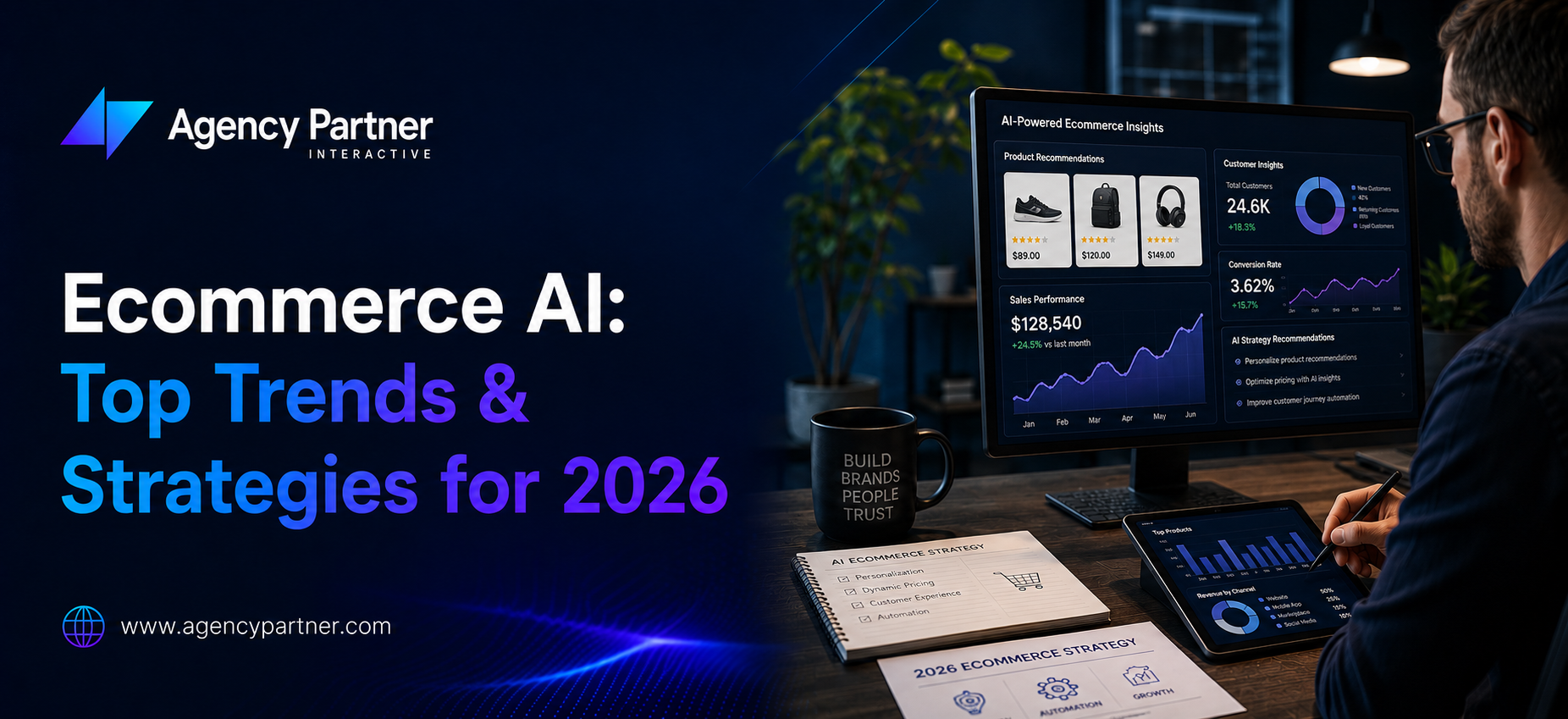
  • Top End-to-End eCommerce Development Agencies in the US (2026)

    Top End-to-End eCommerce Development Agencies in the US (2026)

    Choosing an ecommerce development agency involves more than comparing storefront designs. Your partner may need to connect inventory, pricing, payments, customer accounts, and fulfillment while helping your team operate the store after launch.

    For manufacturers and consumer brands, the right shortlist depends on the selling model, platform, integration requirements, and available operating budget. A visually strong portfolio alone does not establish that an agency can support your particular business workflows.

    This guide introduces six agencies to evaluate and explains the questions that can help you compare their proposals.

    Publisher disclosure: This article is published by Agency Partner Interactive, which is included in the list. It is an editorial shortlist based on publicly available service information, not an independent ranking or a scored assessment of delivery quality. Agencies are listed alphabetically. Confirm current capabilities, staffing, references, and commercial terms directly with each provider.

    What Does End-to-End Ecommerce Development Include?

    An end-to-end engagement coordinates the work needed to plan, build, launch, and support an online store. However, the phrase is not a standardized service package. The contract should explain exactly what is included and who is responsible for each part.

    Discovery and Experience Design

    This stage defines customer journeys, business requirements, catalog structure, platform options, and project priorities. It should identify difficult workflows before design and development decisions are finalized.

    Storefront Development and Integrations

    Development may involve platform configuration, custom features, and connections to inventory, customer management, accounting, or fulfillment systems. Ask which requirements can use standard tools and which need additional software or custom work.

    Migration, Testing, and Launch

    The launch scope should cover data validation, payment testing, order handling, analytics, and any required URL changes. A migration should include a plan for protecting important content and monitoring the new store, not a promise that rankings cannot change.

    Support After Launch

    Clarify responsibility for defects, updates, integration failures, security monitoring, and future improvements. Hosting, emergency response, and conversion testing are not automatically included because a proposal uses the phrase “ongoing support.”

    Six Ecommerce Development Agencies to Evaluate

    Agency Partner Interactive

    Agency Partner Interactive offers ecommerce development alongside broader design, software, and marketing services. Businesses evaluating a coordinated engagement can discuss storefront requirements and supporting business systems with the team.

    Its ecommerce website development services provide a starting point for discussing platform selection, store functionality, and implementation scope.

    Ask before hiring: Which relevant projects demonstrate your required workflows? Who will deliver each part of the engagement? What integration work, testing, documentation, and support are included in the proposal?

    Codal

    Codal’s published partner information includes both Shopify and BigCommerce. Businesses assessing either platform can review its experience rather than assuming its ecommerce work is limited to Shopify storefronts.

    Ask before hiring: Can the proposed team demonstrate projects with comparable catalog complexity, customer journeys, and business system integrations? What responsibilities remain with your internal team?

    Reference: Codal’s official partner information.

    DigitlHaus

    DigitlHaus describes services across Shopify and BigCommerce, including design, custom development, replatforming, integrations, and ongoing optimization. Its published work includes both business and consumer commerce projects.

    Ask before hiring: Which requirements will use existing platform features or apps, and which require custom development? How will migration, integration testing, and support be priced?

    Reference: DigitlHaus’s services and project information.

    OneMagnify / Guidance

    The Guidance website now directs visitors to OneMagnify’s ecommerce practice. OneMagnify describes B2B and B2C commerce services, including development, replatforming, and connections to business systems.

    Its published ecommerce work includes examples involving platform changes and customer experience improvements. Review the individual case studies for relevance to your own project rather than treating a recognizable client name as sufficient evidence.

    Ask before hiring: Which legal entity and delivery team will manage the engagement? What comparable integration work can they demonstrate, and how will responsibilities be divided across commerce and other services?

    Reference: OneMagnify’s ecommerce practice.

    Trellis / Zaelab

    Zaelab announced that Trellis joined its organization in November 2024. The announcement describes Trellis’s B2B and B2C ecommerce experience across Shopify, BigCommerce, and Adobe Commerce.

    Because organizational structures and service offerings can change after an acquisition, confirm the current team and engagement model directly rather than relying only on historical descriptions.

    Ask before hiring: Which team will deliver your project today? Does its recent work match your platform and selling model? Who will own support and integration maintenance after launch?

    Reference: Zaelab’s Trellis announcement.

    UPQODE

    UPQODE presents itself as a web design and development agency. Businesses considering it for an ecommerce engagement should establish the exact platform, integration, and support scope through relevant work examples and a written proposal.

    Do not interpret a general web design offering as proof of either strong or limited enterprise integration capability. That assessment requires project-specific evidence.

    Ask before hiring: Can the proposed team demonstrate the ecommerce platform and operational integrations you require? Which services are delivered directly, and which involve another provider?

    Reference: UPQODE’s official website.

    How to Compare Agency Proposals

    Start With Your Most Difficult Workflows

    Give each agency the same requirements. A manufacturer might need negotiated pricing, purchasing approvals, and ERP synchronization. A consumer brand might need subscriptions, regional catalogs, or inventory shared across stores and warehouses.

    Avoid assuming all manufacturers need one platform or all consumer brands need another. Ask agencies to explain how their recommendation supports the specific requirements.

    Request Evidence of Relevant Integration Work

    Ask which system controls stock, pricing, product information, and order status. The proposal should explain what happens when a connection fails or information is delayed.

    If standard connectors do not meet your needs, define the scope of ecommerce software development required. Include monitoring, documentation, testing, and future maintenance, not just the initial connection.

    Review Migration and Launch Responsibilities

    Confirm how product records, customer information, order history, and content will be handled. Some information may need cleaning, restructuring, or a different migration approach.

    For an existing store, discuss website migration services alongside URL mapping, redirects, checkout testing, analytics validation, and launch monitoring. Agree on a rollback plan and ownership of urgent issues.

    Clarify Staffing and Accountability

    A single point of contact does not necessarily mean every specialist works in-house. Ask about employees, subcontractors, specialist partners, and the process for escalating problems.

    Focus on accountability, relevant experience, and reliable communication rather than assuming one staffing model is always better.

    Define Ownership and Handover

    Establish who controls the domain, store accounts, code repositories, analytics, and third-party subscriptions. Document the access, training, and technical information your team will receive at handover.

    What Affects Ecommerce Development Costs?

    Costs depend on the proposed platform, design requirements, catalog complexity, integrations, migration, testing, and support. A universal price range is not a substitute for a scoped estimate.

    Ask each agency to separate discovery, implementation, migration, software subscriptions, and recurring support. Identify exclusions and the process for approving changes.

    Compare proposals using the same assumptions about storefronts, languages, customer types, and business systems. A lower quote may cover less work rather than represent a more efficient delivery approach.

    Questions to Ask Before Signing

    1. Which recent projects are most comparable to our requirements?
    2. Who will perform the work, and who is accountable for delivery?
    3. Which platform capabilities are standard, and which require additional software?
    4. How will integrations and failure scenarios be tested?
    5. What must our team provide, and when?
    6. What does the support agreement cover after launch?
    7. What access, code, documentation, and training will we receive?

    Frequently Asked Questions

    What is an end-to-end ecommerce development agency?

    It is an agency that coordinates multiple stages of an ecommerce project, potentially including planning, design, development, integrations, migration, and support. Confirm the actual scope in writing because the term does not guarantee a standard set of services.

    How should a manufacturer choose an ecommerce agency?

    Prioritize evidence of comparable business buying workflows, catalog requirements, and operational integrations. Ask the agency to demonstrate how pricing, stock, approvals, and orders will work with your existing systems.

    Does the agency need to be based near our business?

    Location can matter for workshops and communication, but also review time zone overlap, response expectations, and the availability of the actual delivery team. A US office does not necessarily mean every project specialist is located in the US.

    How long does an ecommerce development project take?

    The timeline depends on scope, integration access, data quality, review cycles, and testing. Request a milestone plan with dependencies and acceptance criteria after the discovery work.

    Do we need support after launch?

    You need clear ownership of ongoing operations, but that work can be handled internally, by an agency, or through a combination. Define responsibilities and service expectations before launch rather than assuming support is included.

    Choose a Partner Around Your Requirements

    Use this shortlist to begin conversations, not to replace due diligence. The strongest proposal is the one that explains how your store will work, what the project includes, what it depends on, and who will maintain it.

    To discuss a project with Agency Partner Interactive, prepare a summary of your platform, catalog, customer journeys, integrations, and launch priorities so the team can assess the required scope.

  • Enterprise Ecommerce Platforms: B2B and B2C Comparison

    Enterprise Ecommerce Platforms: B2B and B2C Comparison

    Key takeaways: The right enterprise ecommerce platform depends on your buying workflows, catalog, integrations, operating team, and total cost of ownership. Compare B2B and B2C requirements separately, then test shortlisted products against the same business scenarios.

    A platform change can affect checkout, customer accounts, reporting, and the systems behind your store. Before replacing your existing setup, identify which requirements it cannot meet and whether configuration or targeted development could address them.

    This guide compares ten platform options or product groupings. It is an editorial shortlist, not a scored benchmark or a guarantee that one vendor will outperform another. Feature availability depends on the product, edition, deployment, and contract. Vendor documentation supports the product descriptions; suitability recommendations are editorial guidance.

    What Makes a Platform Suitable for Enterprise Ecommerce?

    Enterprise requirements vary. A B2C retailer may prioritize checkout and merchandising, while a distributor may need negotiated pricing and purchasing approvals. Evaluate the following against your actual operation:

    • Performance with your expected catalog, traffic, and order volumes.
    • Connections to enterprise resource planning (ERP), customer relationship management (CRM), product information management (PIM), and order management systems (OMS).
    • Business accounts, quotes, pricing rules, and approvals where B2B selling requires them.
    • Storefront, brand, language, currency, and regional requirements.
    • Customization options and the team needed to maintain them.
    • Security responsibilities, recovery procedures, support coverage, and contractual service levels.

    Separate features included in the proposed edition from those requiring an app, extension, integration, or custom development. Ask vendors to demonstrate your most difficult workflows rather than relying only on feature lists.

    1. Shopify Plus: Suitable for Managed Commerce Operations

    Shopify Plus is worth considering for merchants seeking a hosted commerce platform with storefront and checkout tools. Evaluate its B2B capabilities, app dependencies, and customization limits against your requirements rather than assuming it fits every large retailer.

    Check before choosing: Demonstrate customer pricing, checkout changes, international selling, and ERP integration using your own scenarios. Confirm which functions are included and which need additional software or development.

    Pricing: Shopify Plus starts at US$2,300 per month on a three year term or US$2,500 per month on a one year term. Implementation, apps, integrations, and other applicable charges should be budgeted separately. Confirm current pricing and contract terms with Shopify. See Shopify’s official Plus plan information.

    If Shopify is on your shortlist, explore our Shopify development services to discuss storefront requirements, integrations, and implementation scope.

    2. Adobe Commerce: Suitable for Complex B2B Requirements

    Adobe Commerce supports B2B and B2C commerce, including business buying workflows and catalog management. It is an option for organizations that need to adapt commerce to complex operational requirements.

    Check before choosing: Confirm the proposed product and deployment, required B2B features, extensions, integration work, and responsibility for updates. Do not treat Adobe Commerce and Magento Open Source as identical packages.

    Pricing: Obtain an edition specific proposal and separate licensing from implementation and ongoing support. Review Adobe’s B2B commerce capabilities before defining the scope.

    3. Salesforce Commerce Cloud: Suitable for Salesforce Ecosystems

    Salesforce offers distinct B2B, B2C, and D2C commerce offerings. Organizations already using Salesforce should assess how the proposed commerce product connects with their customer data, sales, service, and order management processes.

    Check before choosing: Specify the exact product and edition. Confirm included storefronts, order management, integrations, and any separately licensed capabilities instead of assuming everything is included in one subscription.

    Pricing: Review the relevant Salesforce commerce editions and pricing and request terms for your projected usage.

    4. commercetools: Suitable for Composable Commerce

    commercetools provides an API based commerce foundation that can be combined with separately selected storefront and business systems. This approach may suit teams that need flexibility over the components of their commerce architecture.

    Check before choosing: Identify who will build and maintain the storefront, integrations, monitoring, and release process. A modular architecture does not remove implementation effort or dependencies on vendors.

    Pricing: Request a proposal for the products and usage involved, alongside a separate implementation and operating budget. See the commercetools platform overview.

    5. BigCommerce Enterprise: Suitable for B2B and B2C Evaluation

    BigCommerce offers enterprise commerce capabilities, with B2B Edition adding tools such as company accounts, sales quotes, and invoice management. It can be considered when assessing a combined retail and business buying operation.

    Check before choosing: Verify whether B2B Edition is included in the proposal. Test the buyer portal, pricing rules, integration requirements, and storefront approach rather than assuming every capability is part of the base package.

    Pricing: Obtain a scoped proposal that identifies platform, B2B, app, payment, and implementation costs. Refer to the official B2B Edition overview.

    6. SAP Commerce Cloud: Suitable for SAP Connected Operations

    SAP Commerce Cloud supports B2B and B2C scenarios and connections with SAP business applications. Organizations using SAP should evaluate catalog complexity, order processes, integration scope, and the proposed deployment.

    Maintenance clarification: SAP Commerce on premise release 2205 reached the end of mainstream maintenance on July 31, 2026. This milestone is not a blanket end of support for SAP Commerce Cloud. Confirm your release, deployment model, and support arrangements before planning a migration. See SAP’s maintenance notice.

    Pricing: SAP publishes quote based options with order or GMV considerations. Request the relevant edition and contract terms through SAP Commerce Cloud pricing.

    7. OroCommerce: Suitable for Business Buying Workflows

    OroCommerce is an option for manufacturers, distributors, and other sellers with complex business buying requirements. Evaluate account specific pricing, ordering processes, and ERP connections against your own customer journeys.

    Check before choosing: Confirm deployment, admin users, integration scope, and payment costs. Do not interpret a single license as meaning that every operating cost is included.

    Pricing: Oro’s current pricing information describes GMV bands, admin users, and deployment as cost factors. Request a tailored quote rather than relying on an unsourced starting price. See OroCommerce pricing details.

    8. Shopware: Suitable for Configurable Storefront and B2B Requirements

    Shopware offers an extensible commerce platform with B2B Components covering functions such as employee management, quote management, and shopping lists. Feature availability depends on the plan and version.

    Check before choosing: Confirm the required commercial plan, extensions, hosting approach, and integration support. Shopware lists B2B Components in its Evolve and Beyond plans; do not assume these capabilities are included in every edition.

    Pricing: Compare the proposed plan with implementation, hosting, extensions, and maintenance. See Shopware’s B2B Components documentation and plan information.

    9. Sana Commerce: Suitable for ERP Centered B2B Selling

    Sana Commerce focuses on B2B commerce connected to SAP and Microsoft Dynamics. Its approach uses ERP information for areas such as pricing, inventory, and customer terms.

    Check before choosing: Confirm support for your exact ERP version and customizations. Test pricing, stock, order submission, and behavior when the ERP connection is unavailable. An integrated architecture still requires data quality and operational testing.

    Pricing: Request a proposal covering your ERP environment, catalogs, workflows, and implementation. See Sana Commerce’s platform and ERP information.

    10. Oracle Commerce and NetSuite SuiteCommerce: Evaluate the Products Separately

    This final grouping covers separate products, not interchangeable editions of one platform. SuiteCommerce connects ecommerce with NetSuite business operations. Existing Oracle Commerce users should assess their specific product, support arrangements, and future requirements separately.

    Check before choosing: Confirm which product is being proposed, its current availability, ERP compatibility, customization options, and support lifecycle. Being part of the Oracle ecosystem does not establish that two products share the same implementation or commercial terms.

    Pricing: Request current product specific licensing and implementation terms. Review the official NetSuite SuiteCommerce overview.

    How Do You Choose the Right Enterprise Ecommerce Platform?

    Start with requirements rather than a revenue threshold. Use the table as a shortlist for investigation, not a final recommendation. Ask each vendor to demonstrate the same workflows and identify gaps, dependencies, and costs.

    Requirement Options to evaluate
    Hosted retail commerce with business selling requirements Shopify Plus; BigCommerce Enterprise with relevant B2B capabilities
    Complex business purchasing workflows Adobe Commerce; OroCommerce; Shopware with appropriate B2B Components
    Existing Salesforce business systems The relevant Salesforce Commerce offering
    SAP or Microsoft Dynamics centered operations SAP Commerce Cloud for SAP scenarios; Sana Commerce subject to ERP compatibility
    Composable architecture with engineering ownership commercetools; compare integration and operating responsibilities
    NetSuite centered commerce NetSuite SuiteCommerce

    Before switching platforms, inventory your product data, customer records, integrations, and existing URLs. Decide what must migrate, what should be cleaned up, and what cannot transfer directly.

    Prepare URL mappings and appropriate redirects for changed pages. Test product availability, customer access, checkout, payment handling, analytics, and order synchronization before launch. Define a rollback plan and assign responsibility for monitoring the store after the switch.

    Our website migration services can help you discuss the transition scope and required checks. Confirm the proposed work covers both the customer experience and the business systems behind your store.

    Test Your Shortlist With Real Business Scenarios

    A platform demonstration is most useful when it follows your actual buying and operational workflows. Give each shortlisted vendor the same scenarios and ask them to identify what works as standard, what requires an additional product, and what needs custom development.

    Validate a Complete Customer Journey

    For B2B commerce, test a buyer signing in, viewing negotiated prices, requesting a quote, obtaining approval, and placing an order. For B2C commerce, test product discovery, promotional pricing, checkout, delivery options, and a return request.

    Use representative products and account types rather than a simplified demonstration catalog. Record any manual steps your team would need to perform.

    Check Integrations and Failure Handling

    Identify which system controls product information, inventory, pricing, and order status. Ask what happens when an integration is delayed, a stock update fails, or the same order is submitted twice.

    If standard connectors cannot support your workflows, assess the scope of ecommerce software development needed to close those gaps. Include implementation, monitoring, documentation, and ongoing maintenance in the comparison.

    Confirm Who Owns Ongoing Operations

    Document responsibility for platform configuration, custom code, access permissions, integration monitoring, incident response, and updates. Confirm how your team will export business data and obtain technical support if you change implementation partners.

    Use the findings to compare operational fit and total cost, not just the number of features shown in a sales presentation.

    What to Include in Your Enterprise Ecommerce Budget

    Compare platform proposals using the same scope and time period. Include licensing, implementation, data migration, ERP and CRM integrations, third party apps, payment fees, hosting where applicable, training, and ongoing support.

    Ask vendors to separate one time project costs from recurring charges. Document assumptions about order volume, storefronts, regions, and B2B functionality so a lower initial quote does not hide a different scope.

    FAQs

    What is the best enterprise ecommerce platform in 2026?

    There is no universal winner. The right choice depends on buying workflows, integrations, catalog complexity, internal skills, and budget. Use a shortlist and demonstrations with your own requirements before selecting a platform.

    What is the difference between B2B and B2C ecommerce platforms?

    B2B requirements can include business accounts, negotiated pricing, bulk ordering, quotes, and purchasing approvals. B2C requirements usually focus on individual shoppers, product discovery, checkout, and fulfillment. A platform may support both, but the required edition and configuration need checking.

    How much do enterprise ecommerce solutions cost?

    Costs depend on licensing, implementation, integrations, migration, usage, and ongoing support. Compare proposals over the same period and separate recurring charges from initial project work. A platform subscription price alone is not a complete project budget.

    Which cloud ecommerce platform is best for scalability?

    Assess scalability against expected traffic, catalog size, order peaks, and integration load. Request relevant performance evidence, contractual limits, and a testing plan. Platform choice alone does not guarantee the performance of a customized implementation.

    What should I look for in a customizable enterprise ecommerce platform?

    Check APIs, extension options, integration compatibility, data export, upgrade requirements, and access to developers who can maintain the solution. Confirm which changes are supported by the vendor and which create ongoing custom maintenance work.

    Need help turning your platform shortlist into an implementation plan? Explore our ecommerce website development services or contact our team to discuss your requirements.

  • Ecommerce App Development: 10 Steps, Features and Benefits

    Ecommerce App Development: 10 Steps, Features and Benefits

    Ecommerce app development is the process of planning, designing, building, and maintaining an application that lets customers browse products, place orders, and manage purchases. A successful retail app also connects the shopping experience with inventory, payments, fulfillment, and customer support.

    However, an app is not automatically the right investment for every store. Before starting development, identify what customers will gain from installing it and whether those benefits justify the cost of building and maintaining another sales channel.

    This guide explains when an ecommerce app makes sense, the steps involved, the features to prioritize, and how to evaluate its business impact.

    Does Your Business Need an Ecommerce App?

    An app can be useful when customers purchase regularly, use a loyalty program, need convenient reordering, or benefit from features such as barcode scanning and relevant order notifications.

    A responsive website may be sufficient when purchases are infrequent, most visitors are new customers, or the main problem is a difficult mobile checkout. In those situations, improving your existing store may be a better first investment than asking customers to download an app.

    Compare three options before committing: improving the mobile website, building a progressive web app, or developing an app distributed through mobile app stores. Choose the approach around customer behavior, required functionality, and the resources available for ongoing support.

    10 Steps in the Ecommerce App Development Process

    1. Define the Customer Problem and Business Goal

    Start with a specific problem rather than a list of features. Customers may struggle to reorder products, find local availability, redeem rewards, or follow delivery updates.

    Review customer feedback, mobile shopping behavior, and support requests. Then choose measurable goals, such as improving checkout completion or increasing repeat purchases. Record your current performance so you have a baseline for evaluating the app after launch.

    2. Choose the Right Development Approach

    Native development creates separate applications for operating systems such as iOS and Android. Cross-platform development can share parts of the codebase across platforms, although device testing and some platform-specific work remain necessary.

    A progressive web app runs through the browser and may offer app-like features, with capabilities varying by browser and device. The right choice depends on device requirements, performance expectations, distribution, budget, and your team’s skills.

    When comparing mobile app development services, ask each provider to explain why its proposed approach fits your requirements and how future updates will be managed.

    3. Prioritize the First Release

    Define a minimum viable product that supports a complete shopping journey. Customers should be able to discover a product, understand the purchase terms, complete checkout, and receive an accurate order confirmation.

    Separate essential features from later improvements. Advanced recommendations, virtual try-on, and complex loyalty systems should not delay basic functionality unless they are central to the business case.

    Document acceptance criteria for each feature so your team can agree on what must work before release.

    4. Map the Shopping Experience

    Create prototypes for browsing, product selection, cart management, checkout, and order tracking. Test them with people who resemble your intended customers before committing to full development.

    Make product details readable, controls easy to use, and delivery costs visible before payment. Offer guest checkout where appropriate instead of requiring registration without a clear reason.

    Include accessibility in the design process. Check text resizing, contrast, screen reader labels, focus behavior, and understandable error messages.

    5. Plan Inventory and Business System Integrations

    Decide which system owns product information, stock availability, prices, customer records, and order status. Your app should not display a conflicting version of information already managed by your ecommerce platform.

    Map connections with inventory, fulfillment, customer support, and accounting systems. Define how the app handles delayed updates, failed connections, refunds, and unavailable products.

    Businesses with specialized ordering or operational requirements may need ecommerce software development alongside the customer-facing app. Review these requirements early because integrations can substantially affect project scope.

    6. Design Checkout, Payments, and Data Protection

    Select payment providers based on supported markets, currencies, payment methods, refund handling, and integration requirements. Digital wallets such as Apple Pay and Google Pay are payment options, not interchangeable terms for payment gateways.

    Use supported payment integrations and minimize the sensitive information your application handles. Plan authentication, access controls, secure communication, and appropriate protection of stored data.

    Test declined payments, interrupted connections, duplicate submissions, and orders that fail after payment authorization. Customers should receive a clear status without accidentally paying twice.

    7. Build the App and Operational Tools

    Develop the app in testable increments rather than waiting until the end to review the complete product. Demonstrate working shopping journeys regularly and resolve gaps against the agreed acceptance criteria.

    Confirm how staff will manage promotions, customer questions, order exceptions, and content updates. Establish ownership of source code, developer accounts, documentation, and deployment access before launch.

    8. Test Real Shopping Conditions

    Test on representative devices, operating system versions, screen sizes, and network conditions. Include slower connections, expired sessions, empty search results, out-of-stock items, and changes to delivery availability.

    Validate pricing, discounts, taxes, shipping, refunds, and order synchronization. Include accessibility, security, and performance checks as well as functional testing.

    Use the official Android app quality guidance as one reference when planning Android checks. Testing reduces risk, but it cannot guarantee that an application will never contain defects.

    9. Prepare Distribution and Launch

    Prepare accurate store descriptions, screenshots, support information, privacy disclosures, and any access reviewers need to evaluate the app. Check current store requirements before submission rather than treating approval as automatic.

    Payment requirements can differ according to what the app sells and where it is distributed. Review the Apple App Review Guidelines for the relevant product type and storefront.

    Consider a controlled launch to an initial customer group. Monitor support requests, payment failures, and order accuracy before expanding promotion.

    10. Measure Performance and Maintain the App

    Track the shopping funnel from product views through completed orders. Monitor checkout completion, repeat purchases, payment failures, crashes, and support issues alongside acquisition costs.

    Downloads alone do not demonstrate business value. Evaluate whether customers continue using the app and whether its contribution justifies development, marketing, and operating expenses.

    Assign responsibility for operating system updates, dependency updates, security fixes, integration changes, and ongoing testing. Maintenance should have an owner and a budget before launch.

    Which Features Should an Ecommerce App Include?

    The first release should support a dependable shopping experience. Depending on your business, this may include:

    • Product categories, search, and useful filters.
    • Clear product descriptions, images, prices, and availability.
    • A cart and checkout with transparent purchase totals.
    • Appropriate payment methods and clear payment status.
    • Order confirmation, tracking, and customer support access.
    • Customer accounts and guest checkout where suitable.
    • Analytics that help identify shopping problems.

    Saved items, loyalty rewards, subscriptions, and push notifications can follow when customer demand supports them. Make notifications relevant, obtain required permissions, and give users control over their preferences.

    Potential Benefits of Ecommerce Apps

    More Convenient Repeat Purchases

    Order history, saved preferences, and reordering tools can reduce effort for returning customers. These features are especially relevant for products that customers buy repeatedly.

    A More Connected Retail Experience

    When supporting systems are integrated correctly, an app can bring together loyalty information, store availability, pickup options, and purchase history.

    Relevant Customer Communication

    Useful delivery updates and optional reminders can help customers stay informed. Sending frequent promotional notifications without clear value can have the opposite effect and encourage users to disable them.

    Better Visibility Into Shopping Problems

    App analytics can reveal where customers struggle with discovery, checkout, or account access. These insights are valuable when the team uses them to prioritize improvements rather than simply collecting more data.

    None of these benefits guarantees higher sales. Results depend on adoption, usability, product demand, reliable operations, and the total cost of maintaining the channel.

    What Affects Ecommerce App Development Cost?

    A useful estimate starts with scope, not a universal average. Major cost factors include supported platforms, design complexity, catalog requirements, integrations, payment flows, accessibility work, testing, and launch requirements.

    Separate the initial build from recurring expenses such as hosting, third-party services, monitoring, customer support, and maintenance. Ask whether the proposal includes documentation, source code handover, warranty support, and future updates.

    Compare proposals against the same requirements. A lower initial quote may exclude essential integrations or testing, while a larger feature list may add complexity without solving a meaningful customer problem.

    Frequently Asked Questions

    How long does ecommerce app development take?

    The timeline depends on scope, integrations, design readiness, testing requirements, and release approvals. Request a milestone-based estimate after discovery, including dependencies and the time your team needs to provide content and feedback.

    Can an app connect to an existing ecommerce store?

    Often, yes. Feasibility depends on the store platform’s APIs, available integrations, and any custom functionality. Verify product, stock, pricing, customer, and order synchronization before selecting the development approach.

    Should a small retailer build an app or improve its website first?

    Improve the website first if basic mobile browsing or checkout problems remain unresolved. An app becomes more compelling when you can identify repeat customer needs that it will serve better than the existing website.

    Is cross-platform development always cheaper?

    No. Shared code can reduce some development work, but complex integrations, device-specific features, and platform differences can offset those savings. Compare the complete build and maintenance scope rather than the framework alone.

    What should you ask an ecommerce app development company?

    Ask about relevant project experience, integration planning, testing, account ownership, source code access, ongoing support, and how success will be measured. Request a clear explanation of assumptions and exclusions before approving a proposal.

    Plan Your Ecommerce App Around Customer Needs

    Start with a clear reason for customers to use the app, a manageable first release, and reliable connections to the systems that run your store. Evaluate success through completed shopping journeys and ongoing customer value, not the number of features delivered.

    If you are assessing implementation options, explore Agency Partner Interactive’s ecommerce app development services and discuss your customer journeys, integration requirements, and maintenance responsibilities before defining the project scope.

  • Modern Retail and eCommerce App Features for 2026 and Beyond

    Modern Retail and eCommerce App Features for 2026 and Beyond

    The digital commerce landscape is entering a maturity phase where differentiation is no longer driven by simply having an online store. In 2026 and beyond, competitive advantage will be determined by how intelligently an ecommerce app integrates automation, personalization, and seamless cross-channel experiences. 

    Modern retail is no longer divided between online and offline. Instead, it operates within a unified digital ecosystem where ecommerce mobile apps, physical stores, AI systems, and fulfillment networks work together. Understanding which apps and features define the next generation of digital commerce is critical for sustainable growth. 

    This guide outlines the most important ecommerce features, architectural priorities, and performance-driving capabilities businesses must prioritize in their mobile ecommerce app strategy. 

    Core Ecommerce Application Architecture and Ecommerce Platform Features 

    A modern ecommerce application must be built on a scalable infrastructure that supports high performance, security, and personalization at scale. In 2026, ecommerce platform features are no longer limited to product catalogs and payment gateways. They include real-time analytics, AI-based recommendations, and automated inventory management. 

    Key ecommerce functionality that defines leading platforms includes: 

    • Headless commerce architecture for flexible frontend deployment 
    • API-first integrations with ERP, CRM, and logistics systems 
    • Real-time customer data platforms 
    • Cloud-native performance optimization 

    Businesses evaluating ecommerce software features must prioritize scalability and modularity. An outdated architecture limits innovation, regardless of how visually appealing the interface may be. 

    The strategic question is not whether your ecommerce platform features work today — but whether they can support exponential traffic growth tomorrow. 

    Mobile Ecommerce App and Ecommerce Mobile Apps as Primary Channels 

    The dominance of the mobile ecommerce app continues to reshape retail behavior. Consumers increasingly prefer ecommerce mobile apps over traditional web interfaces due to speed, personalization, and push notification capabilities. 

    A modern ecommerce app must support: 

    • Biometric authentication 
    • One-click checkout 
    • AI-powered product recommendations 
    • Integrated wallet payments 

    The role of mobile e-commerce software is expanding beyond transactions. It now supports loyalty programs, in-app customer service, live shopping integrations, and behavioral tracking. 

    Retailers building an ecommerce Android app or iOS application must treat mobile as a primary revenue driver rather than a supporting channel. Performance optimization, app responsiveness, and security standards directly influence conversion rates. 

    Comprehensive Ecommerce Features List and Features of Ecommerce 

    A forward-looking ecommerce features list extends well beyond basic transactional tools. Modern features of ecommerce focus on personalization, automation, and operational intelligence. 

    Essential ecommerce features in 2026 include: 

    • AI-powered personalization engines 
    • Predictive inventory forecasting 
    • Advanced fraud detection systems 
    • Dynamic pricing automation 
    • Voice-assisted product search 

    These ecommerce software features enhance customer engagement while improving backend efficiency. The most successful application of ecommerce technologies is seen in systems that connect data insights with automated action. 

    For example, real-time behavior tracking can instantly adjust homepage content within a mobile ecommerce app, increasing relevance and boosting sales. 

    Ecommerce Functionality That Drives Conversion Optimization 

    Conversion optimization remains central to digital retail strategy. Modern ecommerce functionality now relies heavily on machine learning algorithms that continuously test and refine user journeys. 

    High-performing features for ecommerce website platforms include: 

    • Smart search with semantic understanding 
    • Dynamic upselling and cross-selling modules 
    • Personalized landing pages 
    • Context-aware checkout flows 

    These are not superficial enhancements; they represent structural improvements within the ecommerce application architecture. Retailers investing in advanced ecommerce platform features understand that customer acquisition costs are rising. Therefore, maximizing the performance of each visitor becomes critical. 

    Top Ecommerce Apps and Competitive Differentiation 

    The rise of top ecommerce apps globally reveals common patterns: frictionless checkout, personalized interfaces, and seamless ecosystem integration. 

    Leading ecommerce mobile apps differentiate through: 

    • AI-driven recommendation engines 
    • Integrated social commerce modules 
    • Gamified loyalty systems 
    • Augmented reality product previews 

    Businesses launching a new ecommerce Android app must compete not only on price but on experience quality. The mobile e-commerce software stack should support performance monitoring, analytics dashboards, and automated optimization tools. 

    A strategic evaluation of the application of ecommerce shows that successful platforms prioritize long-term ecosystem integration rather than isolated feature deployment. 

    Future-Focused Ecommerce Software Features for 2026 and Beyond 

    Looking ahead, the evolution of ecommerce software features will be shaped by automation, AI, and predictive intelligence. 

    Emerging priorities include: 

    • AI-driven content personalization 
    • Conversational commerce integration 
    • Automated return management 
    • Intelligent fulfillment routing 
    • Real-time competitor price tracking 

    These advancements extend beyond traditional features of ecommerce. They represent structural upgrades to the entire retail value chain. 

    Businesses that treat ecommerce functionality as an evolving system rather than a static product will adapt more effectively to changing consumer expectations. 

    Conclusion 

    The modern ecommerce app is no longer just a transactional interface. It is an intelligent, data-driven ecosystem that integrates customer experience, operational efficiency, and predictive analytics. From advanced ecommerce platform features to optimized mobile ecommerce app experiences, retail success in 2026 depends on strategic feature prioritization and scalable infrastructure. 

    The brands that thrive will be those that continuously refine their ecommerce features list, embrace automation, and invest in future-ready mobile e-commerce software architectures. Digital commerce is evolving rapidly. The question is not whether new features will emerge, but whether your platform is prepared to adopt them efficiently. 

    FAQs 

    Q1: What are the most important ecommerce features for 2026? 

    The most important ecommerce features for 2026 include AI-powered personalization, predictive inventory management, advanced fraud detection, semantic search, and automated pricing optimization. These features improve both user experience and backend operational efficiency. 

    Q2: Why are ecommerce mobile apps more important than websites now? 

    Ecommerce mobile apps provide faster performance, personalized notifications, biometric security, and integrated payment systems. A well-built mobile ecommerce app improves retention, engagement, and lifetime customer value compared to traditional web-only models. 

    Q3: What ecommerce platform features should businesses prioritize? 

    Businesses should prioritize scalable ecommerce platform features such as API-first architecture, cloud infrastructure, real-time analytics, AI personalization, and automated marketing integration. These capabilities enable sustainable growth and operational resilience. 

    Q4: How does ecommerce functionality impact conversion rates? 

    Advanced ecommerce functionality, including smart search, personalized recommendations, and optimized checkout processes, directly improves conversion rates by reducing friction and aligning product offerings with user intent. 

    Q5: What is the difference between ecommerce software features and ecommerce features? 

    While ecommerce features typically refer to frontend capabilities such as search and checkout, ecommerce software features include backend tools like inventory systems, analytics engines, and API integrations that support operational performance. 

    Q6: Are ecommerce Android apps necessary for retail brands? 

    Yes. Launching an ecommerce Android app expands accessibility, improves mobile engagement, and supports advanced features like push notifications and biometric login, strengthening overall mobile commerce performance. 

  • AI and the Future of eCommerce Growth in 2026

    AI and the Future of eCommerce Growth in 2026

    Artificial intelligence is no longer a competitive advantage in eCommerce — it is becoming an operational infrastructure. The conversation around AI in ecommerce has shifted from experimentation to execution. In 2026, scalable growth in digital retail is directly tied to how effectively businesses integrate AI ecommerce systems across customer experience, logistics, marketing automation, and predictive analytics. 

    The future of ecommerce is not simply digital; it is intelligent. As consumer expectations evolve toward hyper-personalization, instant gratification, and seamless cross-channel experiences, the integration of AI and ecommerce becomes essential. Businesses that understand this shift will dominate the next phase of digital future commerce. 

    This article examines how artificial intelligence in ecommerce is shaping 2026, the operational implications of ai based e commerce, and what leaders must prioritize to stay competitive. 

    AI in Ecommerce as Core Infrastructure, Not a Feature 

    The most important shift in 2026 is conceptual. AI in ecommerce is no longer treated as an add-on tool. It is being embedded into core systems, search, recommendations, pricing engines, and supply chain planning. 

    Modern AI ecommerce platforms rely on machine learning algorithms that continuously optimize based on behavioral signals. These systems do not simply analyze historical data; they adjust in real time, shaping the future of ecommerce technology. 

    The benefits of artificial intelligence in ecommerce at this stage are measurable. Increased average order value, lower acquisition costs, improved personalization accuracy, and better inventory forecasting are direct outcomes of AI integration. Companies that deploy advanced AI solutions for ecommerce report stronger retention metrics and higher customer lifetime value. 

    The key strategic question is no longer whether to adopt AI. It is whether your architecture is built to scale AI across departments. 

    Generative AI in Ecommerce and AI Powered Commerce 

    One of the most transformative shifts within ecommerce future trends is the rise of generative ai in ecommerce. Unlike predictive systems that forecast outcomes, generative models create new content, automate merchandising workflows, and personalize customer journeys dynamically. 

    In 2026, AI-powered commerce is driven by generative systems capable of: 

    • Producing personalized product descriptions at scale 
    • Generating localized content for global markets 
    • Automating marketing creatives 
    • Creating conversational shopping experiences 

    The role of generative ai in ecommerce extends beyond marketing. It enables scalable experimentation. Businesses can test thousands of content variations automatically, accelerating optimization cycles. 

    Additionally, AI-driven conversational interfaces, often discussed under ai-powered commerce read online environments, allow customers to interact with storefronts using natural language. This fundamentally changes discovery behavior within ai in online shopping ecosystems. 

    AI Search for Ecommerce and Intent-Based Commerce 

    Search functionality represents one of the clearest applications of artificial intelligence in ecommerce. Traditional keyword-based search has been replaced by AI search for ecommerce, which interprets semantic meaning and contextual intent. 

    This shift influences both conversion and satisfaction. Consumers expect systems that understand vague queries, misspellings, and conversational phrasing. AI-powered search improves product discovery, reduces bounce rates, and enhances merchandising precision. 

    As the future of ecommerce technology evolves, search becomes more predictive and proactive. Instead of responding to queries, AI anticipates needs. This aligns closely with broader AI future trends, where personalization shifts from reactive to anticipatory. 

    Companies that invest in AI-driven search are not merely improving UX; they are increasing revenue density across traffic sources. 

    AI in Retail Trends and Unified Commerce Models 

    The intersection of AI in retail trends and digital commerce is accelerating. In-store and online systems are converging into unified commerce ecosystems powered by AI. In 2026, e commerce in the future includes smart inventory systems, predictive restocking, and automated fraud detection, all driven by ai based e commerce models. 

    Retailers using ai solutions for ecommerce integrate behavioral data from both online and offline interactions. This produces comprehensive customer profiles, enabling precision marketing and optimized logistics. 

    The broader transformation toward digital future commerce is less about replacing physical retail and more about enhancing it with intelligence. AI acts as a connective layer between digital platforms and physical environments. 

    Ecommerce AI Tools Driving Strategic Advantage 

    The accessibility of ecommerce ai tools has lowered the barrier to entry for advanced optimization. Small and mid-sized businesses can now deploy recommendation engines, dynamic pricing systems, and predictive marketing automation without enterprise-scale budgets. 

    These tools are central to ecommerce future trends, particularly in competitive sectors like fashion, electronics, and subscription commerce. Through automation, brands can operate leaner teams while achieving higher output. 

    Strategically, the role of ai and ecommerce in 2026 is about compounding efficiency. AI-driven forecasting reduces overstock and understock risk. AI-powered personalization increases conversion rates. Automated content generation reduces operational overhead. 

    This convergence of efficiency and personalization defines the next stage of the future of ecommerce. 

    The Strategic Implications of AI Future Trends 

    Looking ahead, ai future trends indicate deeper integration across commerce ecosystems. Businesses will increasingly deploy hybrid systems combining predictive intelligence with generative capabilities. 

    The benefits of artificial intelligence in ecommerce will expand into areas such as: 

    • Automated customer service resolution 
    • Intelligent return management 
    • Dynamic fulfillment routing 
    • Real-time competitive pricing adjustments 

    The companies that lead in ai ecommerce will not treat AI as a marketing tool. They will treat it as strategic infrastructure. 

    The future of ecommerce technology will reward those who invest in scalable architecture, governance frameworks, and data quality standards today. 

    Conclusion 

    The future of ecommerce in 2026 is fundamentally tied to intelligent systems. AI in ecommerce is redefining operational efficiency, personalization, search functionality, and unified commerce strategies. 

    From generative ai in ecommerce to predictive inventory management and AI search for ecommerce, artificial intelligence is shaping both front-end experiences and backend optimization. 

    The transformation toward digital future commerce is already underway. Businesses that embed ai solutions for ecommerce into their long-term strategy will not simply keep pace with the market; they will define it. 

    FAQs 

    Q1: How is AI changing the future of ecommerce in 2026? 

    AI in ecommerce is reshaping personalization, automation, and operational efficiency. Businesses are using ai ecommerce systems to optimize inventory forecasting, improve customer targeting, and enhance real-time search experiences, making AI central to the future of ecommerce technology. 

    Q2: What are the main benefits of artificial intelligence in ecommerce? 

    The benefits of artificial intelligence in ecommerce include improved conversion rates, automated marketing workflows, predictive demand planning, enhanced fraud detection, and scalable personalization strategies across multiple channels. 

    Q3: Is generative AI important for ecommerce growth? 

    Yes. Generative ai in ecommerce supports scalable content production, conversational commerce, and personalization at scale. It complements predictive systems by enabling dynamic creative outputs aligned with user intent. 

    Q4: How does AI search for ecommerce improve online shopping? 

    AI search for ecommerce improves discovery by understanding semantic intent rather than relying solely on keyword matching. This enhances user experience and increases conversion rates within ai in online shopping platforms. 

    Q5: What are the key ecommerce future trends tied to AI? 

    Major ecommerce future trends include predictive personalization, conversational interfaces, automated merchandising, unified commerce models, and advanced ai powered commerce systems integrated across digital and physical retail. 

    Q6: Should small businesses invest in AI ecommerce tools? 

    Yes. Modern ecommerce ai tools are accessible and scalable, enabling smaller brands to leverage personalization, predictive analytics, and automation to compete effectively in the evolving future of ecommerce landscape. 

  • eCommerce Statistics 2026: 20+ Key Trends & Insights for Online Shopping Success

    eCommerce Statistics 2026: 20+ Key Trends & Insights for Online Shopping Success

    The eCommerce landscape is evolving faster than ever, and businesses that rely on outdated assumptions are already falling behind. In 2026, data, not intuition, will determine which brands scale and which struggle to stay visible. This is why ecommerce statistics are no longer just interesting numbers; they are strategic signals. 

    From mobile ecommerce stats to global ecommerce penetration, the way people discover, compare, and purchase products online is changing. Understanding ecommerce growth statistics, ecommerce site search statistics, and e-commerce technology trends is now essential for any brand that wants long-term online shopping success. 

    So what do the numbers really tell us? And more importantly, how should businesses act on them? Let’s break it down. 

    eCommerce Growth Statistics Show No Signs of Slowing 

    One of the most consistent signals across recent ecommerce statistics is sustained global growth. While early eCommerce adoption was driven by convenience, 2026 growth is driven by experience, speed, and personalization. 

    According to multiple ecommerce growth statistics, online retail continues to outpace brick-and-mortar expansion across nearly every major market. Emerging economies are contributing significantly to global ecommerce penetration, while mature markets are seeing higher average order values and repeat purchases. 

    These ecommerce growth statistics highlight a clear takeaway: growth is no longer about launching an online store; it’s about optimizing every touchpoint. Are you scaling intentionally or reacting too late? 

    Mobile eCommerce Stats Are Reshaping Buying Behavior 

    If there’s one area dominating ecommerce statistics, it’s mobile. Mobile ecommerce stats show that smartphones are now the primary shopping device for a majority of consumers worldwide. 

    From discovery on social platforms to checkout through digital wallets, mobile shopping is driving ecommerce insight around speed, simplicity, and frictionless UX. Poor mobile performance doesn’t just hurt conversions, it damages brand trust. 

    As mobile ecommerce stats continue to rise, businesses must treat mobile optimization as a revenue strategy, not a design task. Is your mobile store helping or hurting momentum? 

    Global eCommerce Trends Reveal a Shift in Power 

    Looking at global ecommerce trends, one pattern stands out: consumer control. Buyers are more informed, more selective, and more demanding than ever. Rising global ecommerce penetration means competition is no longer local. A brand in one country now competes globally by default. This has elevated the importance of logistics, localization, and customer experience. 

    These global ecommerce trends suggest a future where differentiation comes from experience, not pricing alone. The brands winning in 2026 are those that understand cultural nuance and operational efficiency together. 

    eCommerce Site Search Statistics Highlight Intent Moments 

    One of the most overlooked ecommerce statistics categories is ecommerce site search statistics. Yet, shoppers who use on-site search consistently convert at higher rates than those who don’t. Why? Because site search reflects high intent. Users searching internally already know what they want, or are close to deciding. Poor search results, slow indexing, or irrelevant suggestions directly impact revenue. 

    Modern ecommerce insight shows that AI-powered site search improves discovery, reduces bounce rates, and lowers ecommerce return rate statistics by matching expectations earlier in the funnel. 

    Fashion eCommerce Statistics Reflect Changing Expectations 

    Fashion ecommerce statistics reveal how fast consumer expectations are evolving. While fashion remains one of the largest eCommerce categories, return rates are also among the highest. 

    Rising ecommerce return rate statistics in fashion highlight the need for better sizing tools, product visuals, and personalization. Consumers want confidence before checkout, not surprises after delivery. Brands that use data-driven e-commerce insights to improve product accuracy and fit experience are already seeing lower return costs and higher lifetime value. 

    B2B eCommerce Statistics Signal a Digital Shift 

    The myth that eCommerce is only for B2C is officially dead. B2B ecommerce statistics show rapid digital adoption across manufacturing, wholesale, healthcare, and logistics. Decision-makers now expect the same usability they experience in consumer platforms.  

    Self-service portals, real-time pricing, and fast reordering are becoming standard. These b2b ecommerce statistics indicate that B2B buyers want speed, transparency, and autonomy. Is your B2B platform designed for how buyers actually buy today? 

    Social Media eCommerce Trends Drive Discovery 

    Among the most influential ecommerce future trends are social media ecommerce trends. Platforms are no longer just awareness channels; they’re transactional ecosystems. 

    From live shopping to influencer storefronts, social platforms are shaping purchase behavior earlier in the journey. This shift is redefining ecommerce insight around attribution and customer journeys. Brands leveraging social media ecommerce trends successfully treat content as commerce and community as conversion. Visibility without engagement is no longer enough. 

    eCommerce Future Trends Point to AI and Automation 

    Looking ahead, ecommerce future trends are deeply tied to technology. AI-driven personalization, predictive inventory, and dynamic pricing are no longer optional. 

    Emerging ecommerce technology trends show that automation isn’t about replacing people; it’s about enabling smarter decisions at scale. From recommendation engines to fraud detection, technology is shaping competitive advantage. Businesses that ignore ecommerce technology trends risk falling behind, not because of a lack of traffic, but because of inefficiency and poor customer experience. 

    Conclusion 

    The most valuable ecommerce statistics of 2026 aren’t just numbers; they’re signals. Signals about where consumers are going, how they expect to shop, and what they will no longer tolerate. 

    From mobile ecommerce stats and global ecommerce trends to b2b ecommerce statistics and social media ecommerce trends, the message is clear: growth belongs to businesses that adapt early and optimize continuously. 

    The question isn’t whether eCommerce will keep growing. The question is: Will your strategy evolve fast enough to keep up? 

    FAQs 

    Q1: Why are ecommerce statistics important for business strategy? 

    Ecommerce statistics help businesses understand real consumer behavior rather than assumptions. They reveal growth opportunities, changing preferences, and risk areas, allowing brands to make informed decisions about technology, marketing, and customer experience investments. 

    Q2: What do ecommerce growth statistics say about 2026? 

    Ecommerce growth statistics indicate continued expansion driven by mobile usage, cross-border shopping, and digital payments. Growth is no longer just about new users but deeper engagement, higher order values, and better retention strategies. 

    Q3: How do mobile ecommerce stats affect conversion rates? 

    Mobile ecommerce stats show that mobile shoppers dominate traffic, but conversion depends on speed, UX, and checkout simplicity. Brands that optimize mobile experiences consistently outperform those relying on desktop-first designs. 

    Q4: What role does site search play in ecommerce performance? 

    According to ecommerce site search statistics, users who use internal search convert more often because they show strong purchase intent. Optimized search improves discovery, reduces frustration, and increases average order value. 

    Q5: Are B2B ecommerce statistics different from B2C trends? 

    Yes. B2B ecommerce statistics show longer sales cycles, higher order values, and repeat purchasing behavior. However, B2B buyers increasingly expect B2C-like usability, speed, and transparency in digital platforms. 

    Q6: What are the biggest ecommerce future trends businesses should prepare for? 

    Key ecommerce future trends include AI personalization, social commerce, automation, and advanced analytics. Brands that align with these trends early are better positioned for sustainable growth and customer loyalty. 

  • AI Tools for Ecommerce Marketing: What to Use and When

    AI Tools for Ecommerce Marketing: What to Use and When

    AI tools for ecommerce marketing can help with product content, email personalization, and paid advertising. The right choice depends on the problem you need to solve, the platform you already use, and the quality of your customer and product data.

    This guide compares three options for different workflows: Shopify Magic for store content, Klaviyo AI for email marketing, and Google Performance Max for advertising. They are not interchangeable products, and none is a universal winner.

    How this shortlist was prepared: The capabilities below are based on official product documentation, not a hands-on performance benchmark. Features, eligibility, and pricing can change. Confirm availability in your account before choosing a tool.

    AI Tools for Ecommerce Marketing at a Glance

    Tool or feature Use case to evaluate Main consideration
    Shopify Magic Drafting store content and editing product imagery within Shopify Review generated output for product accuracy and check feature availability
    Klaviyo AI Email content assistance and predictive customer insights Useful results depend on connected data, eligibility, and campaign setup
    Google Performance Max Automated advertising across Google channels Requires appropriate goals, tracking, assets, and budget controls

    1. Shopify Magic for Store Content and Product Images

    Shopify Magic provides AI features within Shopify. Its documented capabilities include generating suggestions for product descriptions and other store text, along with media editing features such as background removal.

    For a merchant already using Shopify, these features are worth evaluating before adding another content tool. Shopify describes Magic features as free across subscription plans, while noting that access to specific features can vary. This does not mean operating a Shopify store has no subscription or other costs.

    A Practical Starting Task

    Select a small group of products with reliable specifications. Use those details to generate draft descriptions, then compare the editing time and accuracy with your existing writing process.

    Check dimensions, materials, compatibility, care instructions, and any claims about performance. Generated text should not introduce benefits or certifications that your product information does not support.

    Limitations to Review

    Image edits should not misrepresent the product being sold. Review color, proportions, included accessories, and other details before publishing.

    Do not assume that every Shopify app or feature described as AI is part of Shopify Magic. Additional tools may have separate fees, permissions, and data policies.

    Review the current Shopify Magic documentation. If the project also requires theme changes or store integrations, discuss those requirements through our Shopify development services.

    2. Klaviyo AI for Ecommerce Email Marketing

    Klaviyo documents AI features for email content assistance, subject line generation, predictive analytics, and send-time optimization. These capabilities can support teams that already have an email strategy and connected ecommerce data.

    Access and usefulness vary by feature and account. Predictive tools may require sufficient customer and order history, so a new store should not assume every capability will be immediately available.

    A Practical Starting Task

    Choose one existing email workflow and identify a specific improvement to test. For example, compare an AI-assisted subject line with your current version while keeping the audience and offer consistent.

    Review generated content for brand voice, accurate product details, and valid offer conditions. Keep the original workflow as a baseline rather than changing every element at once.

    Limitations to Review

    Prediction is not certainty. A predicted purchase date or customer value should inform decisions, not be treated as a promise about an individual shopper.

    Also distinguish AI from ordinary automation. A message triggered by a completed purchase may follow a simple rule; it does not need to be AI-powered to be useful.

    See Klaviyo’s email AI overview for current capabilities. For help defining audiences, messages, and workflow priorities, explore our ecommerce email marketing services.

    3. Google Performance Max for Paid Advertising

    Performance Max is a campaign type within Google Ads, not a standalone marketing assistant. It uses Google AI to support bidding and ad delivery across Google channels based on the goals, assets, and settings you provide.

    It can be considered when your business has clear conversion goals and wants to evaluate advertising across multiple Google placements. It is not a substitute for accurate tracking or a workable product offer.

    A Practical Starting Task

    Confirm that purchase events and conversion values are recorded correctly before testing. For retail campaigns using a product feed, review product information, availability, images, and landing pages.

    Set a budget appropriate for an experiment and define what would justify continuing, adjusting, or stopping the campaign. Check automated assets and destination pages for accuracy.

    Limitations to Review

    Automated bidding does not guarantee profitable sales. Results depend on factors including demand, competition, creative quality, tracking, product margins, and the website experience.

    Platform-reported return on ad spend is not the same as profit. Review product costs, discounts, returns, and other expenses when evaluating commercial results.

    Read Google’s Performance Max documentation. If you need help with campaign planning and measurement, explore our ecommerce PPC services.

    How to Choose the Right Tool for Your Store

    Start With One Specific Problem

    Identify where work is slow, inconsistent, or difficult to measure. Examples include preparing accurate product descriptions, reviewing email content, or managing advertising experiments.

    Do not buy a tool solely because it offers AI. Compare its workflow with the features already available in your current platform and with simpler alternatives.

    Check Data and Integration Requirements

    Confirm which systems the tool needs to access, what information it reads, and whether it can make changes. Review permissions for customer records, product information, advertising accounts, and store administration.

    Use the minimum access needed for the task. Do not upload credentials, payment information, or confidential customer data into an unapproved tool.

    Compare Total Cost

    Review subscription fees, usage limits, contact or sending allowances, advertising spend, integration work, and staff review time. A free feature can still require a paid platform or operational work.

    Ask what happens when usage increases and whether you can export your data or stop the service without disrupting essential workflows.

    Test AI Output Before Expanding Its Use

    Run a limited pilot with a clear baseline. Decide what success means before activating the tool, such as less editing time without more factual errors or improved campaign results after accounting for costs.

    For content, track accuracy and review effort as well as production speed. For email, examine purchases, complaints, and unsubscribes. For advertising, review acquisition costs and profitability rather than relying on clicks alone.

    Keep approval requirements for public content and budget changes. Define who can pause the tool, correct an error, or restore the previous workflow.

    Frequently Asked Questions

    What is the best AI tool for ecommerce marketing?

    There is no single best tool for every store. Shopify Magic, Klaviyo AI, and Google Performance Max address different tasks. Choose based on your existing platform, available data, budget, and the workflow you want to improve.

    Should a small store start with free AI tools?

    Start by reviewing features already included in your current software. Free access can be useful for a limited test, but check usage restrictions, data handling, and the amount of human review required before relying on it.

    Can AI automatically increase ecommerce sales?

    No tool can guarantee increased sales. AI may help complete tasks or test approaches, but results still depend on your products, pricing, customer experience, data, and implementation.

    Are AI tools safe for customer data?

    Safety cannot be assumed from a tool’s price or popularity. Review its data policies, access controls, retention settings, and contractual terms. Use only information your business is authorized to share and obtain the appropriate internal approval.

    Do I need a custom AI solution?

    Not necessarily. Existing platform features may meet your requirements. Consider custom development only when a clearly defined workflow or integration need cannot be adequately addressed by available products.

    Build an AI Workflow Around Your Business Requirements

    Start with a specific task, reliable inputs, and a measurable test. Keep human review where mistakes could affect customer trust, product accuracy, or advertising spend.

    If existing tools do not meet your integration or workflow requirements, Agency Partner Interactive’s AI development services can help you explore whether a custom approach is appropriate.

  • How to Choose a CMS for Ecommerce: Platforms and Tradeoffs

    How to Choose a CMS for Ecommerce: Platforms and Tradeoffs

    A CMS for ecommerce helps your team create and update the content shoppers use to understand your products and business. This can include landing pages, buying guides, product information, and promotional content.

    However, content management and ecommerce operations are not the same thing. Some platforms combine them, while others connect a CMS to a separate commerce system. The right setup depends on your catalog, publishing workflow, integrations, and maintenance resources.

    What Is the Difference Between a CMS and an Ecommerce Platform?

    A content management system organizes and publishes website content. An ecommerce platform handles selling functions such as carts, checkout, orders, and payment integrations. Product information can sit within the commerce platform, a separate product information system, or a connected workflow.

    Many products overlap. Shopify includes content editing alongside commerce features. WordPress provides content management, while WooCommerce adds ecommerce functionality. A separate CMS can also be connected to a commerce backend when the project requires it.

    For broader selection criteria, read our guide to choosing the right CMS platform for your business.

    Ecommerce CMS Options to Compare

    The following options represent different approaches, not a ranked list. Confirm current features, plan restrictions, and integration requirements before choosing.

    Option When to evaluate it What to investigate
    Shopify You want commerce and routine content editing in a hosted platform Content workflow, app costs, and customization requirements
    WordPress with WooCommerce You want WordPress publishing alongside ecommerce Hosting, extension compatibility, updates, and support ownership
    Adobe Commerce or Magento Open Source Your requirements justify a more involved commerce implementation Product edition, deployment model, development scope, and maintenance
    BigCommerce You want to evaluate a hosted commerce platform and its integration options Plan capabilities, editorial needs, and storefront architecture
    Drupal Commerce You need commerce within a Drupal-based website Module selection, implementation effort, and access to Drupal expertise

    Shopify

    Shopify’s Online Store includes webpages, blogging, themes, and product selling. It can be worth evaluating when your team wants to manage routine store content within its commerce platform.

    Test your actual editorial workflow before committing. Check how staff will create campaign pages, manage reusable content, and handle any requirements that need apps or development.

    See Shopify’s Online Store documentation. For theme or integration work, explore our Shopify development services.

    WordPress With WooCommerce

    WooCommerce adds ecommerce to WordPress, making it an option for businesses that want WordPress publishing tools alongside a store. Themes, extensions, and custom development can expand the setup.

    Include hosting, backups, updates, security monitoring, and extension testing in the operating plan. Free core software does not mean the completed store has no ongoing costs.

    Review the official WooCommerce overview. If this approach fits your requirements, our WooCommerce development services provide a relevant starting point for discussing implementation.

    Adobe Commerce and Magento Open Source

    Magento Open Source and Adobe Commerce should not be treated as identical products. Their licensing, included capabilities, support arrangements, and deployment options need to be evaluated separately.

    Adobe’s documentation covers content and design tools for Adobe Commerce and Magento Open Source, with applicability notes for particular features and deployments. Review the relevant content and design documentation for your proposed setup.

    Before selecting either, ask for an implementation and maintenance plan based on your actual catalog, integrations, and business rules. A more complex platform is not automatically a better fit.

    BigCommerce

    BigCommerce provides commerce capabilities and options for integrations and different storefront approaches. Evaluate how its content tools fit your publishing requirements rather than choosing solely by company size.

    Request a demonstration using your own page types, product structure, and operational scenarios. Confirm which requirements are included and which need additional tools or development.

    Drupal Commerce

    Drupal Commerce brings ecommerce functionality into the Drupal ecosystem. It is worth considering when Drupal is already part of your website strategy or your requirements justify that architecture.

    Assess available modules, payment integrations, editorial workflows, and the team responsible for implementation and updates. Flexibility still requires planning and technical ownership.

    Features to Test Before Choosing a CMS

    Content Editing and Permissions

    Ask the people who will maintain the website to test common tasks. These might include updating a product guide, replacing a banner, previewing a page, and correcting an error.

    Check roles, approval steps, revision history, and scheduling where your workflow requires them. A polished demonstration does not necessarily show how the system will work for your editors.

    Catalog and Integration Requirements

    List your product types, variants, pricing rules, and inventory sources. Identify any connections needed for your POS, warehouse, accounting, or customer systems.

    Confirm which system owns each type of data and how updates move between systems. Do not assume that an integration synchronizes everything instantly. Ask about delays, failures, refunds, and conflicting changes.

    SEO Controls and Storefront Usability

    Check how the implementation handles editable titles, canonical URLs, redirects, sitemaps, and product information markup. Examine category navigation and how filters affect the URLs customers and search engines encounter.

    Test representative pages on mobile. A CMS can provide useful controls, but search visibility and usability still depend on implementation, content, and ongoing maintenance.

    Do You Need a Separate or Headless CMS?

    A headless CMS manages content separately from the frontend that displays it. Content is delivered through APIs, while commerce functions may remain in another system.

    This approach may be appropriate when multiple websites or applications need shared content, or when a custom storefront serves a clearly defined business requirement.

    It also introduces additional integration, preview, deployment, and maintenance work. Do not choose headless solely because it sounds more advanced. Compare it with the platform’s standard storefront before accepting the extra complexity.

    Compare Total Cost and Maintenance Responsibilities

    Request an estimate that separates implementation from ongoing expenses. Include platform subscriptions or licensing, hosting, extensions, integrations, payment processing, support, and staff training where applicable.

    Document who will manage updates, backups, access permissions, testing, and recovery from failures. Hosted platforms and self-managed systems distribute these responsibilities differently.

    An HTTPS certificate or automatic update feature does not, by itself, make an entire store secure or compliant. Your configuration, connected software, staff access, and operating processes still matter.

    Plan Migration Before Replacing an Existing Platform

    Start by identifying what already works. A content editing problem may be solvable without replacing the entire commerce platform.

    If migration is justified, inventory your content, products, customer data, integrations, and important URLs. Confirm what can transfer, what needs rebuilding, and how changes will be tested.

    Preserve useful URLs where practical. Where addresses change, include redirect mapping and internal link updates in the scope. Test orders, account access, tracking, and data accuracy before launch.

    Our website migration services are relevant when your project involves changing platforms or moving an existing website.

    Frequently Asked Questions

    Which CMS is best for ecommerce?

    There is no universal winner. Compare your publishing workflow, commerce requirements, integrations, total cost, and available technical support. Use a demonstration or pilot based on real tasks to validate your shortlist.

    Can I use my existing CMS to sell products?

    Possibly. Your CMS may support a commerce extension or a connection to another selling platform. Assess checkout, payment, inventory, and support requirements before deciding whether that approach is sufficient.

    Is WooCommerce a CMS?

    WordPress is the underlying CMS. WooCommerce adds ecommerce functionality to it. The combined setup supports both publishing and online selling.

    Will changing my CMS improve Google rankings?

    Not automatically. A different platform may help resolve specific limitations, but a poorly planned migration can also introduce problems. Evaluate the actual technical and content issues before deciding that a platform change is necessary.

    Do I need a developer for routine updates?

    Many systems let trained staff update standard content without coding. Custom layouts, integrations, troubleshooting, and platform maintenance may still require technical support.

    Choose a Platform Your Team Can Operate

    The right CMS and commerce setup should fit both your customer experience and your internal workflow. Prioritize requirements you can demonstrate and test instead of broad promises about effortless growth.

    Agency Partner Interactive’s ecommerce website development services can help you explore an implementation based on your catalog, content workflow, and integration requirements.

  • From Clicks to Sales: Tips for Building an Effective eCommerce Website

    From Clicks to Sales: Tips for Building an Effective eCommerce Website

    Building an effective ecommerce website means helping customers find the right product, understand what they are buying, and complete an order without unnecessary difficulty. Attractive design matters, but accurate information, dependable checkout, and reliable operations matter just as much.

    Before adding more features, review the complete shopping journey. Can a new visitor find a suitable product, understand delivery and return conditions, and pay successfully on a mobile device?

    The following tips focus on practical improvements you can assess before launch or apply to an existing store.

    10 Tips for Building an Effective Ecommerce Website

    1. Organize Navigation Around How Customers Shop

    Group products using labels customers understand rather than internal department names or supplier terminology. Make important categories easy to reach and use a consistent navigation structure throughout the store.

    For larger catalogs, provide useful search and filters. A clothing store might need size and material filters, while an equipment supplier may need compatibility and specification filters.

    Test searches using common product names, alternative wording, and typical spelling mistakes. When no results are available, help shoppers refine their search or explore relevant categories instead of leaving them at a dead end.

    2. Design Clear Pages With Accessible Controls

    Give each page a clear purpose. On a product page, customers should be able to distinguish product options, availability, price, and the main purchase action without competing promotional elements getting in the way.

    Use readable text, sufficient contrast, descriptive form labels, and visible keyboard focus. Do not rely on color alone to communicate errors or availability.

    Make buttons descriptive. Labels such as “Add to Cart” or “View Delivery Options” explain the next step more clearly than a generic “Continue” used everywhere.

    If customers struggle to understand or navigate the store, ecommerce web design services can help assess page layouts, navigation, and the shopping journey before development changes are made.

    3. Write Product Pages That Answer Buying Questions

    A product page should explain what the item is, who it is suitable for, and any limitations that affect the purchase. Include relevant dimensions, materials, compatibility, care requirements, and what is included in the package.

    Use clear images showing meaningful details and different views. Where scale matters, provide measurements or a useful reference rather than expecting customers to estimate size from a photograph.

    Make variants and stock information understandable. Customers should know whether they have selected the correct size, color, quantity, or configuration before adding the item to their cart.

    Write descriptions for the actual product rather than repeating generic promotional language. Accurate details are more useful than unsupported claims such as “the best quality available.”

    4. Explain Delivery, Returns, and Purchase Costs Early

    Show delivery information and return conditions where shoppers can find them before checkout. Distinguish order processing time from transit time when that difference affects expectations.

    Explain restrictions such as delivery areas, oversized item charges, or items that cannot be returned under your policy. If an exact shipping price requires an address, make that clear and provide an estimate where your system supports it.

    Keep promotional terms close to the offer. Customers should not have to discover minimum order requirements or exclusions only after entering a discount code.

    5. Remove Unnecessary Checkout Friction

    Ask only for information needed to process and deliver the order. Use appropriate address fields, clear validation messages, and input formats that work on mobile devices.

    Offer guest checkout where suitable. If an account is required for the business model, explain why and make the process straightforward.

    Choose payment methods around customer needs, supported markets, and operating costs. Adding more options is not automatically better if they introduce confusion or are difficult to support.

    Test declined payments, interrupted connections, discount errors, and repeated submissions. Customers should understand whether an order succeeded and should not accidentally create duplicate purchases.

    6. Test the Complete Experience on Mobile

    A responsive layout is only the starting point. Test menus, filters, image galleries, product options, forms, and payment steps on actual phones as well as desktop browsers.

    Check whether banners, chat widgets, and promotional overlays cover important controls. Make sure customers can close optional elements without losing their place.

    Confirm that selected variants and cart contents remain intact as customers move between pages. Test longer product names and error messages, not just the simplest examples.

    7. Improve Performance Where It Affects Shopping

    Review product, category, cart, and checkout pages rather than checking only the homepage. Large images, unnecessary scripts, third-party widgets, and heavy theme features can contribute to performance problems.

    Use appropriately sized images and review whether each extension provides enough value to justify its impact. Avoid adding social feeds or animations simply because the platform makes them available.

    Google’s Core Web Vitals guidance covers loading performance, responsiveness, and visual stability. Use these measures alongside real shopping tests; a performance score alone does not establish that a store is easy to use.

    8. Make Important Pages Discoverable

    Create a clear path from the main navigation to important categories and products. Use descriptive internal links so visitors and search engines can understand how pages relate to one another.

    Write distinct page titles and helpful headings. Product descriptions should answer relevant questions naturally rather than repeat the same keyword throughout the page.

    Meta descriptions should summarize the page accurately. Google may use them in search snippets, but can also select text from the page. Review Google’s snippet and meta description guidance instead of treating descriptions as a guaranteed ranking improvement.

    Stores with large catalogs should also review duplicate URLs, filters, unavailable products, and indexing decisions. Ecommerce SEO services can help assess these catalog and technical requirements alongside page content.

    9. Build Trust Through Accurate Information and Responsible Operations

    Display genuine customer feedback and explain how customers can contact support. Show awards or certifications only when they apply to your business and can be substantiated.

    Use HTTPS, but do not treat encryption or a displayed security badge as proof that every part of the store is secure. Assign responsibility for software updates, access permissions, backups, and payment integration maintenance.

    Use supported payment tools and avoid collecting sensitive information your business does not need. Keep administrative access limited to the people who require it.

    Make sure support information is realistic. Do not promise immediate live assistance if nobody is available to provide it.

    10. Measure Problems and Improve Gradually

    Track the journey from product discovery through checkout and purchase. Verify that order events are recorded accurately and that a single purchase does not appear multiple times.

    Combine analytics with customer questions and support reports. A repeated question about sizing may indicate missing product information, while checkout errors may explain lost purchases better than a design change.

    Prioritize the most consequential problem first. Record what changed and evaluate the result over a suitable period, accounting for promotions, traffic changes, and stock availability.

    More visits, longer sessions, or additional page views do not automatically mean the store is performing better. Focus on successful shopping journeys and worthwhile orders.

    Ecommerce Website Checklist Before Launch

    Complete a representative order from beginning to end and confirm the following:

    • Navigation, search, and filters lead to relevant products.
    • Product details, variants, prices, and stock are accurate.
    • Delivery and return information is easy to find.
    • Discounts and purchase totals behave as expected.
    • Supported payments work, including failure scenarios.
    • Order confirmation and fulfillment information are correct.
    • Mobile and keyboard navigation work across key pages.
    • Analytics records the order accurately.
    • Support requests reach the appropriate person.
    • Backup, recovery, and maintenance responsibilities are documented.

    Repeat relevant checks after major theme, extension, payment, or integration changes. A successful launch test does not remove the need for ongoing monitoring.

    Frequently Asked Questions

    What makes an ecommerce website effective?

    An effective store helps customers find suitable products, understand the purchase, and place an order reliably. Clear information, usable navigation, transparent costs, and dependable fulfillment work together.

    Should every ecommerce website be custom built?

    No. An existing platform and carefully selected theme may meet the requirements. Custom development becomes more relevant when standard functionality cannot support important workflows or integrations.

    Which pages should I improve first?

    Start with pages where evidence shows meaningful problems, such as popular products with unanswered questions or checkout steps with recurring errors. Prioritize customer impact rather than redesigning every page at once.

    Are social media feeds necessary on product pages?

    No. Include them only when they provide useful context and do not distract from purchasing or create unnecessary performance problems. Product information and dependable shopping controls should take priority.

    How often should an ecommerce website be tested?

    Test critical shopping functions before launch, after significant changes, and regularly during operation. Increase monitoring around major promotions or other periods when failures would have a larger impact.

    Build Around the Shopping Journey

    An effective ecommerce website does not need every available feature. It needs a clear catalog, useful product information, reliable checkout, and a team that can maintain the experience.

    If your store needs implementation work, explore Agency Partner Interactive’s ecommerce website development services to discuss the functionality, integrations, and testing required for your project.

  • Proven Effective Online Marketing Strategies for Small eCommerce Websites

    Proven Effective Online Marketing Strategies for Small eCommerce Websites

    Small ecommerce businesses rarely have enough time or budget to invest in every marketing channel at once. A useful strategy starts with a narrower question: what is currently preventing the right customers from finding your products and buying them?

    If your store receives few relevant visitors, discovery may be the priority. If people browse but do not purchase, product information or checkout may need attention. If customers buy once and never return, retention deserves a closer look.

    This guide explains seven marketing strategies for small ecommerce businesses and how to choose a manageable starting point.

    Before Choosing a Channel, Check Your Store and Budget

    Choose a small group of products with reliable availability, clear demand, and workable margins. Promoting the entire catalog immediately can spread a limited budget too thin.

    Calculate what remains from an order after product costs, discounts, payment fees, packaging, shipping contributions, and expected returns. That amount helps you judge how much acquisition spending the business can support.

    Next, complete a test purchase on your phone. Check product details, delivery information, payment processing, and order confirmation. Marketing should not send more customers into a shopping journey with unresolved problems.

    Seven Marketing Strategies to Prioritize

    1. Improve a Small Set of Important Product and Category Pages

    Start with pages that matter commercially rather than trying to optimize every page at once. Choose a category with available stock and products your business can fulfill profitably.

    Use the language customers use when describing the product. Add useful specifications, sizing, compatibility details, and answers to common purchase questions. Avoid repeating keywords without improving the information.

    Make these pages reachable through navigation and relevant internal links. Check whether they can be indexed and whether duplicate or outdated URLs are creating confusion.

    If technical issues or a large catalog make this difficult to manage internally, ecommerce SEO services can help define a focused improvement scope.

    2. Check Eligibility for Free Product Listings

    For eligible products, Google Merchant Center offers free listings that may help shoppers discover your store without a paid advertising placement.

    Provide accurate product titles, images, prices, availability, and required identifiers. Keep that information consistent with your website and review account issues that need attention.

    Consult Google’s free product listings guidance for current requirements. Eligibility does not guarantee that your products will appear, and maintaining the catalog still requires time.

    3. Build One Useful Email Journey First

    A small store does not need dozens of automated campaigns at launch. Start with a journey that addresses a genuine customer need, such as welcoming subscribers or explaining how to use a recently purchased product.

    Make the signup offer clear and use appropriate permissions and unsubscribe controls. A useful guide or relevant product update may be more sustainable than giving every subscriber a discount.

    If you introduce cart reminders, stop them after the purchase is completed. For replenishment messages, use a realistic buying cycle rather than sending the same reminder to everyone.

    Focused email marketing for ecommerce can help organize the messages, customer segments, and measurement needed for these journeys.

    4. Turn Customer Questions Into Helpful Content

    Use support emails, product questions, and conversations with customers to identify content topics. A small number of useful buying guides can be more manageable than publishing frequent generic articles.

    For example, a store selling coffee equipment could explain how to choose a grinder for different brewing methods. The guide should help readers make a decision and connect naturally to suitable products.

    Reuse the same research in a short demonstration, email, or social post. Adapt the format to the channel rather than creating an entirely new topic each time.

    Measure whether the content attracts relevant visitors and helps them explore products. Publishing volume alone is not a useful measure of success.

    5. Choose One Social Channel You Can Maintain

    Select a channel based on where your customers spend time and whether your team can create appropriate content consistently. You do not need to post daily on every platform.

    Show products in use, answer common questions, and explain differences between options. Where customers contribute images or testimonials, obtain permission before reusing them.

    Create a schedule your team can sustain while still responding to messages. Keep product links relevant and make sure promoted items are available.

    Review website visits, product interest, and purchases alongside engagement. A popular post is not automatically a profitable campaign.

    6. Test Paid Ads With a Defined Spending Limit

    Paid advertising can help test a product or offer, but it can also use a small budget quickly. Begin with a narrow product group, relevant destination pages, and purchase tracking that has been tested.

    Decide in advance how much you can afford to spend learning. Document what would justify continuing, changing, or stopping the test, while allowing for the product’s normal buying cycle.

    Check search terms, audience relevance, availability, and landing page consistency. Avoid making several major changes at once, because it becomes difficult to understand what affected the result.

    When considering ecommerce PPC services, ask for a scope that matches your budget and explains how advertising costs, management fees, and product margins will be evaluated together.

    7. Test Partnerships Before Building a Large Affiliate Program

    Relevant creators, complementary businesses, or specialist publishers may help introduce your products to suitable audiences. Start with a small partnership where the audience and content genuinely match what you sell.

    Agree on the deliverables, compensation, tracking, content permissions, and appropriate sponsorship disclosures before work begins. Do not assume a large follower count means strong purchase intent.

    Affiliate commissions are only one part of the cost. Account for platform charges, samples, discounts, administration, returns, and disputes over attribution.

    Evaluate whether the partnership brings worthwhile customers before expanding it into a larger program.

    Which Strategy Should You Start With?

    Choose the next action according to the problem you can observe:

    1. Few relevant visitors: Improve priority search pages, review product listing eligibility, or test a focused acquisition channel.
    2. Visitors but few purchases: Investigate product clarity, pricing, delivery conditions, trust, and checkout before increasing traffic spending.
    3. Customers rarely return: Review the product’s natural buying cycle and test useful follow-up communication.
    4. Very limited team capacity: Maintain one acquisition channel and one customer retention activity before adding more.

    These are starting points, not a universal formula. Customer behavior, product demand, and your available resources should guide the final choice.

    A Manageable First Month Plan

    Week 1: Establish the Baseline

    Check order tracking, mobile checkout, and the margins of your priority products. Record current traffic, orders, and marketing expenses. Choose one main problem to address.

    Week 2: Improve the Buying Information

    Update the selected category and product pages. Clarify important specifications, delivery information, and return conditions. Review product feed accuracy if your store uses Merchant Center.

    Week 3: Launch One Focused Activity

    Publish a useful buying guide, introduce a welcome email, or start a controlled advertising test. Choose the activity that addresses your main problem rather than launching all three automatically.

    Week 4: Review What Happened

    Check that the activity worked technically and reached the intended audience. Record customer questions, costs, and early outcomes. A month is an organizing period, not a guarantee that every channel will have enough data to judge its long-term value.

    Measure Results Without Overcomplicating Reporting

    Begin with a small set of measures: relevant store visits, completed orders, new customers, repeat purchases, and total marketing spending.

    Compare reported purchases with your actual store records. Advertising and analytics systems may attribute the same order differently, so avoid adding every platform’s conversion total together.

    Review revenue alongside margins and returns. A campaign that sells more products can still be unsuitable if its costs leave too little contribution to support the business.

    For low-volume stores, results can fluctuate substantially. Combine quantitative results with customer feedback and avoid declaring success or failure from a handful of visits.

    Frequently Asked Questions

    What is the most affordable marketing strategy for a small ecommerce store?

    The answer depends on your existing audience and skills. Improving product information, creating useful content, and communicating with subscribers can have modest direct costs, but still require time and consistent execution.

    Should a small store invest in SEO or paid ads first?

    Fix important website and tracking problems first. Then compare the need for immediate testing with your ability to invest in ongoing organic visibility. A limited advertising test and focused SEO improvements can serve different purposes.

    Do I need to offer discounts to grow my email list?

    No. Useful product advice, relevant updates, or access to new releases may provide a reason to subscribe. Choose an offer your customers value without creating an unsustainable discount expectation.

    How often should a small ecommerce business post on social media?

    Use a schedule the team can maintain with useful content and timely responses. Daily posting is not a requirement for every store. Review the audience response and business value before increasing frequency.

    When should I hire an ecommerce marketing agency?

    Consider external support when a specific skill gap or workload prevents progress and the business can support the expense. Agree on priorities, deliverables, measurement, and account ownership before committing.

    Keep Your Marketing Plan Focused

    Small ecommerce businesses benefit from clear priorities more than an expanding list of tactics. Improve the store, choose a manageable acquisition activity, and build useful relationships with customers before scaling the plan.

    If you need help deciding where to start, explore Agency Partner Interactive’s ecommerce digital marketing services and discuss your budget, product economics, and current challenges.

  • Ecommerce Platform vs Marketplace: Which Is Right for Your Business?

    Ecommerce Platform vs Marketplace: Which Is Right for Your Business?

    The main difference between an ecommerce platform and a marketplace is how you sell. An ecommerce platform provides software for running your own online store. A marketplace lets you sell through a shared shopping destination alongside other sellers.

    Your own store generally offers more flexibility over branding and the customer experience. A marketplace can help you reach an existing audience, but its fees, seller policies, and competition affect how you operate.

    Neither option guarantees sales or profitability. The right choice depends on your products, margins, customer acquisition plan, and ability to manage orders. Some businesses benefit from using both.

    What Is an Ecommerce Platform?

    An ecommerce platform is software used to manage an online store, including product listings, shopping carts, checkout, and orders. Examples include Shopify, WooCommerce, BigCommerce, and Adobe Commerce.

    For this comparison, an independent store means a branded website operated by your business rather than a seller account within someone else’s marketplace. It does not necessarily mean that you own every part of the underlying technology.

    You also do not need to manufacture products or operate your own warehouse to run a store. Businesses can work with suppliers and fulfillment partners while managing the storefront and customer experience.

    Advantages of Running Your Own Store

    A branded store gives you more room to explain your products, organize your catalog, publish helpful content, and shape the shopping journey. Depending on the platform, you can connect tools for email, analytics, inventory, and customer support.

    Direct customer relationships can also support repeat purchases and useful communication, subject to customer preferences and applicable requirements.

    Responsibilities and Limitations

    You need a plan to attract visitors, maintain accurate product information, support customers, and keep checkout working. The amount of technical work varies between hosted and self-managed solutions.

    Control is not unlimited. Platform plans, extensions, payment providers, and integrations can restrict what you can change. Evaluate those limitations before committing to features your business depends on.

    What Is an Online Marketplace?

    An online marketplace brings products from multiple sellers into a shared shopping environment. Examples include Amazon, eBay, and Etsy, although their product eligibility, selling tools, and operating rules differ.

    Sellers typically manage listings and orders through the marketplace’s systems. The marketplace defines important parts of the shopping experience, including how products appear and how sellers may communicate with buyers.

    Advantages of Selling on a Marketplace

    A marketplace can provide access to shoppers who already use and trust that destination. Standard listing and checkout tools may reduce the amount of storefront development needed to begin selling.

    However, access to an audience does not mean every listing will receive attention. Product demand, competition, pricing, listing quality, and seller performance still matter.

    Responsibilities and Limitations

    You must meet the marketplace’s eligibility and performance requirements. Selling fees, advertising expenses, returns, and optional fulfillment services can affect profitability.

    Do not assume storage and shipping are included. Depending on the marketplace and arrangement, you may fulfill orders yourself or pay a provider to do it. Branding and reporting tools may be available, but they operate within the marketplace’s rules.

    Ecommerce Platform vs Marketplace: Key Differences

    Factor Your Own Ecommerce Store Marketplace
    Branding More flexibility over design, content, and the shopping journey. Brand presentation is constrained by available seller tools and policies.
    Customer acquisition You need to attract visitors through marketing, referrals, or existing demand. An existing audience is available, but visibility and sales are not guaranteed.
    Costs Platform, development, payment processing, marketing, and maintenance costs. Selling fees plus potential advertising, fulfillment, storage, and other charges.
    Customer information More direct access through your store, within privacy and permission requirements. Access and permitted use depend on marketplace policies.
    Fulfillment Your team or chosen partners manage delivery and returns. Seller fulfillment or marketplace services may be available.
    Operational risk Dependence on your technology, suppliers, and customer acquisition channels. Dependence on marketplace rules, account standing, and competition.

    Compare the Full Cost of Each Option

    Costs of an Independent Store

    Include platform subscriptions or hosting, design and development, extensions, payment processing, marketing, maintenance, and staff time.

    Hosted platforms may bundle some technical services into the subscription. Other setups require separate hosting and maintenance arrangements. Review the actual package instead of assuming every platform has the same cost structure.

    For example, consult the current Shopify pricing and plan details when assessing a Shopify store rather than relying on an old monthly price quoted in a blog.

    Costs of Marketplace Selling

    Calculate selling fees alongside product costs, delivery, returns, advertising, and any optional services. A low setup cost does not necessarily mean a lower cost per profitable order.

    Amazon, for example, distinguishes selling plan and referral fees from additional service costs. Review its official selling fee information for the relevant category and fulfillment approach.

    Compare both channels using the same products and realistic order assumptions. Evaluate what remains after costs rather than choosing solely on revenue or the cheapest starting price.

    When Your Own Ecommerce Store May Be the Better Fit

    An independent store may be appropriate when product education, brand presentation, repeat purchases, or specialized shopping requirements are important to your business.

    It can also suit a business with an existing audience, established retail customers, or a clear plan for attracting relevant visitors.

    The platform choice should follow those requirements. If Shopify is on your shortlist, assess whether Shopify development services are needed for your design, catalog, and integration requirements rather than assuming every store needs extensive customization.

    If your business already uses WordPress, consider how WooCommerce development would fit your content workflows, hosting, extensions, and maintenance responsibilities.

    When a Marketplace May Be the Better Starting Point

    A marketplace may be suitable when your products fit an established category and you want to test demand without first building a complete standalone storefront.

    Before launching, check seller eligibility, category requirements, competition, likely fees, fulfillment obligations, and payment timing. Confirm that the expected margin remains workable after advertising and returns.

    Start with a manageable product selection. Evaluate actual customer demand and operational workload before expanding the catalog.

    Can You Use an Ecommerce Store and a Marketplace Together?

    Yes. A business can use its website for a fuller brand experience while offering selected products through marketplaces. This approach can broaden distribution, but it also adds operational work.

    Decide which system maintains the authoritative inventory count and product information. Establish how orders, refunds, and stock changes will move between channels so you do not sell products that are no longer available.

    Review each marketplace’s rules before using buyer information or encouraging customers to transact elsewhere. A marketplace purchase should not automatically become permission for unrelated marketing.

    Where existing tools cannot support the required connections, ecommerce software development may help address custom inventory or order workflows. Confirm the integration gap before commissioning new software.

    Questions to Answer Before Choosing

    1. Where do your intended customers already look for products like yours?
    2. How much margin remains after all channel costs?
    3. How important are brand presentation and direct customer relationships?
    4. Who will manage listings, customer support, delivery, and returns?
    5. Which platform or marketplace restrictions could affect your products?
    6. Can your team maintain accurate stock and pricing across multiple channels?

    Use the answers to define a small, measurable launch. Set expectations for order accuracy, acquisition costs, returns, and contribution after expenses before increasing investment.

    Frequently Asked Questions

    Is Shopify a marketplace?

    Shopify is primarily an ecommerce platform used to operate a merchant’s store. Selling through a marketplace means listing products within a shared destination operated under that marketplace’s seller rules.

    Is a marketplace cheaper than building an ecommerce website?

    It may require less initial storefront work, but the total cost depends on selling fees, advertising, fulfillment, and sales volume. Compare ongoing costs and margins rather than setup costs alone.

    Do marketplaces handle inventory and shipping?

    Not automatically. Some offer fulfillment services, while other arrangements leave storage, shipping, and returns with the seller or a separate partner. Check what your chosen service actually includes.

    Can you build a brand on a marketplace?

    Yes, within the tools and policies available to eligible sellers. An independent website generally provides more flexibility, but it is inaccurate to say marketplace branding is impossible.

    Which option is best for a small business?

    Business size alone does not determine the answer. Compare customer demand, margins, operational capacity, and branding needs. Begin with the channel you can operate reliably and expand when the results support it.

    Choose Around Your Business Requirements

    An independent store offers greater flexibility, while a marketplace offers access to an established shopping environment. Both require ongoing work, and neither eliminates the need to understand your customers and costs.

    If a branded store fits your plan, explore Agency Partner Interactive’s ecommerce website development services and discuss your catalog, checkout, integrations, and support requirements before selecting a platform.

  • 10 Ecommerce Trends You Need to Know in 2026

    10 Ecommerce Trends You Need to Know in 2026

    Ecommerce businesses do not need to adopt every new technology to improve the shopping experience. The right priorities depend on how customers discover products, complete purchases, receive orders, and get support.

    This guide explores nine ecommerce trends and practical priorities, from mobile shopping and social commerce to subscriptions and flexible fulfillment. For each one, consider whether it solves a real customer problem, works with your existing systems, and fits your operating budget.

    If these priorities require changes to your storefront, checkout, or integrations, explore our ecommerce website development services to discuss the implementation scope.

    If you are still choosing a platform, compare these ecommerce platforms for small businesses alongside your catalog, payment, and maintenance requirements.

    1. Omnichannel Retailing

    Omnichannel retailing connects online and offline shopping experiences. Customers may discover a product on social media, check its availability on a website, and purchase or collect it at a physical store.

    For retailers, the practical challenge is keeping product information, inventory, orders, and customer communications consistent across those channels. Start by identifying where customers encounter conflicting information or disconnected processes. Prioritize integrations that address those problems rather than adding channels your team cannot reliably support.

    For retailers using Shopify, our Shopify development services can help you assess storefront changes and integration requirements across your sales channels.

    1. Social Commerce

    Social commerce connects product discovery on social platforms with the shopping journey. Customers may encounter products through videos, creator content, reviews, or product posts before visiting an online store or using an available shopping feature.

    Platform capabilities and checkout options vary by country, account eligibility, and product category. Before investing, confirm what your chosen platform supports and how product availability, pricing, and orders will stay accurate.

    Focus on useful demonstrations, clear product information, and a smooth transition to purchase. Measure qualified visits, purchases, and returns alongside engagement rather than treating views or likes as proof of sales performance.

    1. Customer Service Automation and Human Support

    Automation can help ecommerce teams handle routine questions about delivery, order status, product information, and return procedures. However, more automation does not automatically create a better customer experience.

    Use approved, current information to guide automated responses and provide an easy way to reach a person. Complex complaints, payment disputes, unusual requests, and uncertain answers should have a clear escalation path.

    Protect customer information by limiting the data collected and controlling access to connected systems. Review response accuracy, unresolved conversations, and customer feedback regularly. The goal is to reduce repetitive work while keeping support reliable and accountable.

    If your support workflow requires a custom solution connected to business systems, our AI development services can help you assess integration requirements, data access, and human oversight.

    1. Mobile Shopping

    Mobile shopping lets customers research products, compare options, and place orders wherever they are. A useful mobile experience depends on more than fitting a desktop website onto a smaller screen.

    Make product details, images, prices, delivery information, and return policies easy to find. Test navigation, product filters, forms, and checkout on different screen sizes. Customers should be able to select a product variant, correct an error, and complete payment without unnecessary steps.

    For example, a clothing shopper should be able to review sizing information, choose an available size, and understand the total cost before paying. Use mobile checkout data and customer feedback to identify friction rather than assuming every store needs a separate mobile app.

    If your store needs improvements to mobile navigation, product pages, or checkout, our ecommerce website development services can help you define the implementation scope.

    1. Subscription-Based Shopping

    Subscription commerce involves recurring payments for an agreed product or service. The model can take different forms: replenishment subscriptions deliver regularly used products, curated boxes provide selected items, and memberships offer defined benefits or access.

    Subscriptions are not automatically unlimited, and billing does not always happen monthly. Clearly explain what customers receive, how often they are charged, delivery frequency, and any additional costs.

    Before offering subscriptions, assess repeat demand, fulfillment capacity, payment handling, and customer support requirements. Make renewal, cancellation, and any available pause or skip options easy to understand. Track retention, failed payments, cancellations, and profitability to evaluate whether the model works for your business.

    1. Visual Search and Product Discovery

    Visual search helps shoppers find products using an image rather than relying only on typed keywords. Depending on the system, customers may upload a photo or select an image to discover similar items.

    This can be useful when shoppers know what a product looks like but do not know its name or the right search terms. Its usefulness depends on image quality, catalog information, and how accurately the system matches products.

    Visual search should complement clear categories, filters, and text search. Adding it to a store does not automatically improve Google rankings. Evaluate it through product discovery and shopping outcomes, such as relevant results, product visits, and completed purchases.

    Visual search within a store is different from visibility in search engines. For product and category pages that need stronger technical and content foundations for organic search, explore our ecommerce SEO services.

    1. AR Product Visualization and Virtual Try-On

    Augmented reality can help customers visualize a product in their surroundings or preview how certain products may look when worn. A furniture retailer, for example, might let shoppers preview an item in a room using a compatible device.

    AR product visualization is different from live shopping, where a presenter demonstrates products during a broadcast. The two experiences can be combined, but they serve different purposes.

    Before investing in AR, consider the cost of creating and maintaining suitable product assets, device compatibility, and the accuracy of the experience. Virtual previews should support, not replace, dimensions, sizing information, product descriptions, and clear return policies.

    1. Digital Wallets and Contactless Payments

    Digital wallets can simplify online checkout by allowing customers to use supported payment methods without manually entering all their details each time. Availability depends on the wallet, payment provider, device, browser, and country.

    At physical stores, contactless payments typically use NFC technology. Customers can tap a compatible credit or debit card, phone, or wearable device at a supported terminal. Contactless payment does not mean that a credit or debit card cannot be involved.

    Online wallet checkout and physical contactless payments are related but distinct experiences. Retailers should evaluate customer preferences, payment fees, compatibility, refunds, and operational requirements before adding payment options.

    Official reference: Visa’s explanation of contactless payments.

    1. Flexible Fulfillment: BOPIS and Curbside Pickup

    Buy Online, Pick Up In-Store, or BOPIS, allows customers to place an order online and collect it from a physical store. Curbside pickup is a related option where staff bring the prepared order to a designated area outside the store.

    Both options depend on accurate inventory, clear collection instructions, and a reliable order preparation process. Show eligible locations, pickup hours, and any applicable charges before checkout. Send a ready-for-collection notification so customers do not arrive before their order is prepared.

    For curbside collection, explain how customers should announce their arrival and how staff will identify the order. Track preparation time, missed pickups, inventory discrepancies, and customer feedback to assess whether the service is convenient and operationally sustainable.

    1. Curbside Pickup

    Curbside pickup involves face-to-face interactions between customers and sales staff but doesn’t require shoppers’ physical presence inside an actual store. It simply requires that they notify the store via app or online that they’ve arrived, and staff members will bring items out to the customer and place it in their vehicle. This option stuck around after COVID-19, and we see it becoming even more popular in the future! 

    Agency Partner Interactive  

    The COVID-19 pandemic spearheaded the global eCommerce surge out of necessity, and since then, it has continued to evolve to meet the needs of modern consumers. While these eCommerce trends are critical to know for any online business, they’re just the beginning. If you need help developing a compelling, conversion-driven eCommerce marketing strategy, Agency Partner is here to help. Our internet marketing team has worked with brands of all sizes and industries to drive engagement, web traffic, customer loyalty, and revenue. Ready to optimize and future-proof your eCommerce business? Schedule your consultation today! 

  • 8 Ways to Improve the Mobile Ecommerce Experience

    8 Ways to Improve the Mobile Ecommerce Experience

    A useful mobile ecommerce experience helps customers find products, understand their options, and complete purchases without unnecessary effort. A responsive layout is a starting point, but navigation, product information, forms, performance, and support all affect how the store works on a phone.

    Begin with the problems your customers actually encounter. Review mobile shopping journeys, checkout errors, support questions, and purchase data before deciding which changes to prioritize. These eight improvements provide a practical framework for that review.

    1. Make Product Search and Navigation Easy to Use

    Customers should be able to browse categories or search for a product without struggling with a crowded mobile header. Make search easy to locate on shopping pages, and use category names that match how customers describe your products.

    Help Shoppers Find Relevant Results

    Where appropriate, support useful suggestions, common spelling variations, and filters that fit your catalog. Show which filters are active and provide an obvious way to remove them. If a search produces no results, offer helpful alternatives rather than an empty page.

    Check that returning from a product page preserves useful browsing context, such as selected filters or the position in a product list. Avoid adding navigation controls that distract customers during checkout.

    What to check: Search terms with no results, filter usability, product discovery tasks, and whether customers can return to their previous results without starting again.

    2. Test Across Devices and Support Accessible Interaction

    A layout that looks good on one phone may behave differently on another screen, browser, or connection. Test important journeys on representative iOS and Android devices, as well as tablets where they matter to your audience.

    Go Beyond a Smaller Desktop Layout

    Review text readability, screen rotation, zoom, keyboard behavior, and forms. Controls should remain usable when customers enlarge text or navigate with assistive technology.

    Provide clear field labels, visible focus states, and enough space between interactive controls to reduce accidental selections. Do not rely only on color to communicate an error or selected option. Use the W3C guidance on target size and spacing when reviewing touch controls.

    If the layout needs broader changes, our web design services can help you assess responsive page layouts and interface requirements.

    3. Remove Unnecessary Checkout Friction

    Mobile checkout should make the next step clear and preserve information customers have already entered. Offer guest checkout where your business model allows it, and avoid requiring an account before customers understand whether they want to buy.

    Make Costs and Errors Clear

    Explain delivery charges, taxes where applicable, and other mandatory costs before the final order confirmation. Use suitable input types and autofill support, and show errors next to the fields that need attention.

    Keep entered information when an error occurs. Test payment failures, discount codes, address entry, and the transition between your store and any payment provider.

    Offer payment options that are available for your market and compatible with your platform. Familiar payment methods can be convenient, but displaying a logo alone is not proof of security. Account protection and payment handling need appropriate technical implementation.

    What to check: Checkout completion, failed payments, form errors, and customer complaints about unexpected costs.

    4. Make Product Information and Visuals Work Together

    Mobile shoppers need enough information to make a decision without navigating through a confusing page. Present the product name, price, available options, and buying controls clearly.

    Answer Questions Before Customers Leave

    Include relevant dimensions, materials, compatibility, sizing, care instructions, availability, and delivery information. Expandable sections can organize supporting details, but essential information should not be difficult to discover.

    Use accurate images that show useful angles and product details. Make image controls understandable and allow customers to inspect details where appropriate.

    A short demonstration video can help explain some products, but it is not necessary for every item. Provide captions where needed, avoid disruptive autoplay, and consider the effect of video on loading and data use.

    What to check: Product questions, variant selection errors, image usability, and returns caused by unclear or inaccurate descriptions.

    5. Improve Loading, Responsiveness, and Visual Stability

    Do not judge mobile performance using a single loading-time rule. Review how quickly important content appears, how promptly the page responds to interaction, and whether elements move unexpectedly while customers are using them.

    Use Core Web Vitals as Diagnostic Signals

    Google’s Core Web Vitals guidance identifies good thresholds of 2.5 seconds or less for Largest Contentful Paint, 200 milliseconds or less for Interaction to Next Paint, and 0.1 or less for Cumulative Layout Shift. These thresholds are assessed at the 75th percentile of visits, with mobile and desktop evaluated separately.

    Use the official Core Web Vitals guidance to interpret these measurements. Passing them does not guarantee rankings or sales.

    Review oversized images, unnecessary scripts, third-party widgets, and content that shifts during loading. Test category pages, product pages, and checkout rather than checking only the homepage.

    Use real-user data when available and laboratory tests to investigate problems. If there is not enough field data, do not treat that absence as proof that performance is good.

    6. Use Clear Actions Without Blocking the Screen

    Buttons should explain what will happen next. Labels such as “Add to cart,” “Choose a size,” or “View delivery options” are more informative than “Click here” or “Tap here.” They also work across different input methods.

    Keep Important Controls Visible and Usable

    Give the main action appropriate visual emphasis without making every element compete for attention. Ensure shoppers can distinguish available, selected, loading, and unavailable states.

    A sticky purchase button may help on a long product page, but test whether it hides product information, overlaps the mobile keyboard, or conflicts with consent notices and support widgets.

    For additional wording ideas, review our guide to clear calls to action and adapt the language to the actual task.

    7. Provide Support Without Interrupting Shopping

    Make contact information, delivery guidance, and return procedures easy to find. Show support hours and realistic response expectations instead of suggesting that help is immediately available when it is not.

    Keep Help Contextual

    Answer common questions near the relevant product or checkout step. For example, place sizing guidance near size selection and explain delivery options where customers choose shipping.

    If you use chat or automated support, ensure the widget can be dismissed and does not cover important controls. Provide a route to a person when an automated answer is uncertain or the issue requires individual assistance.

    What to check: Repeated support questions, unanswered requests, widget overlap, and whether shoppers lose their cart or entered information when seeking help.

    8. Match Mobile Campaigns to the Landing Experience

    A shopper arriving from a social post, email, or advertisement should reach a page that matches the product and offer they saw. Avoid sending every campaign to the homepage when a relevant product or collection page would be more useful.

    Test the Journey From the Original Link

    Check campaign links on actual mobile devices, including in-app browsers where relevant. Confirm that the advertised product is available, the offer terms are clear, and tracking parameters do not break the destination.

    Product tagging and shopping features vary by platform, market, and account eligibility. Verify the options available to your business rather than assuming every social platform provides the same checkout experience.

    Compare landing-page engagement and completed purchases alongside campaign costs. More clicks do not necessarily indicate a better shopping experience.

    Prioritize Mobile Improvements Using Evidence

    Start with issues that prevent shopping, such as broken product options, inaccessible controls, payment errors, or unexpected charges. Then address recurring usability problems and performance bottlenecks.

    Record the starting position before making changes. Compare product views, cart additions, checkout completion, payment failures, and purchases over a useful measurement period. Account for changes in traffic sources, promotions, and product availability when interpreting results.

    Where changes involve storefront behavior, checkout, or integrations, Agency Partner Interactive’s ecommerce website development services can help you define the implementation scope.

    Discuss your mobile ecommerce requirements with our team to identify which improvements fit your store, systems, and budget.

  • 5 Practical Ways to Attract Customers to Your Online Store

    5 Practical Ways to Attract Customers to Your Online Store

    Attracting customers to an online store takes more than increasing visitor numbers. You need to reach people who are interested in your products, help them make a confident buying decision, and give them a reason to return.

    Start by identifying your main challenge. A store with little relevant traffic needs better discovery and promotion. A store with visitors but few purchases may need clearer product information or a smoother checkout. A store with weak repeat sales should examine customer experience and retention.

    The following five approaches connect customer acquisition with the shopping experience. Choose your priorities using store data, customer feedback, and the resources available to your team.

    1. Make Your Store Easy to Find and Easy to Shop

    Search visibility and website usability solve different problems. Search optimization helps relevant shoppers discover your store, while a usable storefront helps them explore products and complete purchases.

    Begin with clear product categories and navigation. Use the language customers use when searching for your products, and create useful category and product descriptions that explain specifications, suitability, and differences between options.

    Review page titles, internal links, crawlability, and how unavailable products are handled. Our ecommerce SEO services can help you assess these content and technical requirements.

    Once a shopper reaches your store, make the next step clear. Use accurate product images, readable text, visible prices, and accessible controls. Explain delivery charges, estimated delivery times, and return conditions before customers reach the final payment step.

    Choose colors and layouts around your brand, audience, and readability rather than assuming a particular gender or product category requires a specific color.

    Test the full shopping journey on mobile devices. If navigation, product pages, or checkout require implementation changes, explore our ecommerce website development services.

    What to measure: Relevant organic visits, product views, cart additions, checkout completion, and mobile purchase performance.

    2. Use Social Content to Reach Relevant Shoppers

    Choose social channels based on where your customers discover products and seek advice. You do not need to maintain an active presence on every platform.

    Create content that helps people understand what you sell. Product demonstrations, sizing explanations, comparisons, care instructions, and answers to common questions can give shoppers useful reasons to visit your store.

    Link each post to the page that matches its message. A demonstration of a specific product should usually lead to that product, not force visitors to search from the homepage.

    Set a publishing schedule your team can maintain. Posting every day is not a universal requirement, and producing content involves time and resources even when distribution is organic.

    Respond to genuine questions and use recurring comments to improve product pages. Before reusing customer photos or videos, obtain appropriate permission.

    If your team needs support with channel planning, content, or campaign execution, our social media marketing services can help you assess the work involved.

    What to measure: Visits to relevant landing pages, purchases associated with campaigns, customer questions, and content production costs. Likes and views alone do not establish sales performance.

    3. Build Trust Through Clear Information and Reliable Support

    Customer support can help shoppers resolve doubts before purchasing and improve the experience after an order. It should complement accurate product information, not compensate for information that is missing from the website.

    Make contact options, support hours, shipping information, and return procedures easy to find. If your team cannot provide continuous support, communicate realistic response expectations instead of promising availability you cannot maintain.

    Prepare clear answers for common questions about sizing, compatibility, delivery, and order changes. Use these questions to improve product descriptions and help content.

    Automation can assist with routine requests, but customers should have a clear route to a person when the answer is uncertain or the issue is complex. Keep order and personal information out of public social media replies.

    Invite honest feedback after purchases. Do not invent testimonials, promise a reward only for positive reviews, or present unverified results as proof.

    What to measure: Response time during stated support hours, recurring complaints, return reasons, customer satisfaction, and repeat purchases.

    4. Create Offers That Fit Your Customers and Your Margins

    An offer should give a relevant shopper a clear reason to act without making the sale unprofitable. Depending on the product, this could be a bundle, a limited promotion, a first purchase incentive, or a shipping threshold.

    Calculate the cost before launching the offer. Consider product cost, payment fees, shipping, packaging, discounts, and likely returns.

    For example, a bundle may help customers purchase complementary products together. A shipping threshold may be useful if the additional order value covers the delivery cost. Neither approach is automatically suitable for every store.

    Explain the terms clearly, including eligible products, minimum spend, exclusions, and the genuine end date. Avoid misleading scarcity messages or countdowns that restart without a real deadline.

    Test one meaningful change at a time where practical. Compare results with normal trading conditions and account for seasonality or changes in advertising spend.

    What to measure: Orders, average order value, contribution margin, returns, and repeat purchases. More discounted orders do not necessarily mean a healthier business.

    5. Use Email to Bring Interested Shoppers Back

    Email can help maintain a relationship with people who have asked to hear from your business. It is primarily a way to nurture existing interest and encourage return visits, rather than a substitute for attracting new audiences.

    Use a clear signup message that explains what subscribers will receive. Avoid purchased lists or automatically adding personal contacts to promotional campaigns. Provide a straightforward way to unsubscribe.

    Plan messages around customer needs. A welcome email can introduce the store and its products. Product education can answer buying questions. Relevant replenishment reminders or product updates may encourage another visit when they fit the purchase cycle.

    Do not send the same promotion to everyone simply because their email address is available. Consider expressed interests, previous purchases, and communication preferences when planning appropriate segments.

    For additional planning guidance, read our beginner’s guide to email marketing.

    What to measure: Clicks, purchases, unsubscribes, complaints, and revenue after campaign costs. Use several indicators rather than treating email opens as proof of success.

    Which Improvement Should You Make First?

    If relevant visitors are not reaching your store, begin with search visibility and a focused channel plan.

    If people browse but rarely add products to their carts, review product suitability, descriptions, images, pricing, and delivery information.

    If shoppers start checkout but do not finish, test the payment experience, unexpected charges, form errors, and available delivery options.

    If customers buy once but rarely return, examine product satisfaction, support, fulfillment, and whether repeat purchase campaigns genuinely fit the products you sell.

    Choose one priority, record the starting position, and define what improvement would look like. Evaluate the change over a period that provides enough useful data for your store.

    Turn Customer Acquisition Into a Practical Plan

    A useful ecommerce strategy connects relevant traffic, a clear shopping experience, and reliable customer service. Adding more channels or discounts will not resolve every problem.

    Agency Partner Interactive can help you discuss the website and marketing work your store needs. Tell us about your ecommerce goals so the next steps can reflect your customers, current systems, and available budget.

  • Agency Partner Interactive LLC Named Top Ecommerce Website Developer in Dallas by Digital.com

    Agency Partner Interactive LLC Named Top Ecommerce Website Developer in Dallas by Digital.com

    Historical announcement: Originally published on July 19, 2021. This page records a past recognition announcement and should not be interpreted as a current ranking or endorsement.

    In its July 2021 announcement, Agency Partner Interactive LLC reported that Digital.com had included the company among its selected ecommerce website developers in Dallas, Texas.

    This recognition is part of the company’s historical news archive. Businesses evaluating a development partner today should also review current services, relevant project examples, client references, and the proposed scope of work.

    About the Original Recognition

    The original announcement referred readers to Digital.com’s Dallas ecommerce developer listing. That source could not be accessed during this editorial review, so its original methodology and listing details have not been independently reverified.

    The historical source address was: https://digital.com/best-ecommerce-website-development/dallas/.

    Explore Current Ecommerce Website Development Services

    Choosing an ecommerce development partner involves more than reviewing past recognition. Your project requirements may include product catalog structure, mobile shopping, checkout, inventory connections, and ongoing support.

    Explore Agency Partner Interactive’s ecommerce website development services to discuss the development work your online store may require.

    Questions to Discuss Before Starting a Project

    Ask which platform fits your catalog and operating requirements, which integrations are included, and how the store will be tested before launch. Clarify ownership, account access, recurring costs, and responsibilities for maintenance.

    Request examples relevant to your project and agree on deliverables and acceptance criteria. Historical recognition can provide background, but it does not guarantee a particular business outcome.

  • 12 Steps to Building an Ecommerce Website: A Practical Launch Plan

    12 Steps to Building an Ecommerce Website: A Practical Launch Plan

    Building an ecommerce website involves more than choosing a theme and uploading products. Your store needs a clear commercial plan, accurate product information, reliable payments, workable fulfillment processes, and a shopping experience customers can use confidently.

    These 12 steps explain how to plan, build, test, and launch an online store. They also cover the work that continues after launch, when customer feedback and real transaction data can guide improvements.

    A 12 month roadmap can help organize investment and responsibilities, but it is not a required development timeline or a promise of business success. A straightforward store may launch sooner, while a project involving complex integrations, a large catalog, or migration may need more time.

    1. Define Your Customers, Offer, and Budget

    Start by identifying who you want to serve, what they need, and why they would choose your store. Review competing products, pricing, delivery options, and customer complaints to understand where your business can offer something useful.

    Build a budget that includes more than website development. Account for inventory, product photography, platform subscriptions, payment processing, packaging, shipping, returns, marketing, and ongoing support.

    Estimate how much remains from each order after the relevant costs. This helps you evaluate whether discounts, free shipping, and paid customer acquisition are sustainable.

    Before moving forward: Document your audience, initial product range, pricing assumptions, available budget, and responsibilities.

    2. Choose and Secure Your Domain Name

    Choose a domain that customers can recognize, spell, and remember. A short name can be useful, but there is no universal letter count that makes a domain suitable for every business.

    Check initial registration and renewal prices separately. Confirm who owns the domain, where it is registered, how renewal is managed, and which business account controls access.

    Avoid choosing a confusing name simply to include a search keyword. Your domain should support a recognizable brand rather than imitate another business.

    Before moving forward: Make sure the business retains control of the domain and recovery information, even if a development partner assists with setup.

    3. Define the Scope and Choose Your Development Approach

    Decide what the first version of your store must do. Separate essential requirements from features that can wait until you have evidence of customer demand.

    Your scope might include product variants, subscriptions, customer accounts, shipping rules, search filters, or integrations with inventory and accounting systems. Document these requirements before comparing proposals.

    A standard platform setup may suit a straightforward store. More complex workflows may require custom development. Compare proposed deliverables, exclusions, testing, ownership, training, and support rather than judging proposals only by price.

    Agency Partner Interactive’s ecommerce website development services can help you assess storefront requirements and define an implementation scope.

    4. Select Your Ecommerce Platform

    Choose a platform around your catalog, operational requirements, available skills, and ongoing budget. Compare hosting arrangements, customization options, payment availability, integrations, maintenance responsibilities, and data export options.

    Do not assume a platform is right for your business because a well-known retailer uses it. Your requirements may be very different.

    For a Shopify project, our Shopify development services can help you evaluate store setup, customization, and integration requirements.

    For businesses building on WordPress, our WooCommerce development services can help you plan the store alongside hosting, extensions, and maintenance needs.

    Before moving forward: Compare the total cost of operating each shortlisted solution, not just its advertised subscription price.

    5. Plan Your Store Structure and SEO

    Organize products into categories customers can understand. Plan how shoppers will move from navigation and category pages to relevant products, related items, and checkout.

    Research the language customers use when looking for your products. Use that research to inform useful category descriptions, product information, page titles, and internal links without repeating keywords unnaturally.

    Include crawlability, canonical URLs, sitemap generation, and controls for filtered pages in the technical scope. If you are replacing an existing store, review which URLs should remain and where redirects are needed.

    Our ecommerce SEO services can support keyword mapping, content planning, and technical search requirements. SEO should inform the build, but a new website does not guarantee rankings.

    6. Design the Mobile Shopping Experience

    Use your brand identity consistently, but make usability a priority. Customers should be able to understand your offer, browse products, select options, and complete checkout without unnecessary effort.

    Review navigation, text readability, image presentation, touch controls, and form errors on mobile devices. Do not judge the experience only from a desktop design preview.

    Make delivery information, returns guidance, and support options easy to find. Check accessibility needs such as keyboard navigation, clear labels, and readable contrast.

    Before moving forward: Test a complete shopping journey with representative users and resolve the problems that prevent them from completing it.

    7. Prepare Product Content and Store Information

    Create accurate descriptions that help customers decide whether a product meets their needs. Include relevant specifications, dimensions, materials, compatibility, care instructions, and variant information.

    Use clear images that represent what customers will receive. Explain limitations instead of relying on broad claims such as “best quality” or “perfect for everyone.”

    Prepare contact details, delivery information, return procedures, and other business policies before launch. Have qualified advisers review legal, tax, and privacy requirements appropriate to your products and markets.

    Before moving forward: Check that product availability, prices, images, and descriptions agree across the store and connected systems.

    8. Configure Payments, Shipping, and Integrations

    Choose payment options your customers can use and your business can support. Compare processing fees, settlement arrangements, supported currencies, refunds, and compatibility with the selected platform.

    Define shipping zones, delivery methods, stock handling, and order notifications. If you offer store collection, document how staff receive, prepare, and hand over orders.

    Map how orders and inventory move between your store, accounting software, warehouse tools, and other systems. Assign responsibility for investigating failed synchronization or missing data.

    Before moving forward: Test successful and failed payments, refunds, shipping calculations, stock changes, and order notifications.

    9. Build a Permission-Based Launch Audience

    An optional coming soon page can explain your offer and invite interested visitors to receive launch updates. It should clearly state what people are signing up for.

    Do not automatically add personal contacts or business partners to a promotional list. Use a clear signup process, keep appropriate records, and provide an easy way to unsubscribe.

    Plan messages around useful information, such as product availability, launch timing, or relevant buying guidance. Our beginner’s guide to email marketing offers supporting background for planning your communications.

    A prelaunch page does not guarantee backlinks, followers, or rankings. Google describes several launch approaches in its ecommerce website launch guidance.

    10. Prepare Product Feeds and Marketing Partnerships

    Choose sales and discovery channels based on your audience, product eligibility, and operational capacity. Google, social platforms, marketplaces, and creator partnerships should not automatically receive equal investment.

    If you use Google Merchant Center, ensure product information matches the website and that the store meets the relevant requirements. Prepare feeds before launch, but do not assume an unfinished store is ready for product listings or advertising. Review Google’s checkout requirements.

    For creator partnerships, agree on deliverables, usage rights, and disclosure responsibilities. Free products can also create a relationship that needs disclosure when a creator endorses them. Follow the FTC’s influencer disclosure guidance for campaigns reaching US consumers.

    11. Test the Store and Launch in a Controlled Way

    Before opening the store widely, run complete test purchases on mobile and desktop. Check product selection, discount codes, shipping, payments, confirmation emails, cancellations, and refunds.

    Confirm that analytics record the intended events and that test orders do not distort business reporting. Check broken links, access permissions, backups, and any launch changes to indexing settings.

    A limited launch can help your team identify operational problems before sending a larger audience to the store. Decide who will monitor orders, answer customer questions, and resolve technical issues.

    Before moving forward: Assign an owner to every unresolved launch issue and agree which problems must be fixed before accepting customers.

    12. Measure Performance and Improve the Store

    Launch is the beginning of ongoing store management. Review where customers come from, which products they view, where checkout fails, and why orders are returned or cancelled.

    Track revenue alongside costs, refunds, and profitability. Evaluate mobile and desktop performance separately when it helps reveal problems.

    Prioritize improvements based on evidence. A confusing delivery message or broken payment option may deserve attention before a new feature or a visual redesign.

    Maintain a regular schedule for platform updates, integration checks, product information reviews, and customer feedback. Assign ownership so ongoing work does not depend on somebody noticing a problem by chance.

    An Illustrative 12 Month Roadmap

    This example shows how planning, implementation, and improvement could fit into a year. It is not a standard delivery commitment. Activities can overlap, and the schedule should follow your project’s requirements.

    Months 1 and 2: Business planning and requirements

    Validate the offer, estimate costs, define the initial catalog, and document essential workflows.

    Months 3 and 4: Platform selection, structure, and design

    Choose the implementation approach, map categories and URLs, and test the proposed shopping experience.

    Months 5 and 6: Development and content preparation

    Build the store, prepare product information, configure integrations, and begin testing as features become available.

    Months 7 and 8: Operational testing and launch readiness

    Test payments, fulfillment, support, analytics, and product feeds. Resolve launch blockers and prepare customer communications.

    Month 9: Controlled launch

    Open the store when readiness checks are complete. Monitor orders and customer feedback closely.

    Months 10 to 12: Improvement and responsible expansion

    Address friction, refine marketing, and evaluate additional features using real customer and financial data.

    Plan Your Ecommerce Project With Agency Partner Interactive

    Whether you are launching a new store or improving an existing one, start with clear requirements and a realistic view of the work involved.

    Share your product range, current systems, operational needs, and budget expectations with Agency Partner Interactive. Discuss your ecommerce project so the proposed scope reflects what your business needs to launch and maintain the store.

  • Adding Ecommerce to a Brick-and-Mortar Store: A Practical Guide

    Adding Ecommerce to a Brick-and-Mortar Store: A Practical Guide

    Adding ecommerce to a brick-and-mortar store means more than publishing products online. Your website needs to work with the way your store manages inventory, accepts payments, prepares orders, and supports customers.

    Start with a manageable product range, choose a platform that fits your existing systems, and test the complete buying journey before promoting the store widely. The goal is to create an online sales channel your team can operate reliably alongside the physical shop.

    1. Decide What Your Online Store Should Offer

    Define who you want to serve and how customers will receive their purchases. A local store offering pickup has different requirements from a retailer shipping products across the country.

    Decide whether your initial offer will include shipping, local delivery, store pickup, or a combination. Set a realistic service area based on your staffing, delivery options, product restrictions, and costs.

    Choose a Manageable Starting Catalog

    Your bestselling products can be a useful starting point, but sales volume should not be the only consideration. Review profit margins, stock reliability, packaging needs, shipping costs, and the likelihood of returns.

    For example, a popular but fragile item may be suitable for pickup while requiring additional packaging and delivery planning before you offer shipping. Launch with products your team can describe accurately and fulfill consistently, then expand as the process becomes reliable.

    2. Choose a Platform That Fits Your Existing Retail Systems

    Before choosing an ecommerce platform, list the systems your store already uses. These may include a point-of-sale system, inventory software, accounting tools, customer records, and a loyalty program.

    Check whether a proposed platform can connect to those systems and what the connection actually supports. An integration may synchronize products but not returns, gift cards, discounts, or customer loyalty balances.

    Use our comparison of ecommerce platforms for small businesses to build a shortlist, then confirm current features, fees, and compatibility with each provider.

    Compare the Full Operating Cost

    Look beyond the initial website setup. Your budget may need to cover platform subscriptions, payment processing, paid extensions, integration work, product photography, staff training, and ongoing support.

    A standard platform setup may be sufficient for a straightforward catalog. Custom development may be appropriate when your store needs specialized workflows or integrations that existing features cannot support.

    3. Keep Online and In-Store Inventory Aligned

    When the same stock is sold online and in person, inventory handling needs clear rules. Otherwise, an online customer could purchase an item that has already been sold in the shop.

    Define Where Stock Records Are Managed

    Choose which system will act as the main inventory record. Give products and variants consistent identifiers, and confirm how sales, cancellations, damaged items, and returns affect available quantities.

    Do not assume that an integration updates stock instantly. Ask how frequently it synchronizes, what happens if it fails, and how staff will identify and resolve discrepancies. Consider a stock buffer where appropriate for fast-moving items.

    Assign Order Responsibilities

    Decide who checks incoming orders, reserves stock, picks and packs products, and updates order statuses. Set a backup process for busy periods and staff absences.

    If customers can return online purchases to the physical store, document how staff will process the refund and decide whether the item can be returned to sellable stock.

    4. Build Product Pages That Replace Missing In-Store Information

    Online shoppers cannot handle an item or ask a sales assistant an immediate question. Product pages should provide the information they need to decide whether a product is suitable.

    Include accurate images, sizes or dimensions, materials, available variants, care instructions, and compatibility details where relevant. Explain important limitations rather than relying on promotional language.

    Show images that answer useful questions, such as what the product looks like from different angles or how large it is in context. Keep descriptions clear and scannable instead of adding detail simply to make the page longer.

    Make availability, delivery options, pickup information, and return conditions easy to find. Customers should not have to reach the final checkout screen to discover an important restriction.

    5. Set Up Payments, Fulfillment, and Returns

    Agree on your operational policies before launch so the website reflects what your team can deliver. Configure payment methods supported by your provider and test successful payments, declined transactions, cancellations, and refunds.

    Confirm how online transactions will be reconciled with your store records. Make sure the appropriate team reviews tax settings and customer policies for the locations and products you serve.

    Store Pickup and Local Delivery

    Buy online, pick up in store allows customers to place an order online and collect it at a physical location. Explain where collection happens, when orders can be collected, and how customers will know their purchase is ready.

    Distinguish an order confirmation from a ready-for-pickup notification. If you also offer local delivery, publish eligible areas, charges, and delivery windows your team can realistically support.

    Shipping and Returns

    Check packaging requirements, shipping rates, dispatch times, and handling arrangements for damaged or missing deliveries. Explain whether any products or destinations are excluded.

    Your return policy should clarify eligibility, time limits, return methods, and responsibility for return shipping where applicable. If online and in-store policies differ, explain the differences before purchase.

    6. Make Shopping Straightforward on Mobile

    Test your store on actual phones, not just a desktop preview. Customers should be able to browse categories, select variants, review delivery information, and complete checkout without struggling with the interface.

    Use readable text, clear controls, useful product filters, and forms that explain errors. Check whether promotional popups, chat widgets, or sticky banners cover important content or payment buttons.

    Our guide to improving the ecommerce mobile browsing experience covers additional areas to review before launch.

    7. Introduce the Online Store to Existing and New Customers

    Your existing customers are a practical starting audience. Use in-store signage, receipts, staff conversations, and permission-based email communications to explain how the online store works.

    Give shoppers a clear reason to use the website, such as checking product information, ordering outside store hours, or arranging pickup. Discounts are not the only way to make the new channel useful.

    For organic discovery, organize products into meaningful categories and write descriptions that match what customers need to know. If you need help planning category targeting and product discoverability, explore our ecommerce SEO services.

    As part of launch preparation, verify your site in Google Search Console, submit an appropriate sitemap, and monitor indexing. Google explains these steps in its ecommerce website launch guidance. These steps help Google discover your pages; they do not guarantee rankings.

    8. Test the Full Process Before Expanding

    Run test orders through the entire workflow, including payment, inventory updates, staff notifications, fulfillment, and refunds. Where supported, use your payment provider’s test mode before checking the production process.

    Include scenarios such as a product selling out, a customer choosing the wrong variant, a failed payment, and an order that needs to be canceled. Confirm that staff know what to do when something does not work as expected.

    A limited launch can help you identify operational problems before a larger promotion. Review customer questions and staff feedback, then adjust the website and processes together.

    Measure More Than Online Revenue

    Track completed orders, checkout completion, fulfillment time, stock discrepancies, cancellations, returns, and customer support requests. Review profit after product costs, payment fees, packaging, delivery, and marketing expenses.

    Where practical, distinguish new business from purchases that have shifted from the physical store to the website. This gives you a clearer picture of what the online channel contributes.

    Frequently Asked Questions

    Do I need to replace my existing POS system to sell online?

    Not necessarily. First check whether your current POS can connect to an appropriate ecommerce platform. Review which data can be synchronized, any additional fees, and limitations around inventory, refunds, gift cards, and loyalty features before deciding whether replacement is necessary.

    Should I put every product online at launch?

    No. A smaller catalog can be easier to prepare and manage. Prioritize products with reliable stock, clear product information, workable margins, and suitable fulfillment options. Expand when your team can manage orders consistently.

    Can I start with store pickup instead of shipping?

    Yes, if your platform supports the setup and it suits your customers. Clearly explain the pickup location, collection hours, order preparation process, and notification customers should wait for before visiting.

    How much does it cost to add ecommerce to a physical store?

    The cost depends on your catalog, platform, design requirements, integrations, and operational setup. Request an estimate that separates initial implementation from recurring subscriptions, transaction fees, support, and other ongoing costs.

    Build an Online Channel Around Your Retail Business

    A useful online store should support the business you already operate. Start with clear responsibilities, accurate product information, and a fulfillment process your team can maintain.

    If your project needs development support, Agency Partner Interactive’s ecommerce website development services can help you explore a store built around your catalog, customer journey, and integration requirements.

  • 3 Automated Email Campaigns for Ecommerce: A Practical Guide

    3 Automated Email Campaigns for Ecommerce: A Practical Guide

    Automated email campaigns for ecommerce send relevant messages when a subscriber or customer meets a defined condition, such as joining your list or leaving checkout without completing a purchase. Unlike a scheduled newsletter, an automated workflow responds to an event or a change in customer status.

    Three useful starting points are welcome emails, abandoned checkout reminders, and educational nurturing sequences. Each needs a clear purpose, suitable audience, and stopping rules. Automation should make communication more relevant, not simply increase the number of messages customers receive.

    Before You Build an Ecommerce Email Workflow

    Confirm that your store and email platform exchange the information each workflow needs. This may include subscription status, checkout activity, completed purchases, and product availability. Available events depend on your platform, integration, and tracking setup.

    Define who can enter a sequence, when a message should be sent, and what should stop it. Apply your permission requirements and suppression settings before activation. An email address entered during checkout should not automatically be treated as permission for every marketing campaign.

    If implementing these connections requires changes to the store itself, discuss the integration scope as part of your ecommerce website development project. Email strategy and campaign management should be agreed separately where needed.

    1. Welcome New Subscribers With a Clear Introduction

    A welcome workflow helps subscribers understand what they signed up for and what to expect next. Start when someone becomes eligible for marketing messages through your signup process, including any confirmation step you use.

    What to Include

    Thank the subscriber, explain what your store offers, and deliver any resource or offer promised during signup. Keep the next action clear, such as exploring a relevant product collection or reading a buying guide.

    A later message can answer common questions about product selection, delivery, or returns. Use genuine customer feedback only when you have permission and can represent it accurately.

    Example subject line: Welcome to [Store Name]: Find Your First Favorite

    Timing and Exit Rules

    Send the initial welcome when the subscription is confirmed and the promised content is ready. Test the spacing of later messages rather than assuming every store needs the same sequence.

    If the subscriber purchases, update the remaining content so it does not keep treating them as a first-time buyer. Coordinate welcome emails with other campaigns to avoid overlapping promotions.

    2. Follow Up on Abandoned Checkouts Without Overwhelming Shoppers

    An abandoned checkout workflow follows up when an identifiable shopper starts checkout but does not complete the order. Cart abandonment and checkout abandonment are different events, and your platform may not support both in the same way.

    Only send to eligible contacts under your permission rules and platform settings. Anonymous browsing alone does not provide an email recipient you can contact.

    Build a Useful Reminder

    A first reminder can show the selected products and provide a working return-to-checkout link. A later message might answer questions about sizing, delivery, returns, or payment options.

    Discounts are optional. Before adding one, consider product margins, existing promotions, and whether the offer could encourage customers to wait for a coupon. Avoid false stock warnings, invented deadlines, or unsupported product claims.

    Example subject line: Still Considering These Items?

    Test Timing Instead of Applying a Fixed Schedule

    Choose an initial delay that fits the purchase decision and your platform’s event accuracy. A low-cost replenishment product and an expensive custom item may need different approaches.

    Start with a limited sequence and assess completed purchases, complaints, and unsubscribes before expanding it. More reminders are not automatically more effective.

    Recheck eligibility before every message. Stop the sequence when the customer buys or opts out. Handle unavailable products, expired offers, and invalid checkout links so the email does not promise something the store can no longer deliver.

    3. Nurture Interest With Product Education

    Some subscribers need help deciding what to buy rather than another promotional offer. A nurturing workflow can provide useful information based on interests they have shared or eligible activity your platform records.

    Match the Content to the Decision

    Explain product differences, practical use cases, compatibility, or care requirements. For example, a bag retailer could help shoppers compare capacity, laptop fit, and materials instead of repeatedly sending the same product promotion.

    Clearly label hypothetical examples. Do not present fictional customers, invented results, or unverified testimonials as real evidence.

    Example subject line: Which Option Fits Your Everyday Routine?

    Change the Journey After a Purchase

    Once a subscriber buys, stop sending irrelevant acquisition messages. Where appropriate, move them into a separate customer journey with product guidance or suitable follow-up communication.

    Avoid recommending products they just bought unless there is a genuine reason. For replenishment messages, consider the product’s likely usage cycle rather than sending every customer the same reminder.

    Pause or adjust promotional sequences when customer circumstances make them inappropriate, such as an unresolved delivery problem or a recent return.

    Protect Deliverability and Subscriber Choice

    Use a recognizable sender identity, accurate subject lines, and clear unsubscribe options. Maintain suppression lists and coordinate message frequency across automated flows and scheduled campaigns.

    Ask your email provider or technical team to verify domain authentication and the sender requirements that apply to your sending volume. Google’s email sender guidelines explain its authentication and unsubscribe requirements, including additional requirements for bulk senders.

    Technical sender requirements do not replace privacy and marketing obligations. Have the appropriate team review your collection methods, recipient eligibility, tracking, and message content for the markets you serve.

    Test Each Workflow Before Activation

    Use test contacts and orders to check entry conditions, message content, links, and exit rules. Confirm that a completed purchase stops checkout reminders and that an unsubscribe prevents further marketing sends.

    Preview emails on mobile and desktop. Check personalized fields, product images, offer conditions, and fallback text when customer information is missing.

    Test interactions between workflows. A subscriber should not receive a welcome offer, an abandoned checkout reminder, and a general promotion together simply because each automation was configured separately.

    Measure Outcomes, Not Just Email Activity

    Review completed orders, clicks, unsubscribes, complaints, and revenue after discounts and returns. Treat open rates as a supporting signal rather than proof that a person read the message.

    Your email platform’s attributed revenue is not necessarily the same as additional revenue caused by the campaign. Where your audience size and tools allow it, compare a flow against a suitable holdout group that does not receive the marketing sequence.

    Test one meaningful change at a time, such as message timing, product guidance, or an incentive. Avoid declaring a winner from a small number of orders.

    Frequently Asked Questions

    Which ecommerce email automation should I set up first?

    Start with a workflow supported by reliable data and a clear customer need. A welcome sequence can be a manageable starting point for a store actively collecting subscribers. Abandoned checkout emails may be useful when checkout events, recipient eligibility, and purchase-based stopping rules are working correctly.

    How many abandoned checkout emails should I send?

    There is no universal number. Begin with a limited sequence, review customer response, and coordinate it with other messages. Stop reminders after purchase or opt-out, and avoid repeatedly contacting shoppers who do not engage.

    Should every automated email include a discount?

    No. Product guidance, delivery information, and answers to common questions may be more appropriate. Use incentives selectively and assess their effect on margins and customer behavior.

    Plan Ecommerce Email Campaigns Around Your Customers

    Useful automation connects reliable store data with relevant messages and clear stopping rules. Begin with a manageable set of workflows, test the customer experience, and improve the sequences using business outcomes.

    For help planning your approach, explore Agency Partner Interactive’s ecommerce email marketing services and discuss your audience, platform, and campaign requirements.

    Using the power of Artificial Intelligence, we turned this blog into a video for you. Check it out below!


  • Ecommerce Marketing Strategy: How to Attract and Retain Customers

    Ecommerce Marketing Strategy: How to Attract and Retain Customers

    An e-commerce marketing strategy connects customer acquisition, the shopping experience, and repeat purchases. It helps an online store decide who to reach, which channels to prioritize, and how to measure whether marketing is producing worthwhile sales.

    More traffic is not always the answer. A store with unclear product information or an unreliable checkout may benefit more from fixing those problems than increasing its advertising budget. Likewise, a business with satisfied customers may have an opportunity to improve retention before expanding into another channel.

    This guide explains how to build a practical marketing plan around customer needs, product economics, and measurable results.

    What Is Ecommerce Marketing?

    Ecommerce marketing is the use of channels such as search engines, paid advertising, email, content, and social media to help people discover and buy products online. It also includes activities that encourage existing customers to return.

    A useful plan covers three connected stages: attracting relevant visitors, helping them complete a purchase, and giving them a reason to buy again. Each stage needs its own priorities and measures of success.

    Start With Your Customers and Product Economics

    Before choosing channels, identify your most important customer groups and the problems your products solve. Review customer questions, purchase patterns, returns, and support requests instead of relying only on assumptions.

    Next, consider the economics of an order. Product costs, discounts, payment fees, shipping subsidies, and returns affect how much you can afford to spend acquiring a customer.

    For example, a product that generates substantial revenue but has a narrow margin may not support an aggressive advertising campaign. A replenishable product may offer opportunities for repeat purchases, but those future purchases should be measured rather than assumed.

    Choose a clear initial objective, such as increasing first purchases for a specific collection or improving repeat orders from existing customers. Avoid trying to optimize every channel at once.

    Build a Connected Ecommerce Marketing Plan

    1. Improve Product and Category Visibility With SEO

    Match pages to what shoppers are trying to accomplish. A category page should help someone compare a relevant group of products, while a product page should answer questions about a specific item.

    Use clear page titles, descriptive headings, useful product details, and internal links that help visitors move between related categories and products. Avoid copying the same generic description across the entire catalog.

    Review whether important pages can be discovered and indexed, and assess how filters, variants, and unavailable products are handled. Publishing more blog posts will not resolve every technical or catalog problem.

    If your store needs help with category targeting, product content, or technical discoverability, ecommerce SEO services can support those specific areas.

    2. Use Paid Advertising Where the Economics Make Sense

    Paid advertising can help test demand and reach potential buyers, but it should not be treated as a requirement to keep every product advertised continuously.

    Start with a defined product group, suitable landing pages, accurate tracking, and an affordable test budget. Review stock availability and margins before increasing spend.

    Search campaigns can address expressed demand, while visual campaigns can introduce products to potential customers. Choose the format around customer behavior rather than assuming one advertising channel works for every store.

    Keep product information, offers, and landing pages consistent. A successful ad click is of limited value when the advertised item is unavailable, or the customer encounters unexpected conditions at checkout.

    When evaluating ecommerce PPC services, ask how campaigns will be assessed against acquisition costs, product margins, and completed purchases, not just clicks.

    3. Make the Shopping Experience Easier

    Marketing and website usability should work together. Review the full journey on a mobile device, from the campaign landing page to order confirmation.

    Customers should be able to understand the product, choose the correct variant, find delivery information, and see the purchase total without unnecessary effort. Make returns information and support options easy to locate.

    Investigate confusing forms, payment errors, slow pages, and unexpected charges. Offer guest checkout where appropriate and explain why any required information is needed.

    Prioritize changes using evidence from customer feedback and shopping behavior. Test meaningful improvements instead of redesigning pages based only on personal preference.

    4. Build Useful Email Journeys

    Email can support customers before and after a purchase. Start with a manageable set of messages, such as a welcome series, relevant product education, and helpful follow-up after delivery.

    Cart reminders should stop when a purchase is completed. Replenishment messages should reflect a realistic buying cycle, and product recommendations should account for what the customer already owns.

    Use appropriate permissions and preference controls, and separate essential order communications from promotional campaigns. Avoid treating every subscriber as if they have the same interests or purchase history.

    A focused email marketing for ecommerce program can organize segmentation, campaign content, and automated journeys around these customer needs.

    5. Create Content That Helps People Choose

    Build content around genuine buying questions. Useful formats include product comparisons, size guides, compatibility explanations, care instructions, and demonstrations.

    A retailer selling outdoor furniture, for example, could explain how materials differ in maintenance requirements and connect that guide to relevant collections.

    Use social media to demonstrate products, answer common questions, and share customer experiences with permission. Choose platforms your audience actually uses rather than opening accounts everywhere.

    Keep product claims accurate. If automation helps draft descriptions or promotional content, have someone check specifications, offers, and availability before publication.

    6. Collect Genuine Reviews and Trust Signals

    Ask customers for honest feedback after they have had a reasonable opportunity to experience the product. Make the process straightforward without pressuring people to leave a particular rating.

    Do not offer incentives for Google reviews or selectively request reviews only from customers expected to respond positively. Google’s review contribution policy prohibits incentivized reviews and selective solicitation of positive feedback.

    Other review platforms have their own requirements, so check the rules before launching a campaign. Respond constructively to complaints and use recurring issues to improve the product or service.

    Display awards, memberships, testimonials, and media mentions accurately. Explain what they refer to rather than using a badge to imply a broader endorsement than the business received.

    7. Give Existing Customers a Reason to Return

    Retention starts with delivering what the customer expected. Accurate orders, clear communication, and helpful support matter alongside loyalty campaigns.

    Consider relevant reminders, complementary products, useful educational content, or rewards that fit your customers’ buying habits. Not every business needs a subscription or points program.

    Evaluate whether an offer encourages worthwhile additional purchases or simply discounts orders that would have happened anyway. Review repeat purchase behavior over a period appropriate to the product category.

    How to Measure Ecommerce Marketing Performance

    Choose a small set of metrics that connect marketing activity with business outcomes:

    • Qualified traffic: Visitors reaching relevant products and categories from your intended markets.
    • Purchase conversion rate: The share of visits that result in an order, using a consistent reporting definition.
    • Customer acquisition cost: Acquisition spending divided by new customers acquired within the defined scope.
    • Average order value: Order revenue divided by the number of orders, with consistent treatment of discounts and refunds.
    • Repeat purchase rate: The proportion of customers who purchase again during a defined period.
    • Contribution after marketing: Revenue remaining after relevant variable costs and marketing expenses.

    Check that purchases are recorded accurately and are not duplicated. Review refunds, currencies, and differences between analytics reports and your store’s order records.

    Advertising platforms may attribute the same purchase to different campaigns. Do not simply add all reported platform conversions together. Compare channel reports with total store performance and investigate material discrepancies.

    A Practical Starting Plan

    First: Establish the Baseline

    Review tracking, product margins, mobile checkout, and the performance of your most important collections. Identify the largest obstacle to profitable purchases.

    Next: Improve One Acquisition Channel and One Retention Journey

    Choose an acquisition activity that matches your resources, such as improving a priority category or testing a focused paid campaign. Pair it with a useful customer journey, such as post-purchase education.

    Then: Review Results Before Expanding

    Allow enough time and activity to evaluate the work sensibly. Consider seasonality, promotions, stock changes, and the normal buying cycle before attributing every change to marketing.

    Expand the activities that show credible value, revise weak ones, and keep a record of what changed so future decisions are easier to explain.

    Frequently Asked Questions

    What is the best ecommerce marketing channel?

    There is no single best channel for every store. The choice depends on customer demand, margins, competition, existing traffic, and internal resources. Start with the channel that addresses your most important business constraint.

    Should an ecommerce business use SEO or paid ads?

    They serve different purposes and can work together. SEO improves organic discoverability, while paid advertising can provide a controlled way to test offers and reach audiences. Neither removes the need for a usable store and appealing products.

    How much should an online store spend on marketing?

    Set the budget around available cash, margins, acquisition targets, and the amount you can responsibly invest in testing. Include creative work, tools, and management costs rather than counting advertising spend alone.

    Can a small business manage ecommerce marketing internally?

    Yes, if it has the time and relevant skills. External support may be useful for specific gaps such as technical SEO, paid campaign management, or email automation. Hiring an agency is a resourcing decision, not a requirement for every business.

    How long does ecommerce marketing take to produce results?

    The timeframe varies by channel, starting point, budget, and buying cycle. Define milestones and review periods in advance. Early traffic or clicks should not be mistaken for sustainable sales growth.

    Build a Strategy Around Your Store’s Priorities

    A useful ecommerce marketing plan connects discovery, purchasing, and retention. Start with reliable measurement and a clear customer problem, then choose channels your team can manage consistently.

    If you need help coordinating these activities, explore Agency Partner Interactive’s ecommerce digital marketing services and discuss your current performance, product economics, and priorities before agreeing on a scope of work.

    Not big on reading? That’s okay. Watch “ECommerce Marketing Strategy ” instead.

    Using the power of Artificial Intelligence, we turned this blog into a video for you. Check it out below!


  • Shopify vs WooCommerce: Which Is Right for Your Store?

    Shopify vs WooCommerce: Which Is Right for Your Store?

    The main difference between Shopify and WooCommerce is how your store is operated. Shopify is a hosted commerce platform, while WooCommerce adds ecommerce functionality to WordPress and gives you more responsibility for choosing and maintaining the surrounding technology.

    Shopify may suit a team that wants a managed platform with less infrastructure work. WooCommerce may suit a business that values WordPress, flexible hosting, and deeper control over its implementation.

    Neither is the best choice for every store. Compare your required features, payment options, integrations, maintenance resources, and total operating costs before deciding.

    Shopify vs WooCommerce at a Glance

    Factor Shopify WooCommerce
    Platform model Hosted commerce platform with subscription plans. Open-source ecommerce software built for WordPress.
    Setup Hosting and core platform operations are managed by Shopify. Your team or provider configures hosting, WordPress, and the store.
    Costs Subscription plus applicable payment, app, theme, and development costs. Free core software plus hosting, extensions, payments, and maintenance costs.
    Customization Themes, apps, and supported development tools within platform limits. Broad flexibility through themes, extensions, and custom code.
    Maintenance Less infrastructure management, but store configuration and integrations still need attention. Updates, compatibility, backups, and hosting require assigned ownership.
    Support Platform support, with availability and scope depending on the plan and issue. Support can involve the host, extension providers, WooCommerce, and developers.

    Which Platform Is Easier to Set Up and Manage?

    Shopify

    Shopify brings core store administration into a hosted environment. It can reduce the number of infrastructure decisions involved in launching a straightforward store.

    However, launching still requires product preparation, navigation, delivery settings, payment configuration, and testing. A hosted platform does not automatically resolve complex business requirements.

    WooCommerce

    WooCommerce can be a practical option for a team already comfortable with WordPress. The setup depends on the hosting provider, theme, extensions, and level of customization involved.

    A managed hosting or development arrangement can reduce technical work for the merchant, but someone still needs to own updates, compatibility checks, and operational problems.

    How Do Shopify and WooCommerce Costs Compare?

    Shopify Costs

    Budget for the selected subscription, payment processing, any applicable third-party transaction fees, and optional apps or themes. Include domain registration, implementation, and ongoing development where needed.

    Features and charges vary by plan, market, billing term, and payment arrangement. Check the current Shopify pricing information for your location rather than relying on a single monthly figure.

    WooCommerce Costs

    WooCommerce’s core software is free, but operating a store is not. Budget for hosting, a domain, paid extensions where required, payment processing, and technical maintenance.

    Some hosting packages include services such as certificates and backups; others require separate arrangements. Review renewal costs and support scope as well as introductory offers.

    The official WooCommerce pricing overview explains its cost model. Compare your actual implementation requirements rather than assuming free software means the lowest total cost.

    Compare the Same Scope

    Prepare a cost comparison over the same period using the same requirements. Include the number of stores, required integrations, subscription products, reporting, and staff support.

    Neither platform is automatically cheaper. A simple hosted store and a heavily customized WordPress store are different projects, even if both sell the same products.

    Which Offers More Design and Customization Flexibility?

    Both platforms support branded storefronts. The important question is whether the platform can support the changes your business actually needs without creating unnecessary maintenance work.

    For Shopify, assess theme capabilities, available apps, supported extensions, and plan restrictions. Do not assume every checkout or business workflow can be changed in the same way as a product page.

    If your requirements go beyond standard configuration, Shopify development services can help define the storefront changes and integrations involved.

    WooCommerce offers extensive control through WordPress, extensions, and custom development. That flexibility also requires care around compatibility, updates, and the long-term support of custom functionality.

    For a WordPress-based store, WooCommerce development services can help assess which requirements need extensions and which justify custom implementation.

    How Should You Compare Payments and Checkout?

    List the countries, currencies, and payment methods your customers need. Then verify provider availability, eligibility, processing charges, refund handling, and integration requirements for each platform.

    Distinguish payment processing fees from any additional platform transaction fees. Do not assume that avoiding one type of fee means payment acceptance is free.

    Test the actual buying journey, including discount codes, delivery charges, declined payments, and order confirmations. Evaluate subscriptions, deposits, or business purchasing requirements separately if they are part of your model.

    Is Shopify or WooCommerce Better for SEO?

    Neither platform guarantees stronger search rankings. Both require useful product content, logical navigation, accessible pages, and appropriate technical configuration.

    Review how your proposed setup handles page titles, internal links, product variants, redirects, duplicate URLs, and unavailable products. Consider the tools available to your team and the effort required to maintain them.

    WordPress offers a broad ecosystem of SEO tools, but installing a plugin does not complete the work. Likewise, Shopify’s built-in capabilities do not remove the need to review content and technical issues.

    Choose the setup your team can manage effectively rather than treating SEO as a platform label.

    Who Handles Security, Maintenance, and Support?

    Responsibilities With Shopify

    Shopify manages the underlying hosted platform, but merchants still need to manage account access, store settings, app choices, and third-party integrations responsibly.

    Confirm which support channels are available on the selected plan and whether an issue belongs to Shopify, an app provider, or the developer who built a customization.

    Responsibilities With WooCommerce

    Your operating arrangement should identify who maintains hosting, WordPress, WooCommerce, themes, and extensions. Establish backup and recovery procedures and test important shopping functions after changes.

    Support may involve several providers. A clear maintenance agreement can help avoid confusion when a problem crosses hosting, extension, and custom code boundaries.

    Can Both Platforms Support a Growing Store?

    Growth depends on more than the platform name. Catalog structure, integrations, storefront design, hosting where applicable, and operational processes all affect performance.

    Test representative traffic and ordering scenarios, especially when your store has complex product options or connections to inventory and fulfillment systems.

    Ask how costs, limits, and support requirements change as your business expands. Avoid assuming that either a higher subscription tier or a larger server resolves every bottleneck.

    Which Platform Fits Your Business?

    Consider Shopify When

    You prefer a hosted operating model, your important requirements fit the platform’s supported capabilities, and you want to reduce infrastructure management. Confirm that the necessary apps, payment options, and plan features fit your budget.

    Consider WooCommerce When

    WordPress is important to your content workflows, you need flexibility over hosting or custom functionality, and you have a realistic plan for technical maintenance.

    Review Your Existing Store Before Switching

    If you already use either platform, identify the specific problem before planning a migration. Configuration changes, better content, or targeted development may address it without replacing the entire store.

    When a move is justified, assess product data, customer accounts, orders, subscriptions, integrations, and URL changes. Not every feature or data type transfers automatically.

    Frequently Asked Questions

    Is WooCommerce completely free?

    The core software is free, but a working store has costs such as hosting, payment processing, extensions, and maintenance. Compare the full operating budget rather than the software download price.

    Is Shopify easier for beginners?

    Its hosted setup can reduce infrastructure work for a straightforward store. Ease of use still depends on the catalog, required integrations, and the merchant’s familiarity with the tools.

    Do I need a developer for either platform?

    Not necessarily for a simple setup using supported features. Development help becomes more relevant when you need custom workflows, integrations, migration, or troubleshooting beyond routine administration.

    Can I move from WooCommerce to Shopify or the other way around?

    Yes, but the migration scope depends on your data and functionality. Review what can transfer, what needs rebuilding, and how customer access, payments, redirects, and integrations will be tested.

    Which platform should a small business choose?

    Choose around required functionality, total costs, and maintenance capacity. Shopify can suit a team seeking managed infrastructure, while WooCommerce can suit a WordPress-based business with appropriate technical support.

    Choose the Platform Your Team Can Maintain

    The strongest choice is the platform that supports your shopping experience and operational requirements at a cost your business can sustain.

    If you need help turning those requirements into a project scope, explore Agency Partner Interactive’s ecommerce website development services and discuss your catalog, checkout, integrations, and ongoing support needs.

    Not big on reading? That’s okay. Watch “Shopify vs. Woo Commerce” instead.

    Using the power of Artificial Intelligence, we turned this blog into a video for you. Check it out below!


  • 10 Best e-Commerce Platforms for Small Businesses

    10 Best e-Commerce Platforms for Small Businesses

    Expert Tips For Small Businesses

    The infographic below is retained from the original article and is not a current pricing comparison. Refer to the updated platform sections and official sources for current costs and terms.

    E-commerce is a thriving industry.. this is a fact. If you are struggling to cope with this, then you should take a look at the following infographic from BigCommerce.

    e_commerce_platforms

    If you want to start an online store or simply wish to migrate to an existing content management system (CMS), there are fortunately numerous options for you to choose from. 

    If you are moving an existing store, review our website migration services to discuss content, URL redirects, and launch planning.

    Here are 10 ecommerce platforms small businesses can evaluate. The right choice depends on your products, workflows, budget, and available technical support. 

    Pricing and fees: Subscription charges, platform transaction fees, and payment processing fees are different costs. Prices and availability depend on country, billing term, plan, and payment provider. Review the official sources linked below and account for taxes, apps, hosting, implementation, and ongoing support before choosing a platform.

    1. Shopify

    Benefits: Hosted storefront and store management
    Pricing: Paid plans vary by billing cycle and market. Budget separately for any paid themes, apps, and implementation work.
    Transaction and processing fees: Payment processing rates depend on your plan and payment method. Third-party transaction fees may apply when using an external payment provider.

    Compare the features included in your chosen plan with your catalog, checkout, and integration requirements. Do not compare subscription prices alone.

    Shopify official pricing and fee information

    If Shopify fits your requirements, explore our Shopify development services to discuss store setup, customization, and integrations.

    2. BigCommerce

    Benefits: Hosted ecommerce with plan-based selling features
    Pricing: Plan costs and upgrade requirements depend on features and sales volume. Review current GMV thresholds and any overage charges.
    Transaction and processing fees: Payment provider fees are separate from the subscription. BigCommerce distinguishes embedded payment providers from other providers, so confirm applicable platform fees for your setup.

    Compare the required plan, payment provider, and integrations before estimating total cost. BigCommerce and Shopify should not be treated as having identical pricing.

    BigCommerce official pricing and fee information

    3. Shift4Shop (formerly 3dcart)

    Benefits: Hosted store builder with product and order management
    Pricing: Check the current offer and eligibility directly with Shift4Shop rather than using historical 3dcart plan prices.
    Transaction and processing fees: Confirm available payment providers, processing rates, and any conditions attached to the chosen offer before signing up.

    3dcart is now called Shift4Shop. Evaluate its current storefront tools and integrations against your requirements; older feature counts and payment-provider lists may no longer apply.

    Shift4Shop official pricing and fee information

    4. Volusion

    Benefits: Hosted storefront with product and staff-account options
    Pricing: Subscription plans differ by annual GMV, product limits, staff accounts, and support. Check which tier fits your expected sales and catalog.
    Transaction and processing fees: Processing costs depend on the payment setup. Volusion notes that additional fees may apply for non-preferred payment gateways or additional services.

    Review plan limits and payment terms together. Do not assume Volusion will have lower processing costs than another platform without comparing quotes for your business.

    Volusion official pricing and fee information

    5. PrestaShop

    Benefits: Open-source store software with hosting choices
    Pricing: The Classic software is available as a free download, while the Hosted offer has a subscription. Budget for hosting, modules, themes, development, and ongoing maintenance where applicable.
    Transaction and processing fees: Payment provider charges and any paid payment-module costs depend on your chosen setup. A free software download does not mean a free-to-operate store.

    Choose between managing your own hosting and using a hosted offer based on your technical resources and support needs. Confirm what each offer includes before comparing total costs.

    PrestaShop official pricing and fee information

    6. WooCommerce

    Benefits: Open-source ecommerce for WordPress
    Pricing: The core WooCommerce plugin is free. Hosting, paid extensions, themes, development, and maintenance can add to the total cost.
    Transaction and processing fees: WooCommerce does not add a core platform transaction fee, but your chosen payment processor charges its own fees.

    WooCommerce can suit businesses that want to build a store on WordPress. Include responsibility for updates, backups, security, and extension compatibility in the project scope.

    WooCommerce official pricing and fee information

    For a store built on WordPress, our WooCommerce development services can help you plan product management, checkout, and integration requirements.

    7. Squarespace

    Benefits: Website publishing and integrated selling tools
    Pricing: Subscription prices depend on the plan, billing term, and region. Confirm that the plan includes the selling features your business needs.
    Transaction and processing fees: Online-store transaction fees and digital-content or membership fees can differ by plan. Payment processing is a separate cost.

    Compare product, shipping, and integration requirements before choosing a plan. A lower subscription price does not necessarily produce the lowest overall selling cost.

    Squarespace official pricing and fee information

    8. Square Online

    Benefits: Online selling within the Square ecosystem
    Pricing: Square offers free and paid plans. The free plan has no monthly subscription charge, but payment processing and optional paid services still cost money.
    Transaction and processing fees: Processing fees vary by plan and payment type. Use the current rates for your country and sales channel rather than a single rate for every transaction.

    Square Online is separate from Squarespace. Businesses considering Square should assess how online orders, in-person sales, inventory, and fulfillment need to work together.

    Square Online official pricing and fee information

    9. Sellfy

    Benefits: Selling digital downloads, subscriptions, and merchandise
    Pricing: Paid plans vary by billing term, annual sales volume, and included features. Check sales limits and upgrade requirements.
    Transaction and processing fees: Sellfy does not charge its own transaction fee, but PayPal or Stripe processing fees still apply. Confirm payment availability and rates for your country.

    Compare file limits, marketing features, and customization needs before choosing a plan. Selling digital products does not automatically make every plan suitable for every business.

    Sellfy official pricing and fee information

    10. AmeriCommerce

    Benefits: Ecommerce with payment-gateway choices
    Pricing: Request current plan details and confirm the scope and any additional charges. Do not rely on the historical price range previously listed here.
    Transaction and processing fees: AmeriCommerce documents additional processing fees for non-Nuvei gateways based on plan level. Confirm these separately from the payment processor’s own charges.

    Check gateway compatibility and the complete fee schedule for your store before committing. Growth can change the required plan and costs; it should not be treated as automatic or free.

    AmeriCommerce official pricing and fee information

    Give Us a Call Today!

    Do you need direction in choosing the right e-Commerce platform for your business? If so, give us a call at  (877) 682-2012 to speak to a member of our award-winning team. 

    Choosing a platform is only the first step. As an ecommerce web development company, Agency Partner Interactive can help you assess storefront requirements, integrations, and implementation scope before starting your project.

    Archive video: This video reflects an earlier version of the article. Platform names, prices, and fees mentioned in it may be outdated. Use the updated written guidance and official sources above for current purchasing decisions.