Category: Ai Develompent

  • AI-Powered Client Onboarding: How Agencies and Consultancies Are Automating Intake

    AI-Powered Client Onboarding: How Agencies and Consultancies Are Automating Intake

    Every agency has this problem. A new client signs. Suddenly someone is emailing a questionnaire, chasing a signed contract, manually creating a project in the PM tool, building the kickoff deck, updating the CRM, scheduling the first call, and requesting assets, all for the same client, across five disconnected tools, in the same week they’re supposed to be delivering work. 

    Teams spend five or more hours per client on repetitive tasks like document collection, follow-up emails, and data entry. At scale, that adds up to tens of thousands in lost productivity annually. This isn’t a people problem. It’s a systems problem. And automated onboarding solves it. 

    This reflects a broader workplace trend: Clutch’s research on AI agents found that 78% of surveyed workers built an AI agent to automate a repetitive task. Client onboarding involves similar recurring work, including collecting documents, sending reminders, and entering data.

    What Is the Real Cost of Manual Client Onboarding? 

    Most agencies know manual onboarding is inefficient. Few have calculated what it actually costs. 

    Here’s the math: If your team spends 5 hours per new client on onboarding tasks, and your average fully-loaded hourly rate across the team is $75, each new client costs $375 in internal labor before the engagement generates a single dollar. At 20 new clients per year, that’s $7,500 in pure administrative overhead, before accounting for errors, delays, or client frustration that compounds into churn. 

    Research shows that 63% of customers consider the onboarding experience when deciding whether to continue with a product or service. Poor intake doesn’t just waste time. It sets the relationship tone, and a messy automated data onboarding experience that’s actually not automated signals to clients that your internal operations are equally disorganized. 

    The fix is an automated onboarding process that handles the repetitive, sequential, low-judgment work, so your team invests its energy where clients actually need humans: strategy, relationships, and creative decisions. Customer onboarding automation is not a nice-to-have in 2026, it’s the operational foundation that separates agencies growing profitably from those scaling costs alongside revenue. Automated customer onboarding process systems, onboarding automation tools, and automated onboarding software are no longer enterprise-only, they’re accessible to any agency willing to invest 6 weeks of setup time for years of compounding returns. 

    What Does a Fully Automated Client Onboarding Process Look Like? 

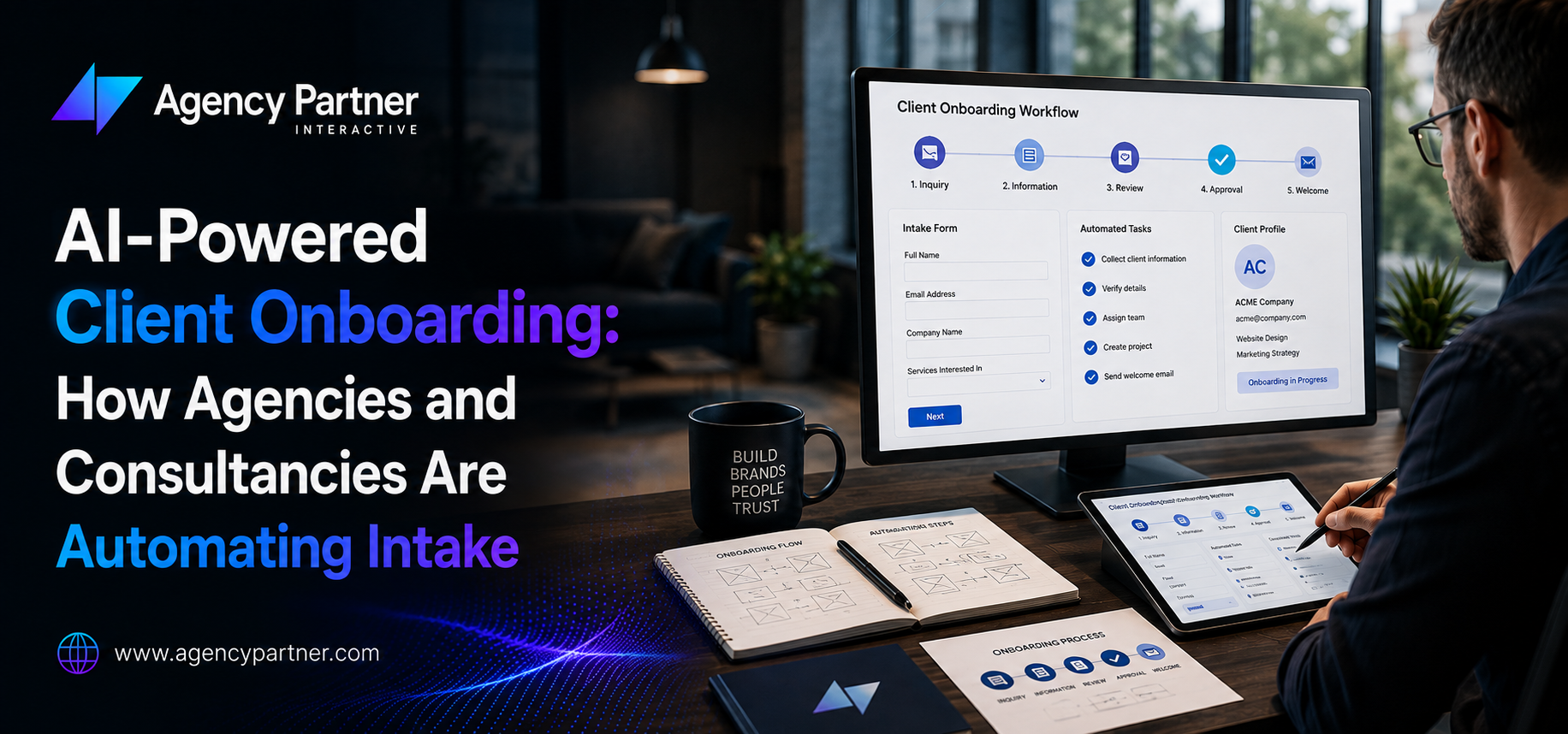
    This is what competitors consistently miss: not the tools, but the actual automated onboarding process flow. Here’s a real agency intake-to-kickoff workflow that runs in 2026 with minimal human involvement: 

    Step 1: Intake Form (Automated)  

    Client receives a branded intake form the moment the contract is signed, triggered automatically from the e-signature platform. The form captures: goals, key contacts, brand assets, existing tools, access credentials, and decision-maker preferences. No email chase. No “did you get my message?” 

    Step 2: CRM and Project Setup (Automated)  

    The completed intake response triggers Zapier or Make to automatically: Create the CRM contact and deal record, build the project in your PM tool, assign team members, set milestone dates, and send the client a welcome email with their project link and timeline. 

    Step 3: Document Generation (AI-Powered)  

    An AI agent, Claude or GPT-4o connected to your intake data, auto-generates the kickoff document, account brief, and initial scope summary using the client’s own answers. Taskip’s own data shows this reduces client onboarding time by 40%. What used to take 90 minutes of template-filling takes 4 minutes. 

    Step 4: Access and Asset Collection (Automated)  

    Conditional logic in your onboarding tools for customer data automation requests only the assets relevant to the engagement type. Digital marketing clients get a brand asset checklist. Web development clients get a hosting credentials request. The system follows up automatically if assets aren’t received within 48 hours. This is where automated data onboarding pays its clearest dividend, no more “can you resend that brief?” emails. Onboarding tools for customer data automation that include conditional logic reduce asset collection time by an average of 60% compared to static checklist emails. 

    Step 5: Kickoff Scheduling (Automated)  

    Calendly or Cal.com sends the scheduling link with a pre-populated agenda based on the intake responses. The automated customer onboarding process ends with a calendar invite, pre-read document, and reminder sequence, without a human sending a single email. 

    The entire sequence, from contract signature to kickoff-ready, takes under 24 hours with automated client onboarding. Without it, the same sequence takes 3–7 business days of back-and-forth. Onboarding automation tools that integrate these five steps are what agencies running 30+ new client engagements per year consider mission-critical infrastructure — not a productivity experiment. 

    Why Automated Onboarding Directly Impacts Retention and Revenue 

    Agencies frame automated client onboarding as an efficiency win. It’s actually a retention strategy. Companies with optimized onboarding automation see 53% higher day-30 retention rates, with 82% of customers who complete full onboarding reporting high satisfaction compared to just 19% for partial completion. 

    The psychology is straightforward: a client who experiences a smooth, professional, fast automated onboarding process immediately builds trust in your team’s competence. They’re signaled that you run a tight operation. That confidence carries into the relationship, and into renewal conversations. 

    Companies using AI for onboarding see a 30% increase in customer retention within the first six months. For an agency billing $5,000/month per client, 30% better retention across even 10 clients represents $150,000+ in preserved annual revenue from a system that costs a fraction of that to implement. 

    User onboarding automation also enables something manual processes can’t: personalization at scale. An automated onboarding software solution with conditional logic delivers a different intake sequence to an e-commerce client vs. a SaaS client vs. a professional services firm, automatically, without any team member making that judgment call. User onboarding automation at this level of sophistication was enterprise-only two years ago. In 2026, it’s accessible through tools like Moxo, Taskip, and Make at SMB price points. 

    Automated data onboarding, the process of automatically ingesting and organizing client-provided data into your systems, eliminates one of the most error-prone steps in manual intake. When a client submits their brand guidelines, Google Analytics access, and existing keyword rankings through a structured automated data onboarding form, that data flows directly into your PM tool and analytics stack, no manual copying, no transcription errors, no “we lost that in the email thread.”  

    Customer onboarding automation that includes data ingestion as a core feature is what separates best-in-class automated client onboarding from basic intake form digitization. Automating client onboarding fully means automating the data, not just communication. 

    The Best Onboarding Automation Tools for Agencies in 2026 

    Choosing the right automated onboarding software depends on what problem you’re primarily solving. Here are the onboarding automation tools agencies and consultancies are actually using in 2026: 

    For End-to-End Client Onboarding Workflows: Moxo  

    The strongest purpose-built customer onboarding automation platform for professional services. Handles multi-stakeholder workflows, document collection with audit trails, and approval routing. Built specifically for agencies, financial services, legal, and consulting firms that need enterprise-grade automated client onboarding with accountability built in. The best choice for any agency whose automate client onboarding requirements include regulated data or multi-party approvals. 

    Taskip: Best for Agencies Automating Intake-to-Project-Setup Sequences 

    Integrates with Claude and Midjourney for AI-generated briefs as part of the automate onboarding process flow. Reduces onboarding time by 40% per client in documented case data. One of the most agency-specific onboarding automation tools available in 2026. 

    For Workflow Orchestration: Zapier / Make  

    The backbone of most automated onboarding process stacks. Connects e-signature → CRM → PM tool → email in fully automated sequences. Essential for any automate onboarding process initiative spanning multiple tools. Flexible enough to serve as the orchestration layer for any automated onboarding software ecosystem. 

    For Document Collection and Signature: PandaDoc / DocuSign  

    The trigger layer. When a contract is signed, everything else begins. Also handles automated data onboarding of signed agreements into your document management system. 

    For Intelligent Intake Forms: Typeform + Zapier or Fillout  

    Conditional logic forms feeding clean data into your CRM and PM tool. The front end of any onboarding tools for customer data automation stack. Onboarding tools for customer data automation that include smart routing and conditional branching reduce data cleanup time by up to 80% compared to static email attachments. 

    For AI-Assisted Document Generation: Claude API / ChatGPT API  

    Connected to intake data, these generate kickoff documents, client briefs, and SOPs automatically. The highest-leverage AI layer in an automated client onboarding system for agencies. Customer onboarding automation that includes AI document generation is where most agencies find their fastest measurable ROI. Automated data onboarding of client-provided information, from brand guidelines to analytics credentials, flows directly into your systems without manual handling. Automate onboarding process investments in this layer recover the most hours per client of any single tool category. Automated data onboarding that connects intake forms to your analytics stack eliminates an entire category of onboarding delay. 

    How to Automate Client Onboarding Without Losing the Human Element? 

    The most common objection to user onboarding automation: “Our clients need the personal touch.” Valid concern. Wrong conclusion. 

    Human-led moments should include welcome meetings, feedback discussions, mentorship, and cultural integration. These interactions build trust, convey values, and ensure employees feel valued, areas where technology should support, not replace, people. 

    The same principle applies to client onboarding. Automated customer onboarding process systems handle the mechanical and sequential. Humans handle the relational and strategic. The goal isn’t to remove humans from onboarding, it’s to remove humans from the parts of onboarding that don’t require them. 

    A well-designed automated onboarding process actually creates more space for meaningful human contact, because your team isn’t spending their first 5 hours on a new engagement chasing intake forms. They’re spending that time on the kickoff call, the strategy session, the relationship. 

    The agencies that resist automate client onboarding investments on “personal touch” grounds are usually the ones whose teams are most burned out by administrative overhead. Automation doesn’t reduce relationship quality. It protects the capacity to deliver it. 

    Building Your Automated Onboarding Stack: Where to Start 

    Automate onboarding process in phases, not all at once. The highest-ROI sequence for any agency ready to automate client onboarding: 

    Phase 1 (Week 1–2) 

    Intake and CRM Build a conditional logic intake form. Connect it to your CRM via Zapier or Make. Auto-create the client record and project on form completion. This single change eliminates 60–80% of administrative back-and-forth. Automated onboarding process phase one is the fastest path from manual chaos to structured efficiency, and most agencies complete it in under two weeks. 

    Phase 2 (Week 3–4) 

    Document Generation and Collection Connect intake outputs to an AI document generator. Add automated asset request sequences with follow-up logic. Your automated onboarding software stack now handles the two most time-consuming manual steps. Automated data onboarding of client assets, brand files, credentials, campaign data, flows directly into your systems without a team member touching it. 

    Phase 3 (Week 5–6) 

    Communication and Scheduling Add automated welcome emails, kickoff scheduling links, and pre-kickoff prep sequences. Your automated client onboarding system now runs end-to-end. Onboarding automation tools at this layer eliminate the 8–15 follow-up emails most agencies send per new client. 

    Phase 4 (Ongoing) 

    Measurement and Optimization Track: time-to-kickoff, completion rates, client satisfaction scores, and team hours saved. Customer onboarding automation ROI compounds, the more clients you onboard through the system, the more refined and efficient it becomes. Automated customer onboarding process measurement should include day-30 retention alongside efficiency metrics, because that’s where the revenue impact shows up. 

    Gartner estimates that by the end of 2026, 40% of enterprise applications will use task-specific AI agents to orchestrate work across systems. The agencies building their customer onboarding automation infrastructure now will have a significant operational advantage over those starting from scratch in 2027.  

    User onboarding automation and automated onboarding process capabilities compound, each new client makes the system smarter, faster, and more personalized. Onboarding tools for customer data automation improve with usage data. Automate onboarding process investments made in Q2 2026 generate returns through 2028 and beyond. The agencies winning this decade aren’t the ones with the most talented teams, they’re the ones whose onboarding automation tools free their talented teams to do what only humans can do.  

    Automated customer onboarding process systems are how that freedom gets built. Automated onboarding software is the investment. User onboarding automation is the outcome. And automate client onboarding at scale is the competitive advantage that compounds annually. 

    The Before and After: What Changes When You Automate Client Onboarding 

    Manual Onboarding Automated Onboarding
    Time to kickoff-ready 3–7 business days Under 24 hours
    Hours per client 5+ hours 1–2 hours (review only)
    Follow-up emails sent 8–15 per client 0 (system handles)
    Data entry errors Common Near-zero
    Client satisfaction Variable Consistently high
    Team morale Onboarding fatigue Focused on delivery
    Day-30 retention Baseline 53% higher

    The automated onboarding process column isn’t a future state. It’s what agencies using the tools in this guide are operating today. 

    FAQs 

    What is automated client onboarding?  

    Using automated onboarding software and AI to handle intake, document collection, CRM setup, and kickoff prep, without manual team effort. 

    How much time do onboarding automation tools save?  

    Onboarding automation tools reduce onboarding time by 40–70%, roughly 2–4 hours recovered per new client engagement. 

    What tools do you need to automate the onboarding process?  

    Core onboarding tools for customer data automation: Typeform or Fillout (intake), Zapier or Make (automate onboarding process), CRM, PM tool, e-signature, and AI document generator. Automated onboarding software like Moxo bundles these into one platform. 

    Does automated customer onboarding process hurt the client relationship?  

    No. Automated customer onboarding process systems handle mechanical steps; your team uses saved time for strategic work. User onboarding automation improves the client experience, faster, more consistent, more professional. 

    What is the ROI of customer onboarding automation?  

    Onboarding tools for customer data automation deliver 5:1 average ROI, automated data onboarding eliminates costly data entry errors, and user onboarding automation drives 53% higher day-30 retention. 

    Is your agency still spending 5 hours per client on manual intake? The decision to automate onboarding process end-to-end is the most impactful operational investment most agencies haven’t made yet. User onboarding automation that actually works, automate client onboarding flows that run overnight — that’s what we build. Talk to our team. 

  • AI Agents vs Chatbots: What’s the Real Difference and Which Does Your Business Need?

    AI Agents vs Chatbots: What’s the Real Difference and Which Does Your Business Need?

    Your vendor says you’re buying AI. What you probably got is a chat window that answers questions about your docs. That’s not useless, but it’s not what moves the needle either. 

    The needle moves when AI starts doing work: booking the meeting, updating the CRM, resolving the ticket end-to-end, sending the follow-up. That’s the real line between a chatbot and an AI agent, and in 2026, getting this wrong is an expensive mistake. 

    This guide cuts through the vendor jargon. You’ll walk away knowing exactly what AI chatbot technology is actually capable of, what AI agent architecture is designed to do, how they actually differ in your business context, and which one your operation needs right now. What is an AI chatbot vs. what is an AI agent is the most important AI infrastructure question of 2026, and most businesses are getting the answer wrong. 

    What Is an AI Chatbot, and What Can It Actually Do? 

    What is AI chatbot in plain terms? It’s software designed to have a conversation. A chatbot receives a message, interprets it, and returns a response, then stops. The best modern chatbots use large language models and can handle nuanced natural language, pull from a knowledge base, and maintain context across a session. What is AI chatbot doing that competitors miss? It handles volume at low cost, not complexity at scale. 

    A best conversational AI chatbot in 2026 can: 

    • Answer FAQs and product questions instantly 
    • Guide users through a process step by step 
    • Collect lead information through a natural conversation 
    • Handle an AI chatbots for customer service at scale, password resets, order status, return policies 
    • Integrate with your help desk to log tickets 
    • Deploy as AI chatbots for ecommerce for basic product discovery and cart support 

    What is AI chatbot doing that it cannot do? Anything requiring judgment, multi-step action across systems, or autonomous decision-making without a human prompt at every step. A chatbot answers. When the answer requires doing something, that’s where it stops. 

    Modern conversational AI vs chatbot distinctions matter here: conversational AI refers to the underlying technology (NLP, LLMs) while a chatbot is the specific application. All chatbots can use conversational AI — but not all conversational AI is a chatbot. Chatgpt vs chatbot is the most common confusion in 2026: ChatGPT is a general conversational AI model; most business chatbots are built on similar models but constrained to specific workflows and knowledge bases. Conversational AI vs chatbot is a category question; chatgpt vs chatbot is a vendor question, and conflating them leads to buying the wrong tool. 

    What Is an AI Agent, and How Is It Different? 

    What is AI agent technology? An AI agent is a system that can interpret a goal, plan multiple steps to achieve it, use connected tools and systems, and complete a task autonomously, without requiring a human to prompt each step. What is AI agent architecture vs. chatbot architecture: a chatbot has a language model + a knowledge base. An AI automation agents system has a language model + tools + memory + system access + the ability to chain actions toward an outcome. 

    The real-world difference: a customer emails asking for a refund on a damaged item. A chatbot vs virtual assistant comparison here is instructive: 

    • Chatbot response: “Please contact our support team or submit a refund request at [link].” 
    • AI agent response: Looks up the order, verifies purchase date and return window, checks damage policy, initiates the refund in the payment system, sends confirmation emAIl, and updates the CRM, all without human intervention. 

    Claude AI agents (Anthropic’s agentic framework), claude AI agents deployed through the Claude API, AI customer service agents built on GPT-4o, and enterprise platforms like Salesforce Agentforce are the clearest examples of this at scale in 2026. They don’t just converse, they execute. What is AI agent doing that a chatbot cannot? Acting without being asked at each step. 

    Chatbot vs ChatGPT vs AI Agent: The Full AI Chatbot Comparison 

    One of the most Googled questions in this space is chatbot vs chatgpt, and the confusion is valid, because vendors exploit it constantly. 

    AI chatbot vs ChatGPT is a deployment question, not a technology question. ChatGPT is a general-purpose conversational AI. A ChatGPT vs chatbot built for your business is the same underlying model constrained to your use case, your data, and your defined workflows. Chatbot vs ChatGPT for customer service: the purpose-built chatbot wins on control, privacy, and auditability. ChatGPT vs chatbot for general research or internal productivity: ChatGPT wins on flexibility. 

    The AI chatbot comparison that drives the right decision: if your use case ends when the AI gives an answer, you need a chatbot or a best conversational AI chatbot like Intercom Fin or Tidio Lyro. If your use case ends when work gets done, you need an agent. AI chatbot comparison across all three tiers, rule-based chatbots, LLM-powered AI assistant chatbot systems, and full AI agents, shows resolution rates of 20–30%, 40–60%, and 70–85%, respectively. 

    What’s the best AI chatbot for your specific context? The one matched to your workflow complexity. Ask AI vs chatgpt for internal tasks, both work, but a controlled AI assistant chatbot gives you auditability. Best conversational AI chatbot platforms in 2026 include Intercom Fin, Drift, and Tidio Lyro. AI chatbot vs chatgpt for e-commerce: a purpose-built AI chatbots for ecommerce tool outperforms general ChatGPT for product-specific queries because it’s trAIned on your catalog. 

    AI Chatbot Comparison: Performance Data That Settles the Debate 

    The AI chatbot comparison data in 2026 is unambiguous when it comes to resolution rates and business outcomes: 

    Metric AI Chatbot AI Agent
    Resolution Rate 30–40% 70–85%
    Customer Satisfaction Moderate Significantly higher
    ROI Good for simple tasks 3x higher for complex tasks
    Setup Time Days to weeks Weeks to months
    Cost to Deploy Lower upfront Higher upfront, lower TCO
    Chatbot Management Overhead High (constant script updates) Lower (self-learning)

     Conversational AI vs Chatbot: Where Does Each Win? 

    Conversational AI vs chatbot isn’t really a competition, it’s a spectrum. But mapping each to the right use case prevents expensive mistakes. 

    Chatbots win when: 

    • The workflow is linear and predictable (FAQ, basic support, lead capture form via conversation) 
    • Volume is high and queries are simple 
    • Your team has limited technical resources for integration 
    • AI chatbots for ecommerce use cases like “where’s my order?” or “what’s your return policy?” 
    • Budget is constrAIned and speed of deployment matters 

    AI agents win when: 

    • Tasks span multiple systems (CRM + calendar + emAIl + database) 
    • Decisions require context the system must retrieve and reason about 
    • The outcome requires action, not just a reply 
    • AI agents for ecommerce use cases like order modification, personalized re-engagement, or dynamic pricing recommendations 
    • AI customer service agents need to actually resolve tickets end-to-end, not just collect them 

    Real Business Use Cases: Which Technology Fits? 

    Customer Service 

    Customer service AI chatbots handle the 70% of incoming inquiries that are simple and repetitive, order status, store hours, policy questions, password resets. They reduce support costs by 30–50% for these interaction types. They do not resolve complex complAInts, process exceptions, or handle multi-step escalations without human handoff. 

    AI customer service agents resolve up to 90% of conversations without human help, including complex cases. They access order history, initiate returns, apply credits, and send follow-ups, completing the loop rather than passing it to a human queue. 

    E-Commerce 

    AI chatbots for ecommerce handle product discovery, size guides, promotions, and basic cart support. They’re the right tool for a store doing under $5M annually that needs to reduce support load without major integration investment. 

    AI agents for ecommerce power the next level: personalized product recommendations mid-conversation, dynamic discount deployment, cross-sell sequencing based on cart data, and abandoned cart recovery with intelligent follow-up, all autonomously. For stores at scale, AI agents for ecommerce are the difference between a customer service cost center and a revenue-generating channel. 

    Internal Operations 

    This is where AI automation agents create the most underappreciated value. Tasks like CRM data entry, lead routing, contract drafting, meeting follow-up emails, and invoice reconciliation, all currently done by humans doing copy-paste work between systems, are the native habitat of AI agents. AI automation agents handle these without prompting, freeing your team for higher-judgment work. 

    The Decision Framework: 5 Questions to Choose Right 

    Before buying any AI solution, run it through these five questions: 

    1. Does the task require action, or just an answer? Action = agent. Answer = chatbot. 
    2. Does it span multiple systems? If yes, you need an agent with tool integrations. 
    3. Would a human need to do something after the AI responds? If yes every time, you have a chatbot, not an agent. 
    4. How often do your underlying docs and policies change? High frequency = agent with RAG. Low frequency = chatbot is fine. 
    5. What’s the cost of a wrong answer? Low risk = chatbot. High risk or high value = agent with human-in-the-loop safeguards. 

    Chatbot management is the hidden cost most businesses don’t account for at purchase. Every policy change, product update, or new FAQ requires a chatbot script update. AI agents self-update from your connected knowledge sources. Over 12 months, chatbot management overhead frequently exceeds the initial cost difference between the two technologies. 

    Choosing Right: A Quick Reference for Every Business Type 

    What is AI agent technology right for? Any business where incomplete automation creates more work than it saves. What is AI chatbot technology right for? Any business where fast, consistent answers reduce the volume of human-handled inquiries. 

    For Customer Service Teams 

    Start with customer service AI chatbots for volume reduction. AI chatbots for customer service handle the 60–70% of tickets that are simple and repetitive. Customer service AI chatbots with RAG can handle 40–60% of inquiries autonomously. AI customer service agents handle 70–90%, including the complex cases that AI chatbots for customer service escalate to humans. The upgrade path is clear: customer service AI chatbots first, AI customer service agents when your escalation rate exceeds 40%. 

    For E-commerce Businesses 

    AI chatbots for ecommerce cover product discovery, order status, and FAQ support. AI agents for ecommerce cover personalized recommendations, cross-sell workflows, cart recovery, and end-to-end order resolution. AI chatbots for ecommerce are the right starting point. AI agents for ecommerce are the right destination once your operation has the integration infrastructure to support them. 

    For Operations Teams 

    AI automation agents are the highest-ROI application. AI automation agents handle CRM updates, lead routing, contract processing, invoice reconciliation, and follow-up sequences, without human prompting at each step. AI automation agents vs. chatbots for operations: chatbots answer employee questions about process; AI automation agents execute the process. 

    For Businesses Evaluating Specific Platforms  

    Claude AI agents (Anthropic) offer some of the strongest multi-step reasoning with tool use in 2026. Claude AI agents deployed through the Anthropic API or Claude.AI handle complex research, document processing, and multi-system workflows. Chatbot vs virtual assistant for the same tasks: the virtual assistant adds scheduling and system integrations the chatbot lacks. Chatbot vs virtual assistant for simple FAQ: either works, but the chatbot is faster and cheaper to deploy. 

    The best conversational AI chatbot for your business is the one that handles your highest-volume, lowest-complexity interactions without human intervention. The best AI agent for your business handles the interactions where incomplete resolution costs you the most, in customer satisfaction, operational overhead, or lost revenue. ChatGPT vs chatbot is less important than chatbot vs agent for most business decisions.  

    AI chatbot comparison that ignores this distinction produces the wrong recommendation every time. Ask AI vs ChatGPT for general tasks, the model matters less than the workflow design. Chatbot management is the recurring cost that tips the long-term economics toward agents: the more frequently your business changes, the more expensive a script-based chatbot becomes to maintain. What’s the best AI chatbot vs. what is AI agent worth investing in? Run the five-question framework above. The answer is specific to your business, but the framework is universal. 

    FAQs 

    What is an AI agent vs a chatbot? 

    An AI chatbot primarily responds to user questions within predefined conversational flows, while an AI agent can reason, plan, make decisions, and complete multi-step actions across connected systems. 

    What is the best AI chatbot for customer service? 

    The best AI chatbot depends on business size and needs. Intercom, Tidio, and Drift suit many SMBs, while Salesforce Agentforce and ServiceNow support more complex enterprise workflows. 

    Is ChatGPT a chatbot or an AI agent? 

    ChatGPT is primarily conversational AI, but it can become more agentic when connected to tools, plugins, or external systems that let it perform actions beyond answering questions. 

    What are AI agents used for in e-commerce? 

    AI agents in e-commerce can handle order changes, personalize product recommendations, recover abandoned carts, apply dynamic promotions, resolve customer issues, and automate multi-step support or sales workflows. 

    How do I know if I need chatbot management or an AI agent? 

    You may need an AI agent if chatbot maintenance takes several hours weekly, requires frequent script updates, or depends on current data from multiple systems to answer accurately. 

    Not sure whether your business needs a chatbot or an AI agent? Agency Partner Interactive builds both and helps you choose the right tool for your specific workflows, team, and growth goals. Talk to our team. 

  • AI Shopping Assistants Benefits for Ecommerce Businesses

    AI Shopping Assistants Benefits for Ecommerce Businesses

    Key Takeaways: Shoppers who engage with an ai shopping assistant convert at 12.3% vs. 3.1% without AI, a 4x lift. Purchases are completed 47% faster with AI assistance. Adobe reports AI-driven traffic converts 42% more than non-AI traffic as of March 2026. 45% of shoppers engage when a virtual shopping assistant proactively greets them. Proactive ai powered shopping chat recovers approximately 35% of abandoned carts, the single highest-ROI automation available to e-commerce businesses today. 

    Most e-commerce stores convert between 2.5% and 3% of their visitors. That means 97 out of every 100 people who land on your site leave without buying. 

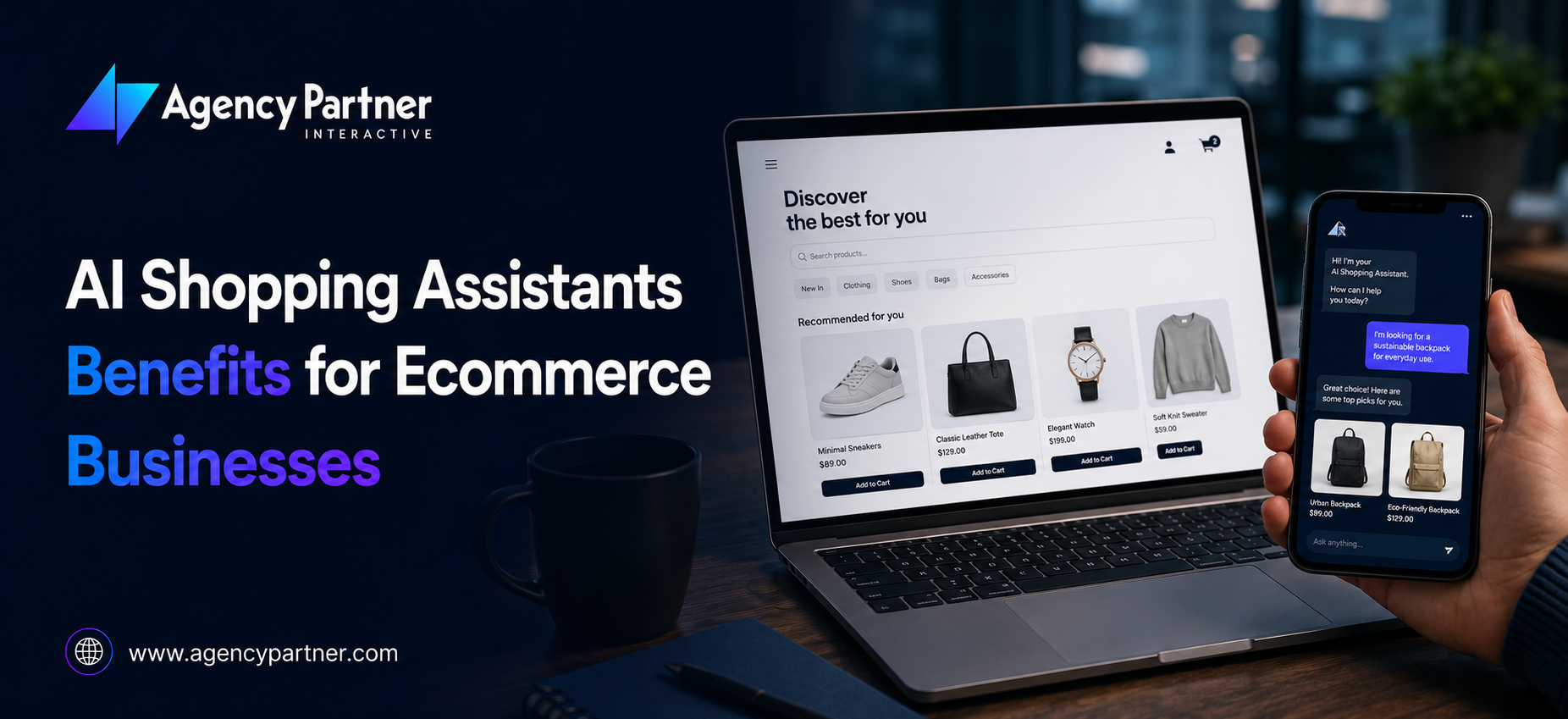
    An ai shopping assistant addresses that gap directly, not by pushing harder, but by doing what a great in-store sales associate does: understanding what the shopper needs, asking the right questions, and guiding them to the right product at the right moment. In 2026, the ai shopping system powering the best e-commerce experiences is conversational, personalized, and always available. The gap between stores using ai assistants for ecommerce and those that aren’t is already visible in the revenue data. 

    What Is a Digital Personal Shopper, and How Does It Work? 

    What is a digital personal shopper? It’s an AI-powered conversational agent that acts as a knowledgeable, always-available sales associate on your storefront. A digital shopping assistant listens to what shoppers describe, asks clarifying questions, understands natural language, and recommends products that match the specific need, not just keyword-matched catalog items. 

    What is a digital personal shopper in practice? When a visitor types “I need running shoes for flat feet that work on trails,” a personal shopping assistant powered by AI understands the use case, the constraint, and the channel, and surfaces the right product with relevant context. A standard search bar returns every shoe with “trail” in the description. A chatbot shopping assistant returns the right one. 

    Online shopping assistant tools in 2026 deploy across multiple channels: on-site chat widgets, SMS, email, social media DMs, and voice. An online shopping assistant sms channel, for example, lets customers continue browsing and purchasing conversations via text, meeting shoppers where they already communicate. 

    Benefit 1: How Does an AI Shopping Assistant Increase Conversion Rates? 

    This is the most documented ai shopping system benefit in 2026. Shoppers who engage with an ai shopping assistant during their session convert at 12.3%, nearly four times the 3.1% rate of shoppers who don’t. Adobe’s March 2026 data confirms: AI-driven traffic converted 42% more often than non-AI traffic, a complete reversal from just one year prior. 

    The mechanism is straightforward: friction kills conversions. A virtual shopping assistant removes friction at every point it appears: 

    • Visitors who can’t find what they need leave. A chatbot shopping assistant finds it for them. 
    • Shoppers uncertain about specs abandon carts. A personal shopping assistant validates their choice. 
    • First-time buyers hesitate. Ai powered shopping that explains sizing, compatibility, or use cases in real time closes the gap. 

    25% more likely to convert, that’s the documented lift when shoppers used an AI assistant vs. browsed independently across 3 million real shopper interactions. For a store doing $1M annually, that’s a measurable revenue impact from a single ai shopping system deployment. 

    Benefit 2: How Does a Virtual Shopping Assistant Reduce Cart Abandonment? 

    Cart abandonment sits at 70.19% globally, representing approximately $260 billion in recoverable revenue. Proactive ai powered shopping chat recovers approximately 35% of abandoned carts when triggered at exit intent or inactivity signals. 

    An online shopping assistant deployed at checkout can: 

    • Offer real-time assistance when a shopper pauses on a product page 
    • Surface customer reviews or size guides at the moment of hesitation 
    • Apply discount codes proactively for first-time buyers 
    • Recover abandoned sessions via online shopping assistant sms follow-up, meeting the shopper in their most responsive channel 

    The digital shopping assistant doesn’t just recover carts, it prevents abandonment in the first place by answering the questions that stall purchases before they become exits. 64% of AI-powered sales come from first-time shoppers, the most hesitation-prone segment and the one a personal shopping assistant serves best. 

    Benefit 3: Does an AI Shopping Assistant Speed Up the Purchase Journey? 

    Yes, significantly. Shoppers complete purchases 47% faster when assisted by a chatbot shopping assistant vs. browsing without assistance. Speed matters for two reasons: it reduces the window for second thoughts and abandonment, and it directly improves the mobile shopping experience, where attention spans are shortest. 

    Mobile conversion rates trail desktop by nearly half despite mobile accounting for 70% of e-commerce traffic. An ai shopping assistant optimized for mobile, fast-loading, conversational, requiring minimal typing, directly narrows that gap. The digital shopping assistant becomes the mobile experience rather than asking mobile shoppers to navigate desktop-designed catalog pages on a 6-inch screen. 

    Benefit 4: How Does AI Powered Shopping Drive Higher Average Order Value? 

    Ai powered shopping doesn’t just convert more visitors, it converts them to higher spend. Returning customers who use AI chat spend 25% more than those who don’t. AI-driven recommendation engines can increase average order value by up to 22%. 

    A virtual shopping assistant drives AOV through: 

    • Bundle recommendations: “Customers who bought this jacket also bought these gloves, they’re in your size.” 
    • Complementary product suggestions: surfaced contextually within the conversation, not as a generic widget 
    • Personalized upsells: based on the shopper’s stated use case, not just purchase history 

    Amazon’s recommendation engine, the original ai shopping system, drives 35% of annual sales. The same personalization capability is now accessible to independent e-commerce brands through ai assistants for ecommerce platforms without Amazon’s infrastructure budget. 

    Benefit 5: Can a ChatGPT Shopping Assistant Replace a Customer Support Team? 

    Not replace, but radically reduce the load. 93% of customer questions are now resolved by AI without human intervention. A chatgpt shopping assistant or LLM-powered online shopping assistant handles: 

    • Order status inquiries 
    • Return and exchange policy questions 
    • Size and fit guidance 
    • Shipping timelines 
    • Product compatibility questions 

    AI chat resolves queries up to 70% faster than traditional support channels. For e-commerce businesses where support costs scale directly with revenue, ai assistants for ecommerce break that equation, handling 10x the inquiry volume without adding headcount. 

    The most advanced implementations use a chatgpt shopping assistant architecture, an LLM connected to your product catalog, CRM, and order management system, that handles conversation context across sessions, recognizes returning customers, and personalizes responses based on purchase history. 

    Benefit 6: How Does a Personal Shopping Assistant Build Customer Loyalty? 

    Ai powered shopping compounds its value across the customer lifecycle, not just at the moment of first purchase. Returning customers using AI chat spend 25% more. AI personalization lifts customer retention by 10–15%. Customers engaging with personalized content show 70% higher conversion likelihood on repeat visits. 

    A personal shopping assistant builds loyalty by remembering, the shopper’s past purchases, stated preferences, size, and browsing patterns. Each return visit benefits from that accumulated context. The digital shopping assistant that helped a customer find the right gift in December uses that interaction history to surface relevant suggestions in February without requiring the customer to re-explain their needs. 

    This is what is a digital personal shopper doing that no static product page can: building a relationship over time that makes switching to a competitor increasingly costly. 

    Benefit 7: What Are the Omnichannel Capabilities of an AI Shopping System? 

    The most sophisticated AI shopping system in 2026 isn’t a single-channel widget, it’s an omnichannel presence that follows the shopper wherever they engage. 

    Ai assistants for ecommerce in 2026 operate across: 

    • On-site chat: proactive engagement, product discovery, checkout support 
    • Online shopping assistant sms: conversation recovery, order updates, re-engagement 
    • Email: AI-personalized product recommendations and abandoned cart sequences 
    • Social DMs: Instagram and Facebook Messenger shopping conversations 
    • Voice: integration with Alexa, Google Assistant, and in-store kiosks 

    An online shopping assistant sms channel is particularly high-performing for cart recovery, SMS open rates sit at 98% compared to 20–22% for email. A shopper who abandons a cart can receive a personalized recovery message via text within minutes, with the chatbot shopping assistant continuing the conversation in the channel the customer actually reads. 

    Benefit 8: What Is the ROI of an AI Shopping Assistant for E-Commerce? 

    The ROI case for ai assistants for ecommerce is the strongest in the technology stack for most e-commerce businesses. Summarizing the data: 

    • 4x higher conversion rate for AI-engaged shoppers (12.3% vs. 3.1%) 
    • 47% faster purchase completion 
    • 35% abandoned cart recovery rate via proactive chat 
    • 25% higher spend from returning AI-assisted customers 
    • 93% of support queries resolved without human escalation 
    • 42% higher conversion from AI-referred traffic 
    • Retailers using AI saw 14.2% sales growth vs. 6.9% for non-AI retailers 

    BigCommerce documents a 30% ROI from virtual shopping assistant initiatives, driven by higher order frequency and more effective promotions. McKinsey benchmarks AI personalization at a 5–15% revenue lift, with top performers reaching 25%. 

    The question for most e-commerce businesses isn’t whether a digital shopping assistant delivers ROI. It’s which deployment, on-site chatbot shopping assistant, online shopping assistant sms, or full omnichannel ai shopping system, fits their customer journey and technical infrastructure. 

    FAQs 

    What is a digital personal shopper?  

    An AI-powered assistant that understands shopper needs, asks clarifying questions, and recommends the right product conversationally in real time. 

    How does an AI shopping assistant increase conversions?  

    By removing friction, answering questions, validating choices, and guiding hesitant buyers. AI-engaged shoppers convert at 12.3% vs. 3.1%. 

    What is an online shopping assistant SMS channel?  

    A text-based shopping assistant that continues product conversations and cart recovery via SMS, with 98% open rates vs. 20% for email. 

    Can a ChatGPT shopping assistant replace customer support?  

    Not entirely, but it resolves 93% of queries without human help, handling volume that would otherwise require significant support headcount. 

    What AI shopping system should my ecommerce store use?  

    Depends on scale and channels. Start with on-site chat, then expand to SMS and social DMs as you optimize the core conversion flow. 

    Ready to add an AI shopping assistant to your e-commerce store? Agency Partner Interactive designs and integrates AI-powered shopping experiences that convert browsers into buyers.  

    Talk to our team. 

  • How to Build a Websites with AI Using Expert Advice That Really Works

    How to Build a Websites with AI Using Expert Advice That Really Works

    Key Takeaways: 73% of small businesses are already using or planning to build a website with ai in 2026. AI design tools cut site creation time by 60–80% vs. manual coding. Ai for website design now handles copy, layout, images, and SEO simultaneously. Sites using ai powered website builder tools with personalization see 15% higher conversion rates. 63% of global web traffic comes from mobile, any ai web development project that doesn’t prioritize mobile first is starting with a critical flaw. 

    Building a website used to take weeks, a developer, a designer, a copywriter, and a budget most small businesses couldn’t justify. In 2026, ai web development has compressed that timeline to hours, and in some cases, minutes. 

    But speed isn’t the story. The story is what you do with that speed. The businesses extracting real value from ai website development aren’t just using AI to generate a homepage and call it done. They’re using ai for website design to test faster, iterate more intelligently, and deliver website design solutions that actually convert. The best ai websites in 2026 aren’t recognizable as AI-generated, because the teams building them know how to create a website with ai properly, not just quickly. 

    This guide covers the full picture, how to create a website with ai from scratch, which ai powered website builder platforms experts actually use, how to integrate ai in website architecture beyond design, and the expert-level decisions that separate high-performing ai websites from AI-generated template noise. 

    What Is AI Web Development and Why Does It Matter Now? 

    Ai web development refers to using artificial intelligence tools to automate, assist, or entirely generate the design, copy, code, and functionality of a website. A website builder ai tool from 2020 helped you choose a template. A website ai generator from 2026 takes a text prompt and produces a fully structured, SEO-optimized, mobile-responsive site across multiple pages, in seconds. 

    The shift is meaningful. Website design in the traditional sense required expertise in layout, typography, color theory, UX principles, and conversion optimization. Ai based website development makes those principles accessible to anyone, because the AI applies them automatically based on your inputs and industry. Website design solutions that once cost $10,000–$50,000 are now accessible through ai to design website platforms at a fraction of the cost and timeline. 

    73% of small businesses are already using or planning to create a website with ai in 2026. Build a website with ai has moved from a novelty to a strategic necessity. The businesses not yet using ai to build a website aren’t holding out for quality reasons, they’re falling behind on speed, cost efficiency, and competitive positioning. Ai website development is not the future of web design, it’s the present. And ai based website development tools are improving faster than most marketing teams are adopting them. 

    How to Create a Website With AI: The Expert Workflow? 

    How to create a website with ai correctly, not just quickly, requires a structured approach. Here’s the workflow ai web development experts actually follow: 

    Step 1: Define Your Goal Before You Prompt 

    Every ai generated website reflects the quality of the input that created it. Before opening a website builder ai, define: 

    • Who is the primary visitor, and what do they need to do? 
    • What is the single most important conversion action on this site? 
    • What tone, industry, and brand identity should the website design reflect? 
    • What website design solutions do your competitors use, and how will yours differentiate? 

    Generic prompts produce generic AI websites. Specific inputs, “B2B SaaS landing page for HR teams at companies with 200–500 employees, professional tone, primary CTA is demo request”, produce something usable. This is the most underemphasized step in every how to create a website with ai guide. The website AI generator can only be as good as the brief you give it, which is why professionals who know how to create a website with AI properly always start here, not at the tool. 

    Step 2: Choose the Right AI Website Builder 

    The ai powered website builder you choose determines the ceiling of your output. Here’s how the leading platforms stack up in 2026: 

    Wix AI 

    Best overall AI-powered website builder for most businesses. Full text-prompted site generation, AI image tools, AI copywriting, and built-in SEO. Plans for $17/month. Delivers strong website design solutions for small businesses to mid-market. Consistently ranks #1 for anyone wanting to build a website with AI without technical expertise. 

    Hostinger Website Builder  

    Best budget website builder ai. Plans from $2.99/month intro. Includes AI copywriter, AI heat maps, and full site generation. The most cost-effective way to create a website with ai for lean teams. 

    Webflow + AI  

    Best ai to design website platform for design-quality output with developer control. AI generates layouts that designers refine to pixel precision. Best for businesses where website design quality is a brand differentiator. 

    10Web  

    Best AI WordPress builder. Converts any site to WordPress and generates full ai websites using GPT-4 integration. Best for teams already in the WordPress ecosystem. 

    GoDaddy Airo 

     Best complete ai based website development tool for small businesses needing more than a site, it generates logo, email campaigns, and marketing materials alongside ai website development. 

    Cursor  

    Best ai web development tool for professional developers. Ranked the top AI coding assistant in 2026, with deep codebase awareness and multi-file editing for teams doing custom ai based website development. 

    Step 3: Generate, Then Edit 

    The cardinal rule of using ai to build a website: treat the AI’s first output as a draft, not a deliverable. Every expert interviewed for this guide made the same point, the ai generated website is a starting point, not a finished product. 

    What to edit after your website ai generator produces the first draft: 

    • Replace generic AI copy with specific content about your actual business 
    • Swap AI-generated images with real product photos or branded visuals 
    • Restructure headings to match actual search intent for target queries 
    • Add social proof, testimonials, case studies, that AI can’t generate 
    • Verify mobile layout, 63% of global web traffic is mobile 

    The ai generated website handles structure and speed. Human editorial judgment handles accuracy, authenticity, and conversion. Build a website with ai correctly means combining both, not choosing one over the other. 

    How to Integrate AI in Website Architecture Beyond the Builder? 

    How to integrate AI in website functionality goes far deeper than using a website builder ai to generate pages. The businesses winning with AI-based website development are embedding AI throughout the site experience, turning static website design solutions into dynamic, adaptive systems: 

    AI-Powered Personalization Sites using AI-driven personalization see a 15% average conversion rate lift. Tools like Mutiny, Dynamic Yield, and Persado adapt content, CTAs, and layouts dynamically based on visitor behavior, without changing the underlying website design. Understanding how to implement ai in website personalization is where most ai to design website projects stop short, and where the biggest conversion gains are available. 

    AI Chat and Conversational UI Embedding an LLM-powered conversational interface reduces bounce rate by keeping visitors engaged when they can’t immediately find what they need. This is one of the most direct answers to how to implement ai in website experience for lead generation. Unlike scripted bots, ai web development that embeds a genuine language model creates conversations that qualify leads automatically. 

    AI Search Site search powered by Algolia or Elasticsearch with AI ranking turns your internal search bar into a conversion tool. Users who search on a site convert at 2–3x the rate of non-searchers, and ai for website design that doesn’t optimize the search experience leaves those conversions on the table. How to integrate ai in website search is a technical implementation that most website design solutions teams overlook completely. 

    AI Image Optimization AI image compression reduces page load weight by up to 30%, directly improving Core Web Vitals scores and search rankings. This is a technical ai website development decision that most builders now automate, but custom ai based website development requires explicit configuration. 

    AI-Generated A/B Testing Tools like VWO and Optimizely’s AI features generate and test layout and copy variations automatically, learning which website design elements convert best without requiring a dedicated CRO team. Using ai to build a website that continuously improves itself post-launch is the highest-ROI application of ai for website design available in 2026. 

    How to Implement AI in Website SEO From Day One? 

    How to implement AI in website SEO, not as a post-launch add-on but as a structural element, determines whether your AI websites get found or ignored. Every AI web development project should include these from the start: 

    Use AI for meta title and description generation. Every page should have a unique, intent-matched meta title and description. Website builder ai platforms like Wix and Hostinger generate these automatically, but expert review before publishing is essential. How to create a website with ai that ranks from day one means treating SEO as a prompt input, not an afterthought. 

    Generate schema markup automatically. Ai to design website tools in 2026 can produce structured data markup for products, services, FAQs, and organizations, helping your ai generated website appear in rich snippets and AI Overviews. Ai powered website builder platforms that include schema generation automate one of the most impactful SEO decisions in ai website development. 

    Build for information gain. The pages on your ai websites that rank are the ones that say something distinctive. Pure website ai generator output that recycles what’s already indexed won’t rank. Add original data and unique framing to every page, this is how to create a website with ai that outperforms generic competitors. 

    Mobile-first is non-negotiable. 63% of web traffic is mobile. Using ai to build a website with a responsive-first layout is non-negotiable, always verify on a real device before publishing. Ai for website design that doesn’t account for mobile UX undermines everything else in your website design solutions strategy. 

    Audit your ai generated website before launch. Run every ai powered website builder output through Google’s PageSpeed Insights, Search Console, and a mobile usability test. The website ai generator produces structure, SEO performance requires a final human review of every page. How to integrate ai in website launches correctly always includes this audit step. Ai website development that skips it publishes pages that could rank, but don’t, because a preventable technical issue was never caught. Build a website with ai correctly and your launch is a starting point for compounding organic growth, not a static publication. 

    What Expert Web Designers Say About Using AI to Build a Website? 

    Using ai to build a website has divided the design community, but practitioners doing it consistently report the same conclusion: AI doesn’t replace expertise. It accelerates it. 

    “The prompt is the brief,” says one Webflow designer with 12 years of experience. “The better I define the objective, the audience, and the constraints before touching a website builder ai, the better the output. Ai to design website layouts makes me 3x faster, but it doesn’t replace the questions I know to ask before starting. How to create a website with ai is really a question about how to brief well.” 

    A UX director at a Dallas-based agency: “We use ai for website design to generate 5–10 layout concepts in the time it used to take to present one. Ai websites give us a visual vocabulary to react to, which is faster than starting from a blank canvas. Then we apply human judgment. The client gets better website design solutions faster. We spend our time on the decisions that require real expertise.” 

    A developer who manages custom ai web development projects: “How to integrate ai in website architecture isn’t a tools question, it’s a strategy question. Every decision about how to implement ai in website experience, personalization, AI search, AI chat, requires a clear goal before implementation. Ai based website development adds complexity that needs justification. Otherwise you’re engineering for its own sake.” 

    A product designer who has worked with ai powered website builder platforms for the past three years: “The biggest mistake I see is treating the ai generated website as done. Build a website with ai correctly means the AI generates 60% and human expertise finishes the other 40%. Website ai generator outputs are starting points, not deliverables. Ai website development at its best looks indistinguishable from hand-crafted work, because the human layer is just as present.” 

    The consistent theme across every expert: ai website development gives you speed and scale. Website design solutions that combine AI generation with human editorial judgment give you relevance and quality. Ai based website development done right is not about removing human creativity, it’s about focusing it on the decisions that matter most. How to implement ai in website projects correctly isn’t a technical question, it’s a strategic one. And ai to design website experiences that actually convert are always the result of both. Ai for website design is the accelerant. Human expertise is the fuel. Together they deliver website design solutions that neither could produce alone. 

    Ready to build or redesign your website with AI? Agency Partner Interactive combines AI-powered development with expert design strategy to build sites that perform from day one. Talk to our team. 

    FAQs 

    What is the best AI website builder in 2026?  

    Wix leads overall for ai websites. Hostinger wins on budget. Webflow suits designers. Cursor serves developers doing custom ai web development. 

    How long does it take to build a website with AI?  

    A website ai generator produces a basic ai generated website in minutes. A polished, edited result takes 1–3 days. 

    How do I integrate AI in my website beyond design?  

    How to integrate ai in website experience: add AI personalization, AI chat, ai for website design A/B testing, and AI image optimization, each needs a clear goal. 

    What is the best website builder AI for beginners?  

    Wix and Hostinger are the most accessible ai powered website builder options, no code required, strong website design solutions, and built-in SEO tools. 

    What do I need to build a website with AI from scratch?  

    A domain, managed hosting, a chosen website builder AI, a clear brief, and 2–3 hours for generation, editing, and mobile review. Using AI to build a website also requires human editorial review before launch.